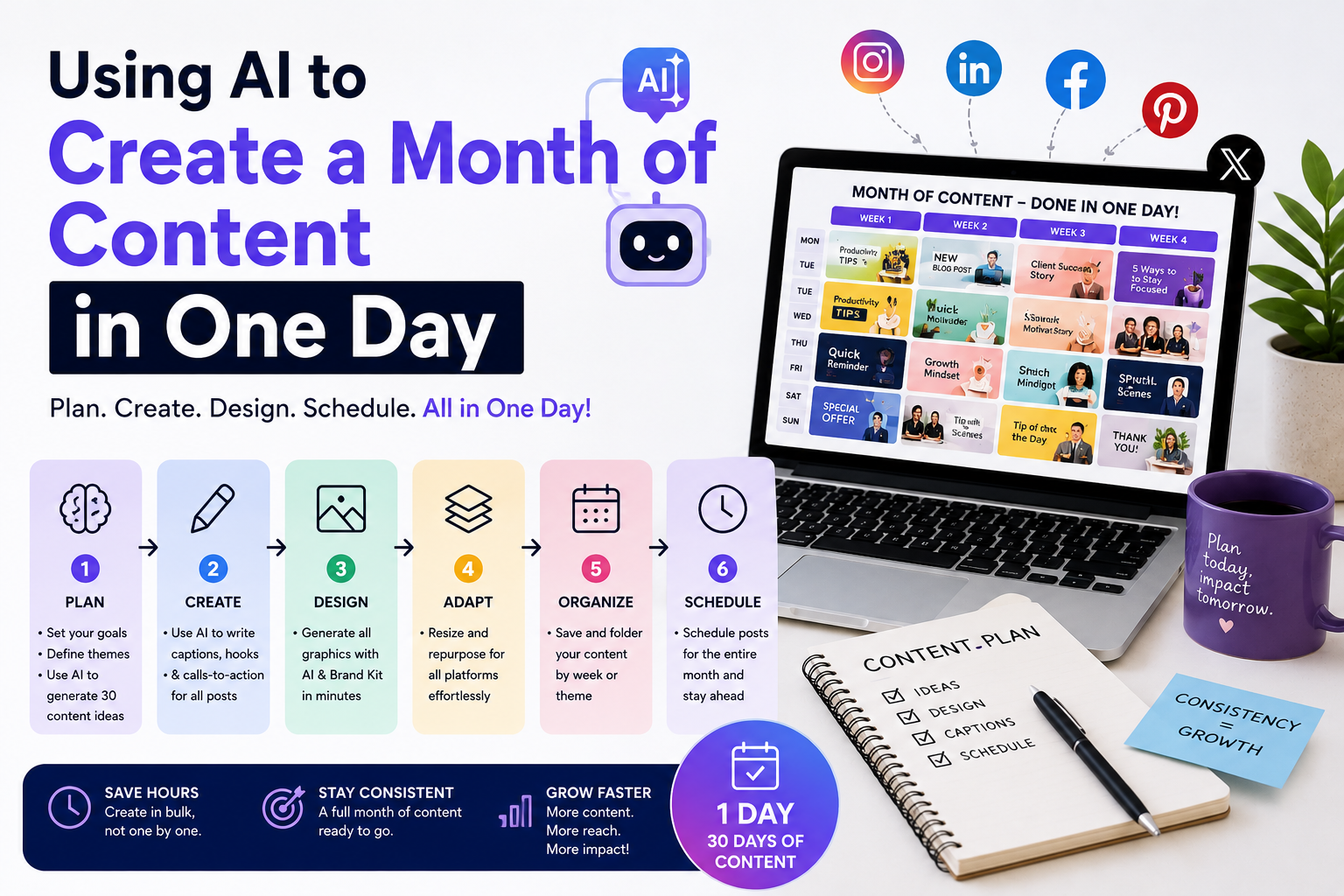
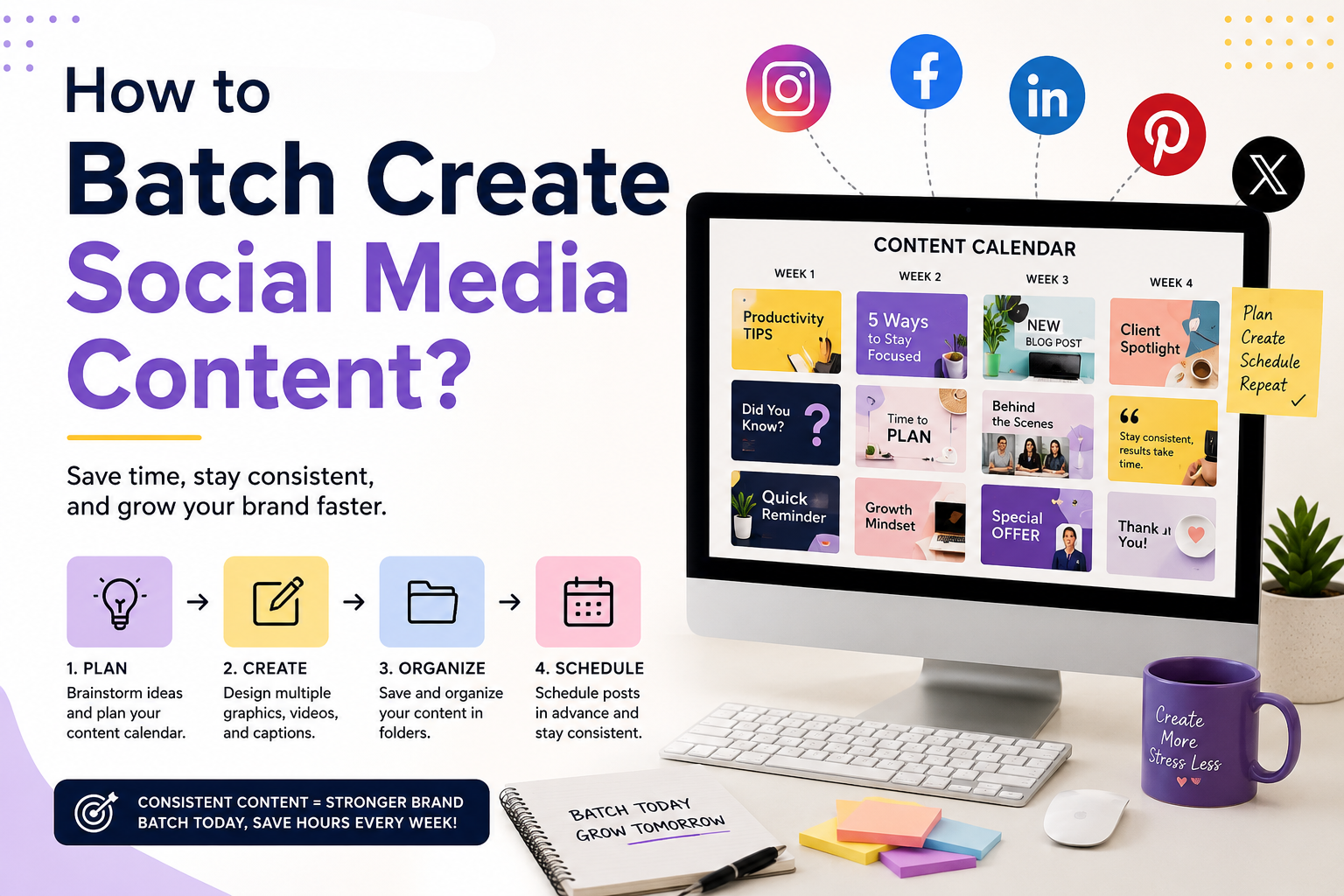
Managing multiple social media accounts is no small task. Social media managers are expected to create engaging content, maintain consistent branding, respond to trends, support marketing campaigns, and publish across several platforms—all while working under tight deadlines.
The Adobe Express Productivity Agent can dramatically simplify this workflow. By using natural language prompts, social media managers can generate graphics, captions, campaign ideas, and promotional assets in minutes instead of hours.
This guide shares some of the best Productivity Agent prompts for social media managers and explains how to use them to create better content faster.
Why Prompt Quality Matters
The Productivity Agent responds to natural language instructions.
The more context you provide, the better the results.
Instead of typing:
Create an Instagram post.
Try something like:
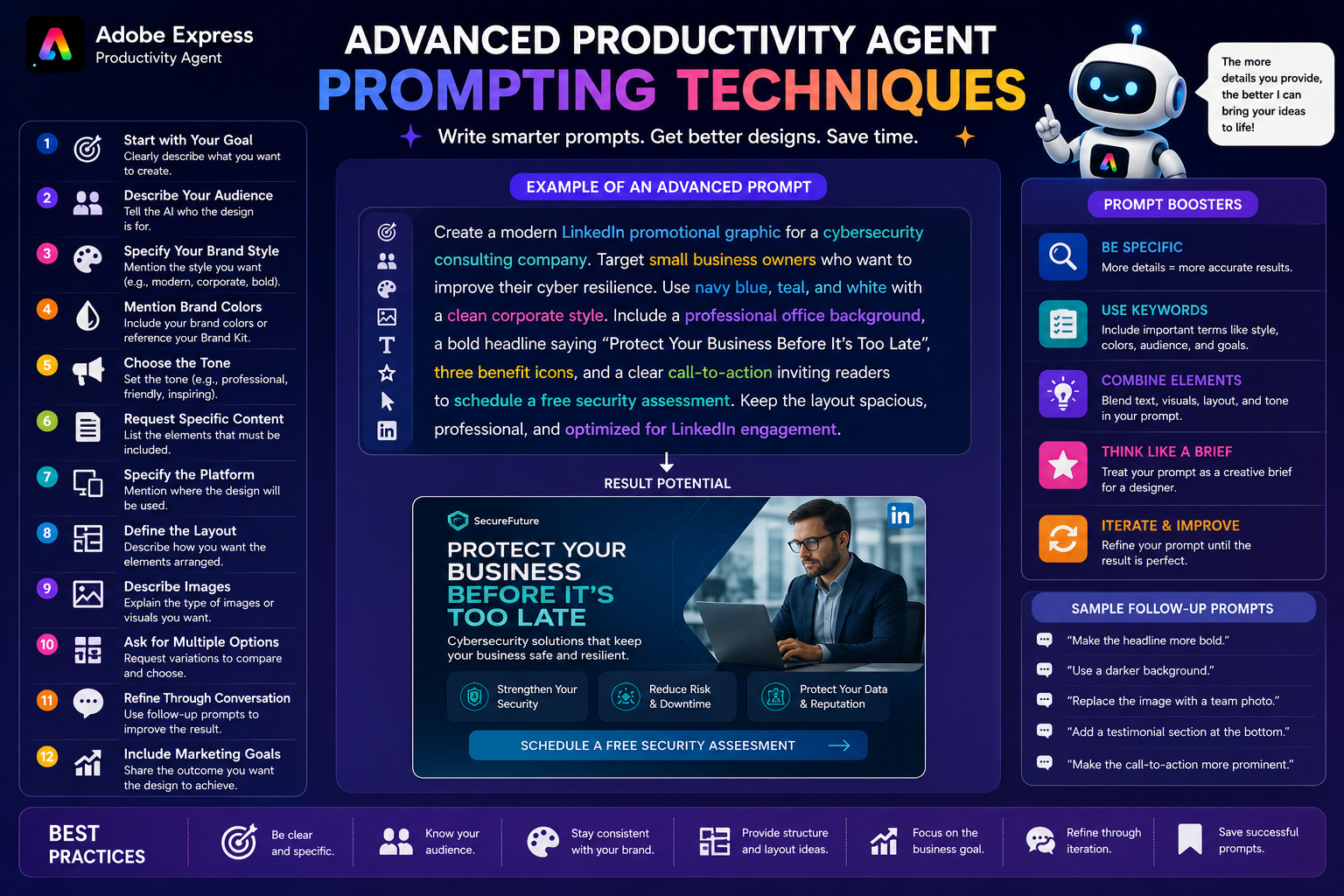
Create a modern Instagram post promoting our free cybersecurity webinar for small business owners using navy blue and white branding with a professional corporate style and a strong call to action.
Detailed prompts produce more relevant layouts, messaging, and visual suggestions.
Prompt Category 1: Content Ideas
One of the biggest challenges for social media managers is deciding what to publish.
Example prompts:
Generate 30 social media post ideas for a digital marketing agency.
Suggest two weeks of LinkedIn content for an IT consulting company.
Create a month’s worth of Instagram ideas for a fitness coach.
Generate educational post ideas for a cybersecurity awareness campaign.
These prompts help you build a content calendar in minutes.
Prompt Category 2: Social Media Graphics
Quickly generate graphics for multiple platforms.
Examples:
Create an Instagram promotional graphic announcing our summer sale.
Design a LinkedIn graphic introducing our new consulting service.
Create a Pinterest Pin promoting our latest blog article.
Design a Facebook banner advertising our free webinar.
Create an X graphic highlighting today’s business tip.
The Productivity Agent provides a solid starting point that you can customize.
Prompt Category 3: Carousel Posts
Educational carousel posts continue to perform well on LinkedIn and Instagram.
Examples:
Design an eight-slide LinkedIn carousel explaining ISO 27001.
Create a five-slide Instagram carousel on productivity tips.
Design a carousel introducing Adobe Express AI features.
Carousels help communicate more information while encouraging engagement.
Prompt Category 4: Campaign Planning
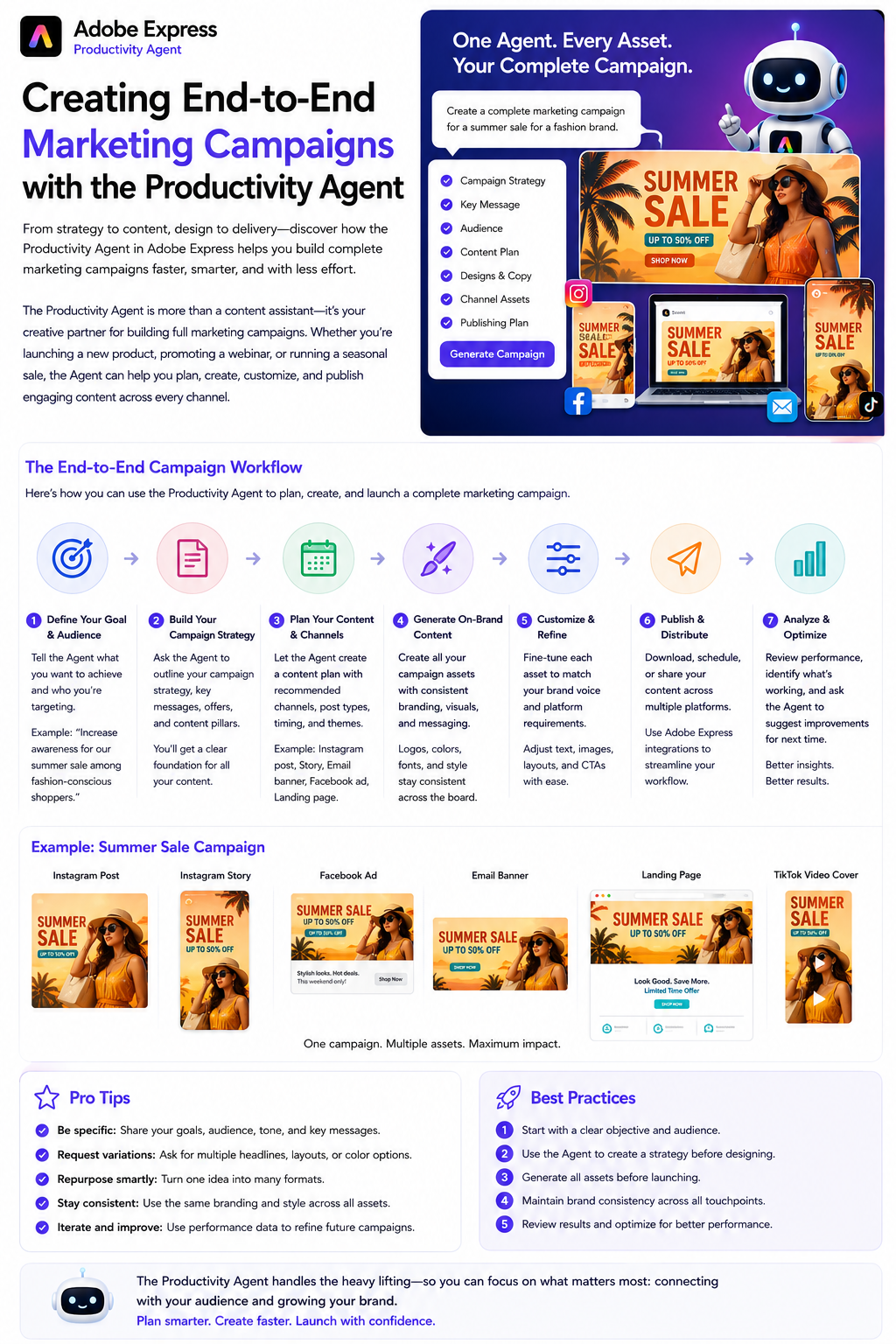
The Productivity Agent can assist with complete marketing campaigns.
Example prompts:
Create a social media campaign for our Black Friday promotion.
Build a product launch campaign including Instagram, LinkedIn, Facebook, and Pinterest graphics.
Generate promotional assets for our annual conference.
These prompts encourage consistent messaging across every platform.
Prompt Category 5: Caption Writing
Generating captions can be just as time-consuming as designing graphics.
Examples:
Write an engaging Instagram caption promoting our new online course.
Create a professional LinkedIn announcement for our latest software release.
Write five Facebook captions for our summer promotion.
Generate Pinterest descriptions for our home décor collection.
Review and personalize AI-generated copy before publishing.
Prompt Category 6: Seasonal Content
Prepare campaigns well in advance.
Examples:
Create Christmas-themed Instagram graphics.
Design a New Year’s promotion.
Generate Valentine’s Day marketing posts.
Create Back-to-School campaign visuals.
Design Black Friday promotional banners.
Seasonal campaigns often perform best when planned early.
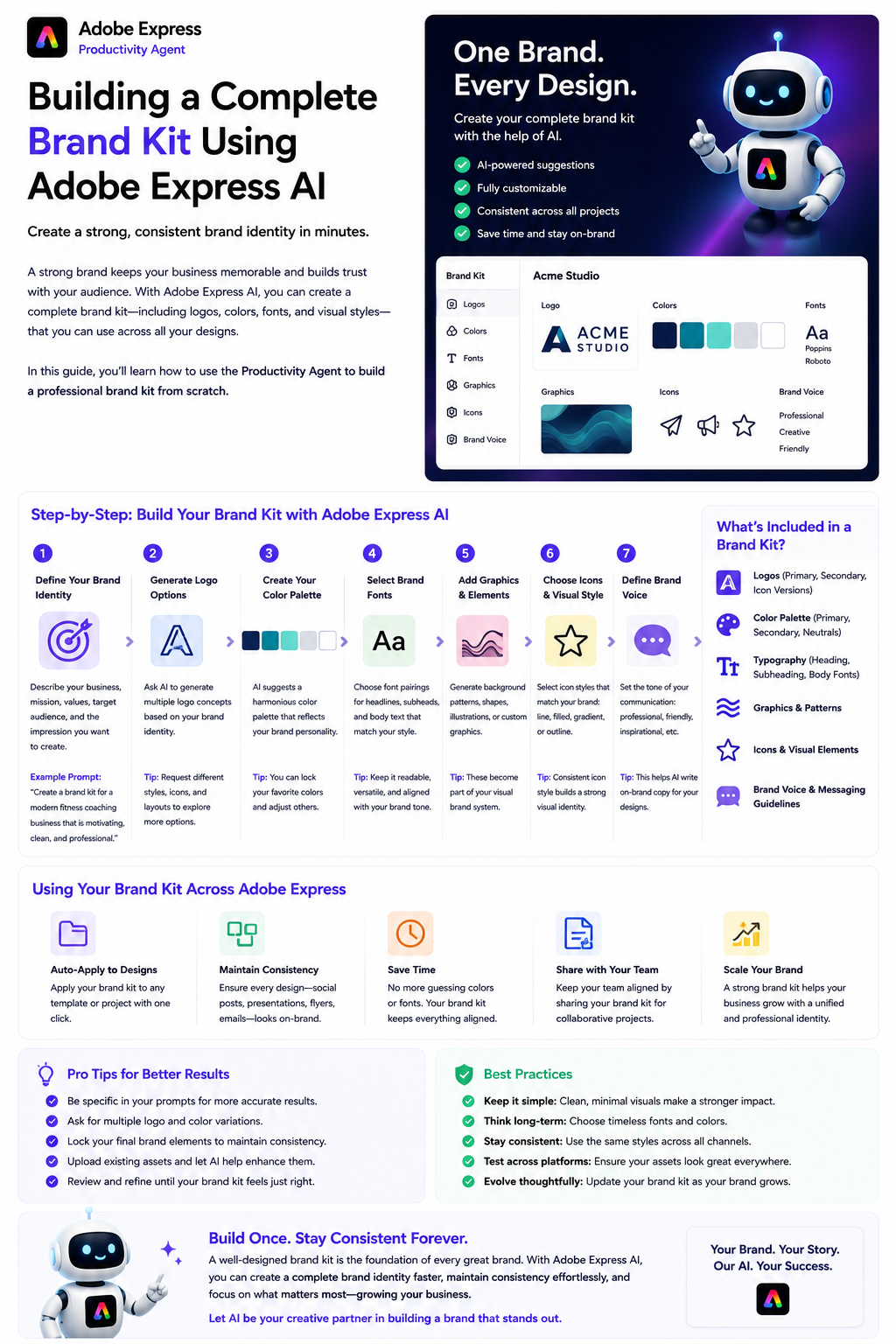
Prompt Category 7: Brand Consistency
Maintain a consistent visual identity.
Example prompts:
Create all graphics using our navy blue and teal Brand Kit.
Design a LinkedIn campaign using our corporate typography and logo.
Keep every graphic clean, modern, and professional.
Clear branding instructions improve consistency across campaigns.
Prompt Category 8: Content Repurposing
Turn one piece of content into many.
Examples:
Turn this blog article into five Instagram posts.
Convert our webinar into a LinkedIn carousel.
Create Pinterest Pins from this tutorial.
Turn our podcast into quote graphics.
Repurposing saves time while maximizing content reach.
Prompt Category 9: Audience Targeting
Help the AI better understand your audience.
Examples:
Create a LinkedIn graphic targeting HR managers.
Design Instagram content for university students.
Generate promotional graphics for startup founders.
Create Facebook content aimed at local businesses.
The more specific your audience, the more relevant the results.
Prompt Category 10: A/B Testing
Generate multiple creative options.
Examples:
Create three different versions of this Instagram post.
Generate two headline variations.
Design five thumbnail concepts.
Produce three different call-to-action styles.
Testing different designs helps improve engagement and click-through rates.
Prompt Category 11: Productivity Workflows
The Productivity Agent can help streamline repetitive work.
Examples:
Create one month of LinkedIn graphics.
Design ten Instagram posts using our Brand Kit.
Generate weekly Facebook content.
Create promotional graphics for every blog article we publish this month.
Batch production saves significant time.
Prompt Category 12: Analytics-Inspired Improvements
Use performance insights to improve future content.
Examples:
Create more graphics similar to our highest-performing LinkedIn post.
Design Instagram posts with stronger calls to action.
Suggest ways to improve engagement using simpler layouts.
AI can help you iterate on successful content while still relying on your own analytics and judgment.
Tips for Writing Better Prompts
To get the best results, include as much useful context as possible.
A strong prompt often includes:
- The platform (Instagram, LinkedIn, Pinterest, etc.)
- Your target audience
- The campaign objective
- Your preferred design style
- Brand colors
- Typography preferences
- Required text
- Desired call to action
- Overall tone
The Productivity Agent performs best when it receives a clear creative brief.
Example Advanced Prompt
Instead of:
Create a social media graphic.
Try:
Create a LinkedIn promotional graphic announcing our free AI webinar for IT managers. Use our navy blue and teal Brand Kit with a clean corporate layout, bold headline, professional office imagery, and a clear “Register Today” call to action. Keep the design suitable for B2B marketing.
This level of detail typically produces a much stronger starting point.
Best Practices
To maximize the value of the Productivity Agent:
- Write detailed prompts.
- Specify your audience.
- Mention your Brand Kit.
- Describe your preferred visual style.
- Generate multiple variations.
- Repurpose existing content.
- Batch similar tasks together.
- Review every AI-generated design before publishing.
- Measure engagement and refine future prompts.
- Save successful prompts for future campaigns.
Building a personal prompt library can significantly speed up future projects.
Frequently Asked Questions
Do longer prompts work better?
In most cases, yes. Detailed prompts provide more context, allowing the Productivity Agent to generate results that more closely match your expectations.
Can I reuse prompts?
Absolutely. Saving your best-performing prompts creates a repeatable workflow and helps maintain consistent branding across future campaigns.
Can the Productivity Agent create complete campaigns?
It can assist with many creative tasks—including graphics, captions, campaign ideas, and promotional assets—but you should still review and approve the final content before publishing.
Is this useful for agencies?
Yes. Marketing agencies, freelancers, in-house marketing teams, consultants, and small businesses can all use structured prompts to reduce production time while improving consistency.
Final Thoughts
The Adobe Express Productivity Agent is most effective when paired with clear, well-structured prompts. Rather than treating AI as a one-click solution, think of each prompt as a creative brief that guides the assistant toward your desired outcome. By specifying your audience, branding, objectives, platform, and preferred style, you can generate higher-quality graphics and marketing assets with far less manual effort.
For social media managers, building a library of reusable prompts can become one of the biggest productivity gains. Instead of reinventing your workflow for every campaign, you’ll have proven prompts ready to generate consistent, professional content for Instagram, LinkedIn, Facebook, Pinterest, TikTok, YouTube, and beyond.