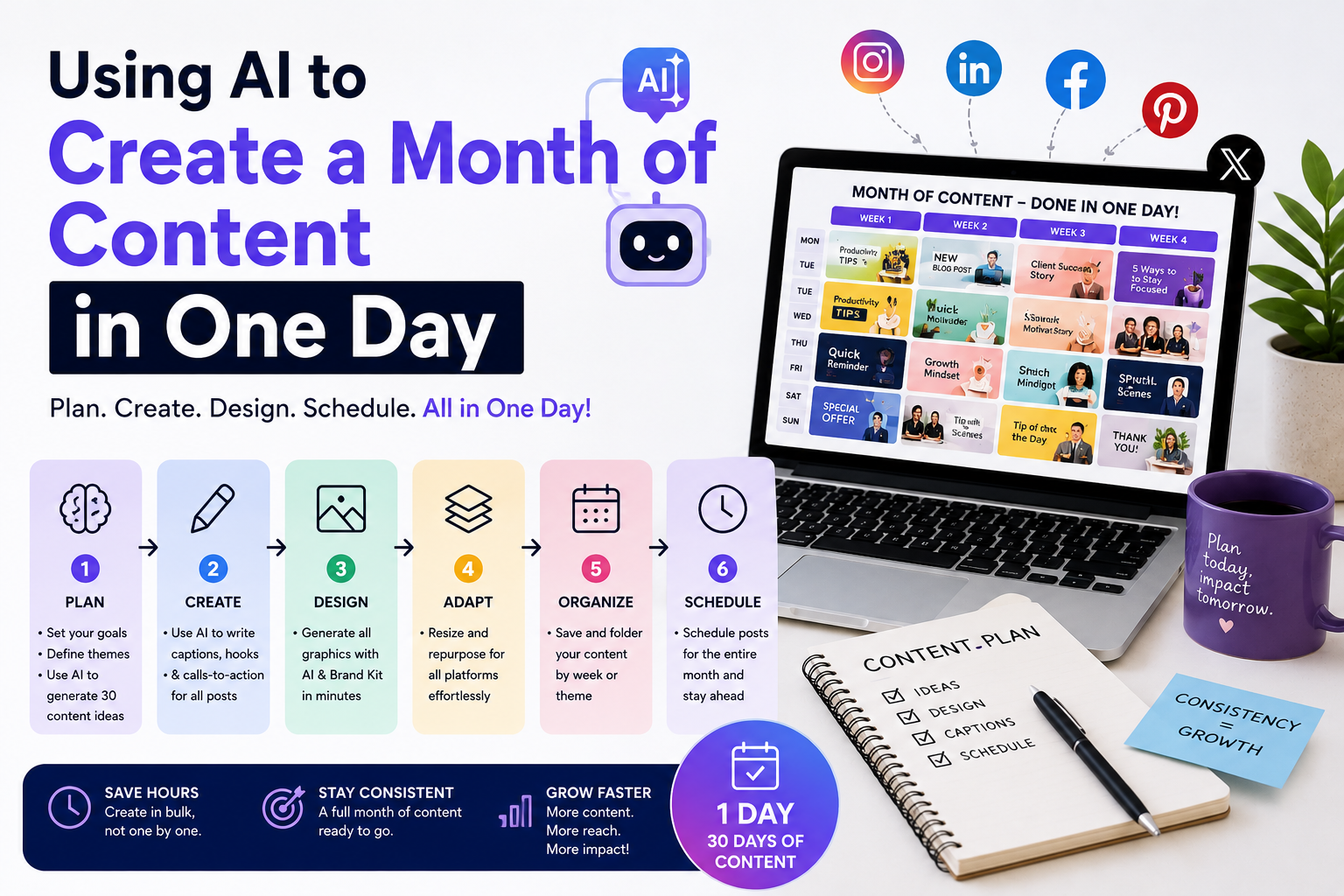
One of the biggest challenges for marketers, content creators, freelancers, and small business owners is consistently producing fresh content for social media. Designing graphics, writing captions, planning campaigns, and adapting content for multiple platforms can easily consume dozens of hours every month.
Fortunately, AI-powered tools like the Adobe Express Productivity Agent make it possible to dramatically reduce that workload. By combining intelligent content generation with reusable templates and automated design workflows, you can create an entire month’s worth of social media content in a single day.
In this guide, you’ll learn a practical workflow for using AI to plan, create, organize, and prepare 30 days of content using Adobe Express.
Why Create Content in Batches?
Many creators spend one or two hours every day deciding what to post.
That approach often leads to:
- Creative burnout
- Inconsistent posting
- Last-minute design work
- Missed publishing opportunities
- Inconsistent branding
Batch creation solves these problems by allowing you to focus on one type of task at a time.
Instead of switching constantly between brainstorming, designing, writing, and publishing, you complete each stage in dedicated sessions.
How AI Changes the Process
Traditional content creation often follows this pattern:
- Think of an idea.
- Design the graphic.
- Write the caption.
- Find images.
- Adjust branding.
- Publish.
Repeat that process every day.
With the Adobe Express Productivity Agent, AI helps with several of those steps simultaneously.
It can assist you by:
- Generating content ideas
- Suggesting headlines
- Designing graphics
- Writing captions
- Applying your Brand Kit
- Creating platform-specific layouts
Instead of replacing your creativity, AI helps eliminate repetitive production work.
Step 1: Decide on Your Monthly Goal
Before generating any content, define what you want to achieve.
Examples include:
- Increase website traffic
- Generate leads
- Promote a product
- Build brand awareness
- Grow newsletter subscribers
- Increase course enrollments
- Educate your audience
- Showcase customer success stories
Having a clear objective ensures that every post supports your overall marketing strategy.
Step 2: Create a Content Calendar
Now divide the month into themes.
A simple four-week schedule might look like this:
Week 1
Educational content
Week 2
Behind-the-scenes content
Week 3
Customer success stories
Week 4
Promotional offers
This creates variety while keeping your messaging organized.
Step 3: Generate 30 Content Ideas
Now ask the Productivity Agent to brainstorm.
Example prompt:
Generate 30 social media content ideas for a small business selling handmade candles.
Or:
Create one month of LinkedIn content ideas for a cybersecurity consultant.
Within minutes, you’ll have a complete publishing calendar ready for development.
Step 4: Group Similar Posts
Rather than creating posts randomly, organize them into categories.
Examples include:
- Tips
- Tutorials
- FAQs
- Product highlights
- Quotes
- Statistics
- Customer testimonials
- Promotions
- Events
- Industry news
Working on similar content together improves speed and consistency.
Step 5: Build Reusable Templates
Adobe Express templates save enormous amounts of time.
Create templates for:
- Instagram posts
- LinkedIn graphics
- Facebook updates
- Pinterest Pins
- Stories
- Promotional banners
Once your templates are ready, every new post starts with your preferred branding already in place.
Step 6: Use Your Brand Kit
Before generating graphics, configure your Brand Kit.
Include:
- Company logo
- Brand colors
- Typography
- Icons
- Graphic elements
The Productivity Agent can then apply your branding automatically across every design.
This ensures visual consistency without repetitive manual adjustments.
Step 7: Generate Graphics in Batches
Now begin creating visuals.
Instead of producing one graphic at a time, generate multiple designs during the same session.
For example:
- 10 Instagram posts
- 10 LinkedIn graphics
- 10 Pinterest Pins
The Productivity Agent provides layouts and design suggestions that you can customize as needed.
Step 8: Write Captions All at Once
After designing your graphics, focus on writing.
Example prompt:
Write 30 engaging captions for a fitness coach promoting healthy habits.
You can also ask AI to generate:
- Calls to action
- Questions for audience engagement
- Promotional copy
- Educational summaries
- Hashtag ideas
Always review and personalize AI-generated text before publishing.
Step 9: Repurpose Every Idea
One idea should become multiple pieces of content.
For example, a single blog article can become:
- Instagram carousel
- LinkedIn post
- Pinterest infographic
- Facebook graphic
- X post
- Story graphic
- Email newsletter
- YouTube Community update
Repurposing dramatically increases your content output without requiring additional research.
Step 10: Adapt Content for Every Platform
Every platform has different audiences and design requirements.
Ask the Productivity Agent to create versions for:
- X
- TikTok promotions
- YouTube Community posts
This allows you to maximize the reach of every idea.
Step 11: Review Everything
Before scheduling your content, check:
- Branding consistency
- Font usage
- Color palette
- Grammar
- Calls to action
- Image quality
- Platform dimensions
AI accelerates production, but a final human review ensures quality and accuracy.
Step 12: Schedule the Entire Month
Once your content is complete, use your preferred social media scheduling tool to prepare your publishing calendar.
Benefits include:
- Consistent posting
- Reduced daily workload
- Better campaign planning
- More time for audience engagement
- Fewer last-minute deadlines
With your content ready in advance, you can focus on responding to comments, analyzing performance, and refining future campaigns.
Example One-Day Workflow
Here’s an example schedule for creating a month’s worth of content.
9:00–10:00
Plan campaign goals and content themes.
10:00–11:00
Generate 30 content ideas.
11:00–12:30
Create reusable templates and prepare your Brand Kit.
1:30–3:30
Generate social media graphics.
3:30–4:30
Write captions and calls to action.
4:30–5:00
Review, organize, and schedule your content.
By the end of the day, you can have an entire month’s content ready to publish.
Best Practices
To maximize productivity:
- Plan your monthly themes first.
- Create reusable templates.
- Maintain an up-to-date Brand Kit.
- Use detailed prompts for better AI output.
- Repurpose every piece of content.
- Generate multiple design variations.
- Review all AI-generated assets before publishing.
- Measure performance and refine future content calendars.
These habits help you build a repeatable and scalable content creation process.
Frequently Asked Questions
Can AI really create a month’s worth of content?
AI can dramatically accelerate brainstorming, graphic creation, and copywriting. However, you should still review, edit, and personalize the content before publishing to ensure it aligns with your brand and audience.
Does the Productivity Agent write captions?
Yes. It can help generate captions, headlines, promotional text, and calls to action. Reviewing and refining the output helps maintain authenticity and accuracy.
Is batching better than creating posts daily?
For most creators and businesses, batching improves consistency, reduces stress, and saves significant time while making it easier to maintain a regular publishing schedule.
Who benefits most from this workflow?
Freelancers, agencies, small businesses, educators, content creators, consultants, and marketing teams can all use AI-assisted batch creation to produce professional content more efficiently.
Final Thoughts
Creating a month’s worth of social media content no longer requires weeks of manual work. With the Adobe Express Productivity Agent, you can use AI to generate ideas, create branded graphics, write engaging captions, and prepare content for multiple platforms in a structured, efficient workflow. By combining AI with reusable templates and a well-organized Brand Kit, you can spend less time on repetitive production tasks and more time engaging with your audience and refining your marketing strategy.
The key is to treat AI as a creative partner rather than a replacement. Your expertise, brand voice, and understanding of your audience remain essential, while the Productivity Agent helps you execute your ideas faster and more consistently. Over time, this approach can significantly improve both productivity and the quality of your social media marketing.






