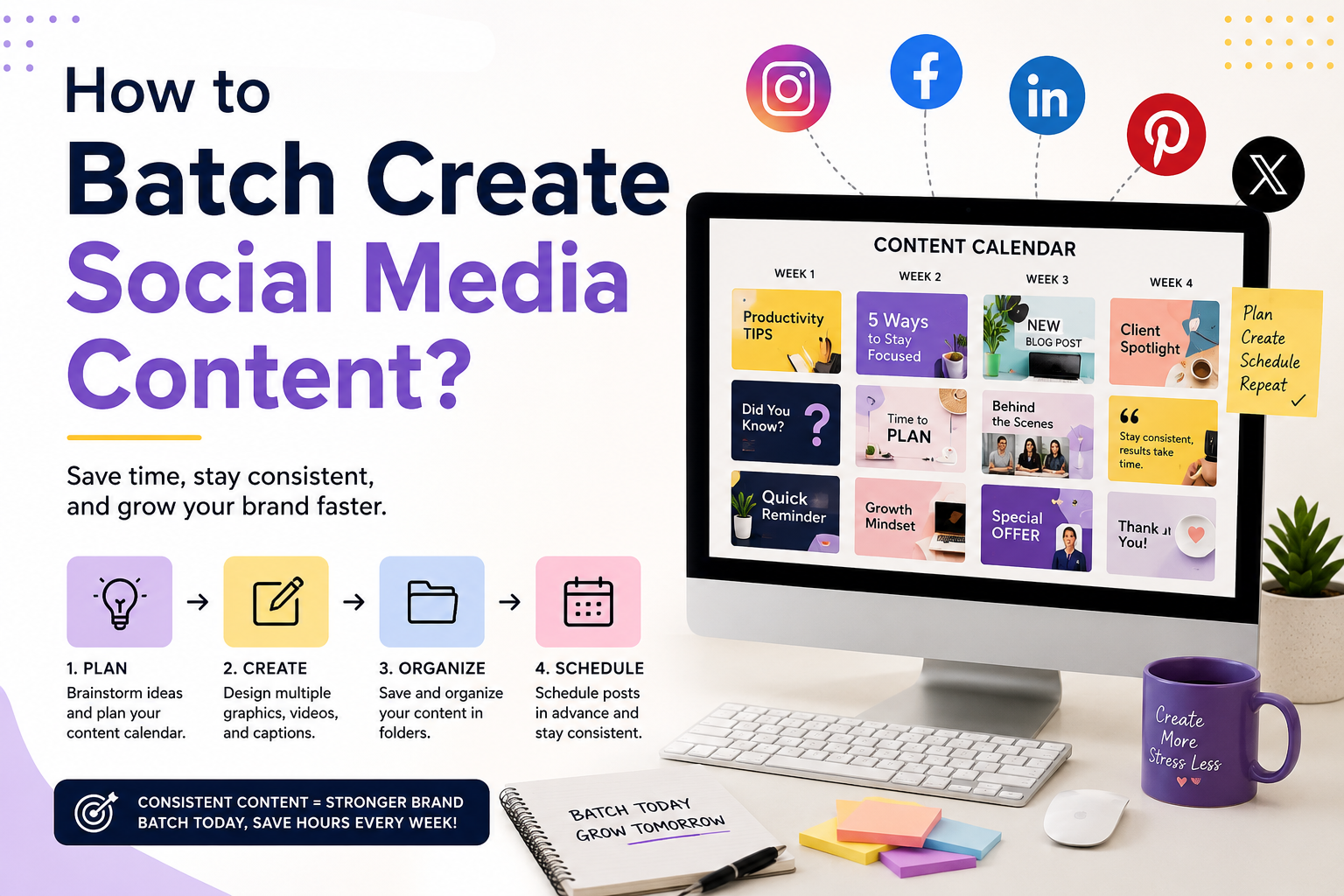
Publishing consistently on social media is one of the most effective ways to grow an audience, build a recognizable brand, and promote products or services. However, creating new graphics, captions, videos, and promotional assets every day can quickly become overwhelming.
Batch content creation is a productivity technique that allows you to create multiple pieces of content during a single focused work session instead of designing and writing everything one post at a time. When combined with the Adobe Express Productivity Agent, batch creation becomes even faster by using AI to generate ideas, layouts, graphics, and marketing copy.
In this guide, you’ll learn how to batch create social media content efficiently using Adobe Express and its AI-powered Productivity Agent.
What Is Batch Content Creation?
Batch content creation means producing multiple social media assets at once instead of working on individual posts every day.
For example, instead of creating one Instagram post today and another tomorrow, you might create an entire month’s worth of content during one or two dedicated work sessions.
Typical assets include:
- Instagram posts
- LinkedIn graphics
- Facebook posts
- Pinterest Pins
- X graphics
- Stories
- Reels cover images
- Promotional banners
- Carousel posts
Batching reduces context switching and helps maintain consistency.
Why Batch Create Content?
Creating content in batches offers several advantages.
Benefits include:
- Save time
- Reduce repetitive work
- Maintain consistent branding
- Publish more regularly
- Improve content quality
- Reduce creative fatigue
- Stay ahead of your publishing schedule
Instead of feeling pressured to create content every day, you’ll already have a library of ready-to-publish assets.
How the Productivity Agent Helps
The Adobe Express Productivity Agent acts as an AI-powered creative assistant.
Rather than starting every design from scratch, you can describe what you need.
For example:
Create five LinkedIn graphics promoting cybersecurity awareness.
Or:
Design ten Instagram posts about healthy eating using green and white branding.
The Productivity Agent generates layouts, headlines, and design ideas that you can customize before publishing.
Step 1: Plan Your Content Calendar
Before creating anything, decide what you’ll publish.
Group your ideas into categories such as:
- Educational tips
- Product promotions
- Customer testimonials
- Industry news
- Frequently asked questions
- Behind-the-scenes content
- Case studies
- Inspirational quotes
- Events
- Seasonal campaigns
Planning first helps eliminate last-minute decisions.
Step 2: Brainstorm Multiple Ideas
Instead of thinking about one post at a time, ask the Productivity Agent to generate a list.
Example prompt:
Generate 30 Instagram post ideas for a digital marketing agency.
Or:
Suggest 20 LinkedIn content ideas for an IT consulting business.
Having a long list of ideas makes batching much easier.
Step 3: Group Similar Content Together
Rather than switching between unrelated tasks, create similar content in one session.
For example:
Monday:
- Educational graphics
Tuesday:
- Promotional posts
Wednesday:
- Customer testimonials
Thursday:
- Product announcements
Friday:
- Seasonal content
This keeps your workflow organized and efficient.
Step 4: Use Brand Kits
Adobe Express Brand Kits help maintain consistency across every design.
Save your:
- Logo
- Colors
- Fonts
- Graphics
- Templates
The Productivity Agent can then apply these assets automatically when creating new content.
Step 5: Create Multiple Graphics at Once
Now start designing.
Instead of creating one post, generate several.
For example:
- Ten Instagram posts
- Five LinkedIn graphics
- Ten Pinterest Pins
- Five Facebook banners
- Three promotional posters
Batch production dramatically reduces setup time.
Step 6: Write Captions in Batches
Don’t stop at the graphics.
Generate captions for all your posts during the same session.
Example prompt:
Write ten engaging Instagram captions promoting productivity tips.
You can also create:
- Calls to action
- Hashtag ideas
- Promotional copy
- Short descriptions
- Community questions
Always review AI-generated copy to ensure it reflects your brand voice.
Step 7: Repurpose Existing Content
One blog article can become many social media posts.
For example:
A single article can generate:
- Instagram carousel
- LinkedIn graphic
- Pinterest Pin
- Facebook post
- X update
- Story graphic
- Reel topic
- Email banner
Repurposing content saves time while increasing the reach of your existing work.
Step 8: Create Platform Variations
Different platforms require different formats.
The Productivity Agent can help adapt your content for:
- X
- YouTube Community
- TikTok promotions
Rather than redesigning every asset, simply request platform-specific versions.
Step 9: Organize Your Files
A good folder structure makes publishing easier.
Consider organizing content by:
- Month
- Campaign
- Platform
- Product
- Topic
- Event
Consistent file naming also makes assets easier to locate later.
Step 10: Schedule Your Posts
Once your content is ready, use your preferred social media scheduling tool to publish consistently.
Scheduling offers several benefits:
- Maintain a regular posting cadence
- Reduce daily workload
- Free time for audience engagement
- Support long-term marketing campaigns
With your content already prepared, you can focus on interacting with your audience instead of rushing to design new posts.
Example Weekly Batch Workflow
A small business could follow this workflow:
Monday
- Brainstorm 20 content ideas.
Tuesday
- Design all graphics.
Wednesday
- Write captions.
Thursday
- Create Stories and promotional assets.
Friday
- Review branding, schedule posts, and prepare next week’s ideas.
This process can produce several weeks of content in just a few focused sessions.
Best Practices
To get the most from batch content creation:
- Plan your content calendar in advance.
- Use Adobe Express Brand Kits.
- Write detailed prompts.
- Create reusable templates.
- Batch similar tasks together.
- Repurpose existing content.
- Generate multiple design variations.
- Review all AI-generated content before publishing.
- Keep branding consistent across every platform.
- Measure engagement to improve future content.
Frequently Asked Questions
What is batch content creation?
Batch content creation is the process of producing multiple social media assets during one focused session rather than creating content one post at a time.
Can the Productivity Agent create multiple graphics?
Yes. The Productivity Agent can generate multiple design concepts, layouts, and promotional graphics based on your prompts, making it ideal for batch production.
Does batching save time?
Absolutely. Batching reduces repetitive setup work, improves focus, and allows you to produce large amounts of content more efficiently.
Is batching useful for small businesses?
Yes. Small businesses, freelancers, agencies, educators, and content creators can all benefit from creating several weeks of content in advance.
Final Thoughts
Batch creating social media content is one of the simplest ways to improve productivity and maintain a consistent online presence. Instead of scrambling to create a new post every day, you can dedicate focused time to planning, designing, writing, and organizing weeks of content in advance.
The Adobe Express Productivity Agent makes this process even more efficient by helping generate ideas, create branded graphics, write captions, and adapt content for multiple platforms using natural language prompts. Combined with Adobe Express Brand Kits and reusable templates, it enables creators and businesses to produce professional-quality social media content faster while keeping their branding consistent across every channel.






