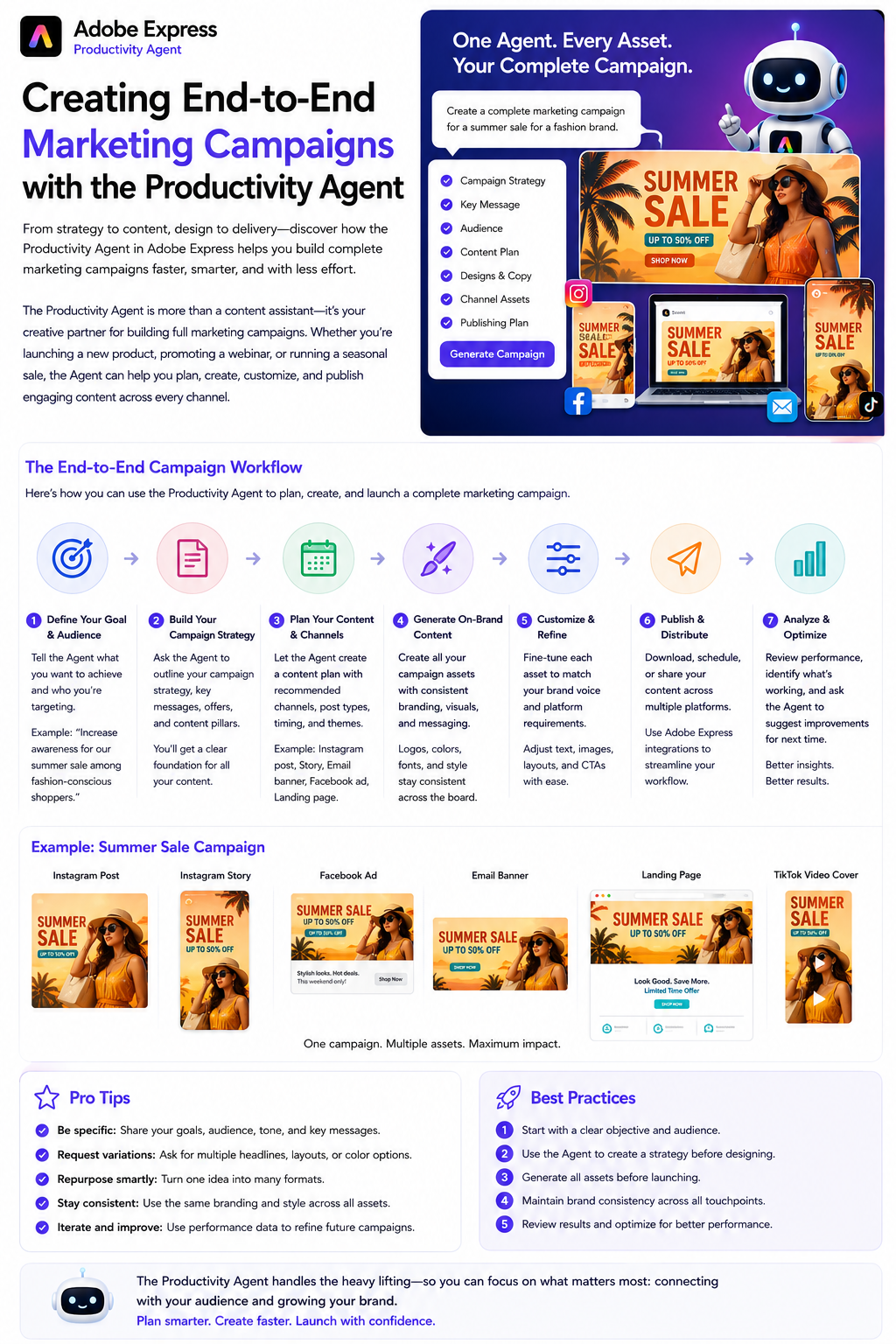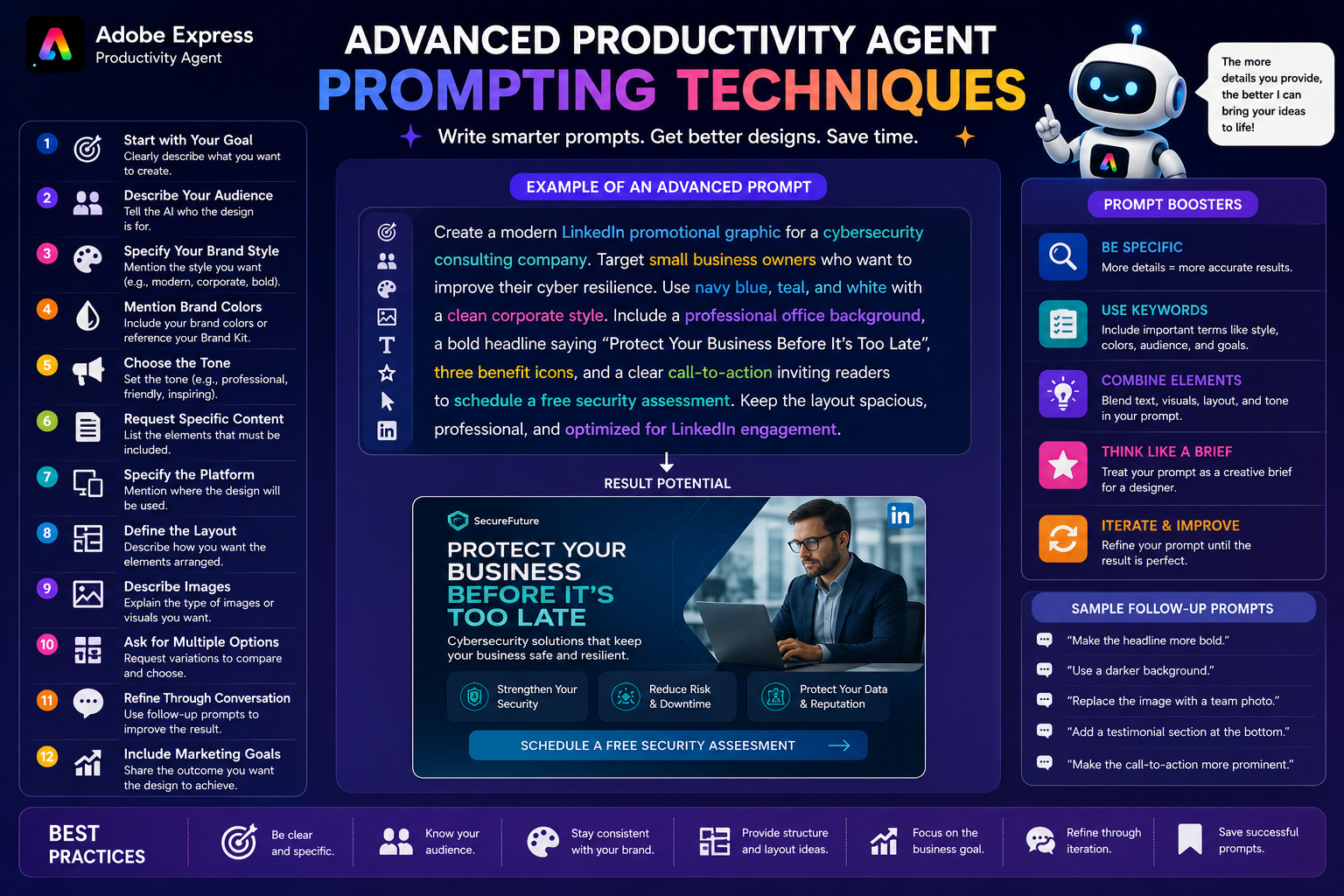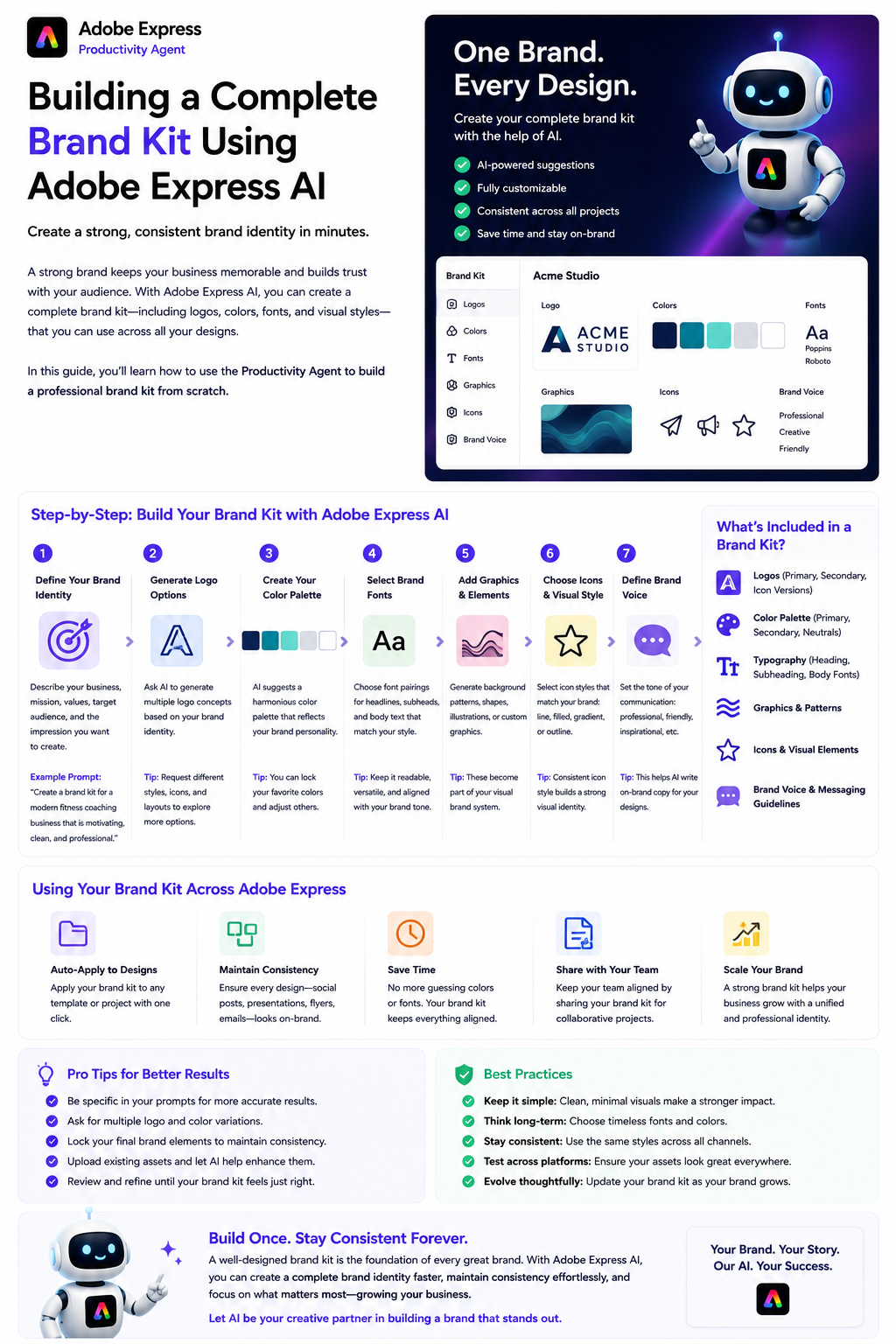
A strong brand is much more than a logo. It’s the consistent use of colors, fonts, imagery, messaging, and design elements that make your business instantly recognizable. Whether you’re launching a startup, growing a small business, or managing marketing for an established company, maintaining a cohesive visual identity is essential.
With Adobe Express AI and the Productivity Agent, creating and managing a professional brand kit has become significantly easier. Instead of manually selecting every design element, you can use AI-powered tools to help develop, organize, and apply your branding across all your marketing materials.
In this guide, you’ll learn how to build a complete brand kit using Adobe Express AI.
What Is a Brand Kit?
A brand kit is a collection of assets and guidelines that define your visual identity.
A typical brand kit includes:
- Company logo
- Logo variations
- Brand colors
- Typography
- Icons
- Graphics
- Backgrounds
- Photography style
- Brand voice
- Design guidelines
Having everything in one place ensures every piece of content looks consistent and professional.
Why Use Adobe Express AI?
Building a brand kit traditionally required multiple design tools and significant creative experience.
Adobe Express AI simplifies the process by helping you:
- Generate creative ideas
- Explore logo concepts
- Select complementary colors
- Recommend font pairings
- Maintain brand consistency
- Apply branding across new designs
- Speed up repetitive design tasks
The Productivity Agent acts like a creative assistant that helps translate your ideas into a polished visual identity.
Step 1: Define Your Brand Identity
Before creating visual assets, define your brand.
Ask yourself:
- What does your company do?
- Who is your target audience?
- What values do you represent?
- How do you want customers to feel?
- What makes your business unique?
You can even ask the Productivity Agent for help.
Example prompt:
Help me define a modern, trustworthy brand identity for an IT consulting company serving small businesses.
The AI can suggest themes, tone, and visual direction.
Step 2: Create or Refine Your Logo
Your logo is the foundation of your brand.
If you already have one, upload it into Adobe Express.
If not, ask the Productivity Agent for creative direction.
Example prompt:
Suggest logo concepts for a modern cybersecurity consulting business.
While Adobe Express may not replace a professional logo designer for complex branding, it can help you brainstorm ideas and create supporting marketing assets around your logo.
Step 3: Choose Your Brand Colors
Colors influence how customers perceive your business.
The Productivity Agent can recommend palettes based on your brand personality.
Examples:
- Blue for trust and professionalism
- Green for sustainability
- Orange for creativity
- Purple for innovation
- Black for luxury
- Red for excitement
Example prompt:
Recommend a modern color palette for a technology startup that wants to appear innovative and trustworthy.
Save your selected colors to your Brand Kit for consistent use.
Step 4: Select Brand Fonts
Typography plays an important role in recognition.
Choose fonts that match your brand style.
Examples include:
- Modern sans-serif
- Elegant serif
- Minimalist typography
- Friendly rounded fonts
- Bold display fonts
Adobe Express lets you save heading and body fonts so every design uses the same typography.
Step 5: Build Your Visual Style
Your brand extends beyond logos and colors.
Decide on a consistent visual style for:
- Photography
- Illustrations
- Icons
- Backgrounds
- Shapes
- Patterns
- Image treatments
Example prompt:
Recommend a clean, minimalist visual style for a SaaS company targeting enterprise clients.
The Productivity Agent can generate ideas that match your overall branding.
Step 6: Define Your Brand Voice
Visual identity is only one part of branding.
Your written communication should also be consistent.
Choose a tone such as:
- Professional
- Friendly
- Inspirational
- Confident
- Educational
- Casual
- Luxury
- Technical
Example prompt:
Write social media copy using a confident but approachable tone.
Using the same voice across all marketing materials strengthens your brand.
Step 7: Save Everything in Your Brand Kit
Once your assets are ready, organize them inside Adobe Express.
Your Brand Kit should include:
- Logos
- Color palette
- Fonts
- Graphics
- Templates
- Brand imagery
With everything stored centrally, creating new content becomes much faster.
Step 8: Create Branded Templates
Templates are one of the biggest productivity advantages.
Design reusable templates for:
- Instagram posts
- LinkedIn graphics
- Facebook ads
- Presentations
- Flyers
- Posters
- Email banners
- Business announcements
Using templates ensures every new design automatically follows your branding.
Step 9: Use the Productivity Agent
Now the real productivity begins.
Instead of starting every project from scratch, simply describe what you need.
For example:
Create a LinkedIn announcement using our Brand Kit for a new product launch.
Or:
Design an Instagram post promoting our webinar while keeping our brand colors and typography.
The Productivity Agent automatically applies your branding whenever possible.
Step 10: Keep Your Brand Consistent
Every new design should reinforce your identity.
Review your content for:
- Correct logo usage
- Consistent colors
- Matching fonts
- Proper spacing
- Similar imagery
- Consistent messaging
Brand consistency builds trust and makes your business more memorable.
Example Workflow
A small business launching a new product might use Adobe Express AI like this:
- Define the brand personality.
- Upload the company logo.
- Create a Brand Kit.
- Save colors and fonts.
- Design reusable templates.
- Generate product launch graphics.
- Create social media posts.
- Produce email banners.
- Build presentation slides.
- Publish consistently across every channel.
The result is a unified brand experience with far less manual effort.
Best Practices
For the best results:
- Keep your branding simple.
- Limit your color palette.
- Use only two or three fonts.
- Save reusable templates.
- Keep messaging consistent.
- Review designs before publishing.
- Update your Brand Kit as your business evolves.
- Use the Productivity Agent to accelerate repetitive tasks while maintaining brand standards.
Frequently Asked Questions
What is a Brand Kit?
A Brand Kit is a centralized collection of your company’s visual assets, including logos, colors, fonts, graphics, and templates, used to maintain consistent branding.
Can Adobe Express AI create a Brand Kit?
Adobe Express AI can help you develop and organize many elements of your Brand Kit, suggest branding ideas, and apply your saved assets consistently across new designs.
Does the Productivity Agent use my Brand Kit?
Yes. When your Brand Kit is configured, the Productivity Agent can use those assets to generate content that aligns with your established visual identity.
Why is brand consistency important?
Consistent branding increases recognition, builds trust, strengthens professionalism, and creates a more memorable experience for your audience.
Final Thoughts
Building a professional brand no longer requires dozens of disconnected tools or countless hours of manual design work. With Adobe Express AI and the Productivity Agent, you can create, organize, and maintain a complete Brand Kit that keeps every piece of content visually consistent and aligned with your business identity.
From defining your brand personality and selecting colors to generating templates and producing branded marketing materials, Adobe Express provides an efficient, AI-assisted workflow that helps businesses create professional designs faster. Whether you’re a freelancer, entrepreneur, educator, or marketing team, investing time in a well-structured Brand Kit will save countless hours while helping your brand stand out across every platform.