Managing social media successfully involves far more than publishing a few posts each week. Businesses and content creators must consistently produce graphics, write captions, maintain branding, promote campaigns, and adapt content for multiple platforms. As the number of channels grows, so does the amount of repetitive work.
The Adobe Express Productivity Agent helps automate many of these creative tasks by using artificial intelligence to assist with planning, designing, and preparing social media content. While it doesn’t replace your marketing strategy or schedule posts automatically, it can significantly reduce the time spent creating the assets that power your social media campaigns.
In this guide, we’ll explore how the Adobe Express Productivity Agent supports social media automation and how you can build faster, more efficient content workflows.
What Is Social Media Automation?
Social media automation is the practice of reducing manual work by using software and AI to assist with repetitive marketing tasks.
Automation can help with:
- Content planning
- Graphic creation
- Caption writing
- Brand consistency
- Content repurposing
- Campaign preparation
- Asset organization
- Cross-platform adaptation
Instead of starting every post from scratch, you create repeatable workflows that save time while maintaining quality.
Where the Productivity Agent Fits In
The Adobe Express Productivity Agent focuses on creative automation rather than post scheduling.
Using natural language prompts, it can help you:
- Generate content ideas
- Create branded graphics
- Write marketing copy
- Suggest layouts
- Produce multiple design variations
- Apply Brand Kit assets
- Adapt content for different social platforms
Think of it as an AI-powered creative assistant that prepares your content before it’s scheduled and published.
Automate Content Planning
One of the biggest time sinks is deciding what to post.
Instead of brainstorming every week, ask the Productivity Agent for a month’s worth of ideas.
Example prompts:
Create 30 Instagram post ideas for a fitness coach.
Generate two weeks of LinkedIn content for an IT consulting company.
Suggest Pinterest content ideas for a home décor business.
Within minutes, you can build a structured content calendar.
Automate Graphic Creation
Once your ideas are ready, use the Productivity Agent to create matching visuals.
Examples include:
- Instagram posts
- Facebook graphics
- LinkedIn images
- Pinterest Pins
- Story graphics
- YouTube Community posts
- TikTok cover images
Example prompt:
Design five Instagram graphics promoting our summer sale using our Brand Kit.
Generating several assets at once dramatically reduces production time.
Automate Branding
Maintaining a consistent visual identity across dozens of posts can be difficult.
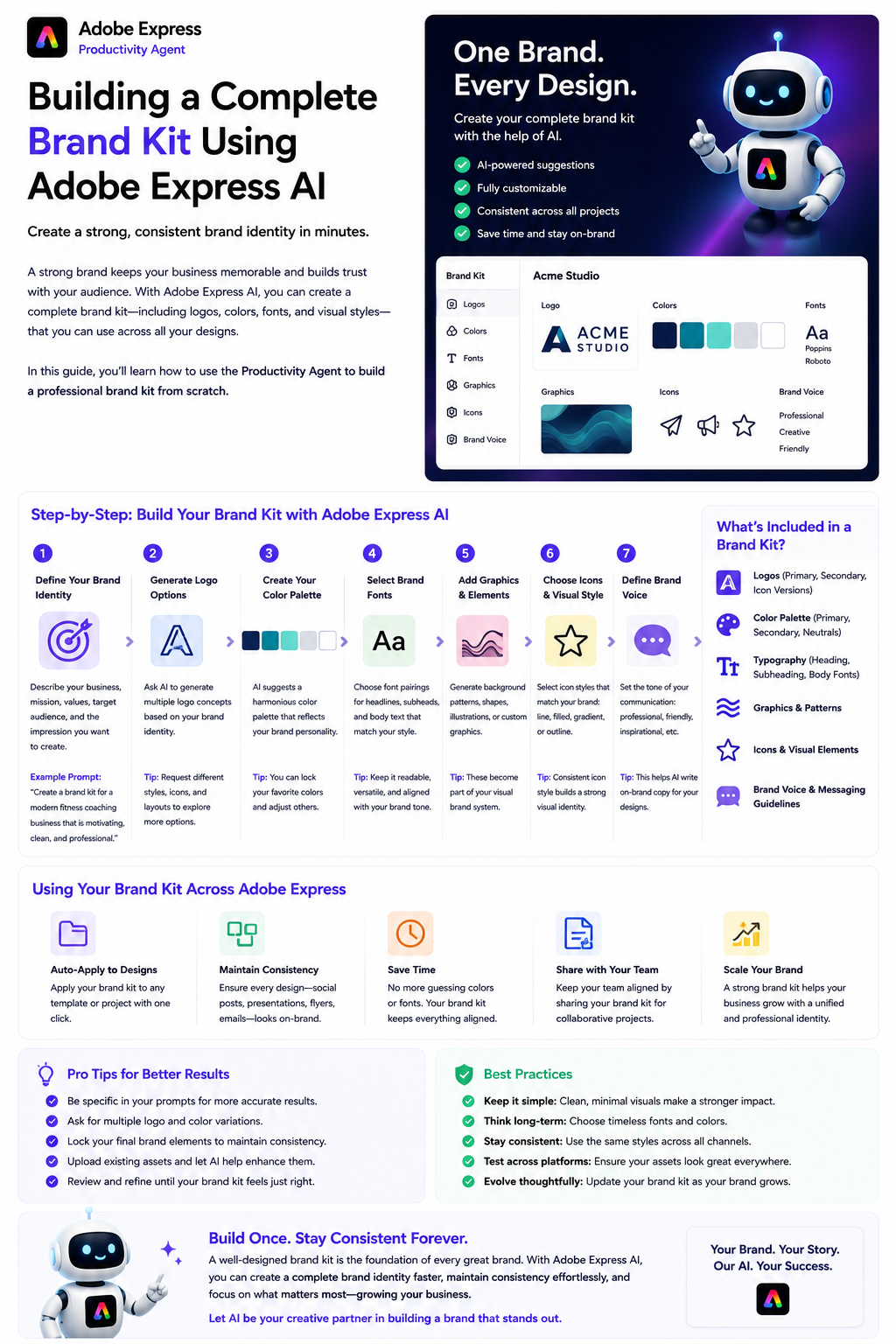
Adobe Express Brand Kits help solve this problem by storing:
- Logos
- Colors
- Fonts
- Graphic elements
- Templates
The Productivity Agent can use these assets to generate content that aligns with your established branding, reducing the need to manually apply styles to every design.
Automate Caption Creation
Writing captions every day can become repetitive.
The Productivity Agent can generate:
- Social media captions
- Headlines
- Calls to action
- Product descriptions
- Promotional copy
- Educational summaries
Example prompt:
Write ten LinkedIn captions promoting our new AI consulting service in a professional and approachable tone.
Always review and edit AI-generated text to ensure it matches your brand voice and is factually accurate.
Automate Content Repurposing
One of the most valuable automation techniques is transforming existing content into multiple formats.
For example:
A blog article can become:
- Instagram carousel
- LinkedIn post
- Pinterest infographic
- Facebook graphic
- Story series
- Quote card
- Email banner
- YouTube Community post
Instead of creating fresh content for every platform, you extend the reach of your existing work.
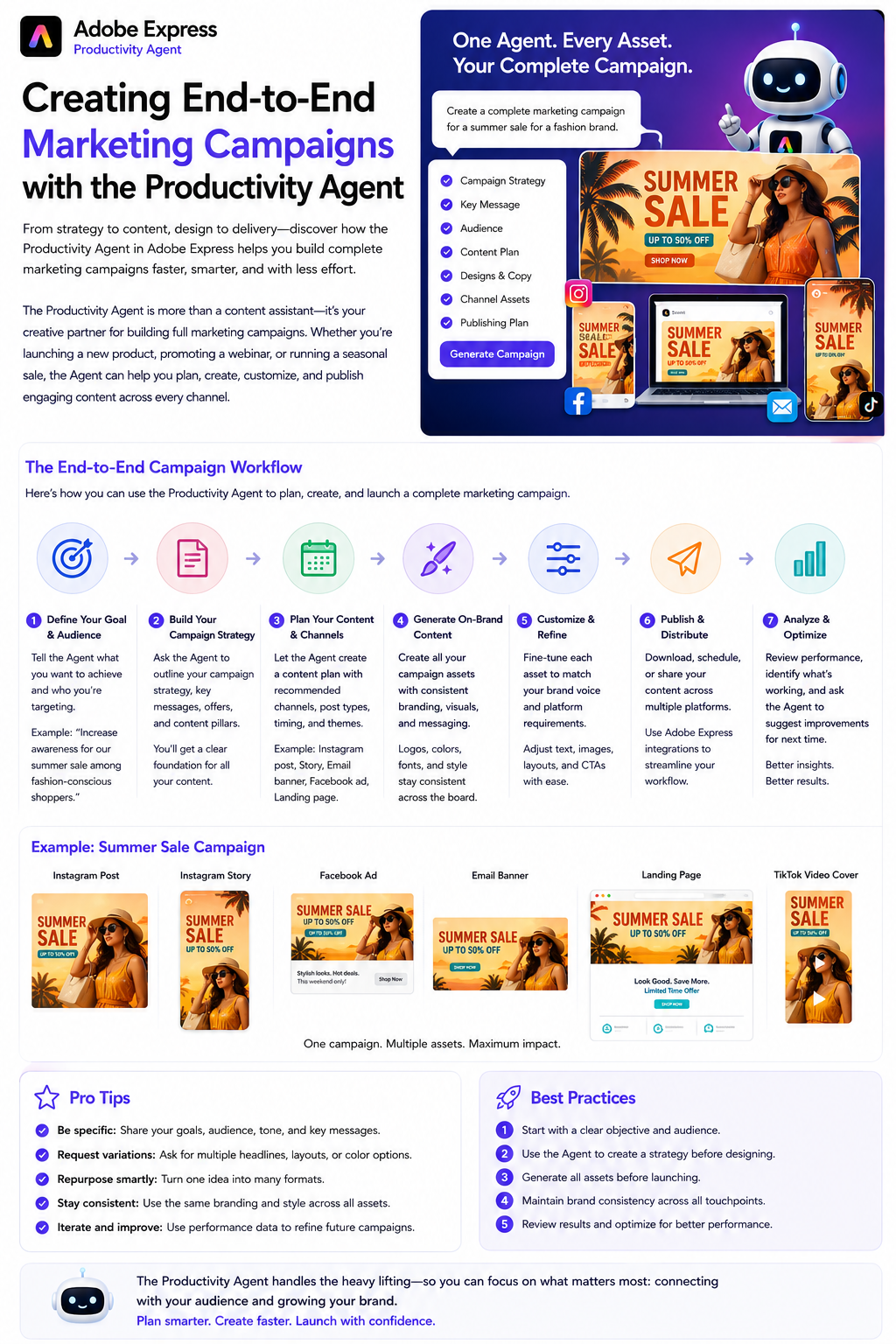
Automate Campaign Asset Creation
Marketing campaigns usually require many different creative assets.
The Productivity Agent can help produce:
- Promotional graphics
- Event banners
- Product launch visuals
- Webinar announcements
- Seasonal campaigns
- Recruitment graphics
- Customer success posts
Example prompt:
Create a complete social media campaign promoting our free productivity webinar with graphics for Instagram, LinkedIn, Facebook, and Pinterest.
Generating multiple assets from one prompt speeds up campaign preparation.
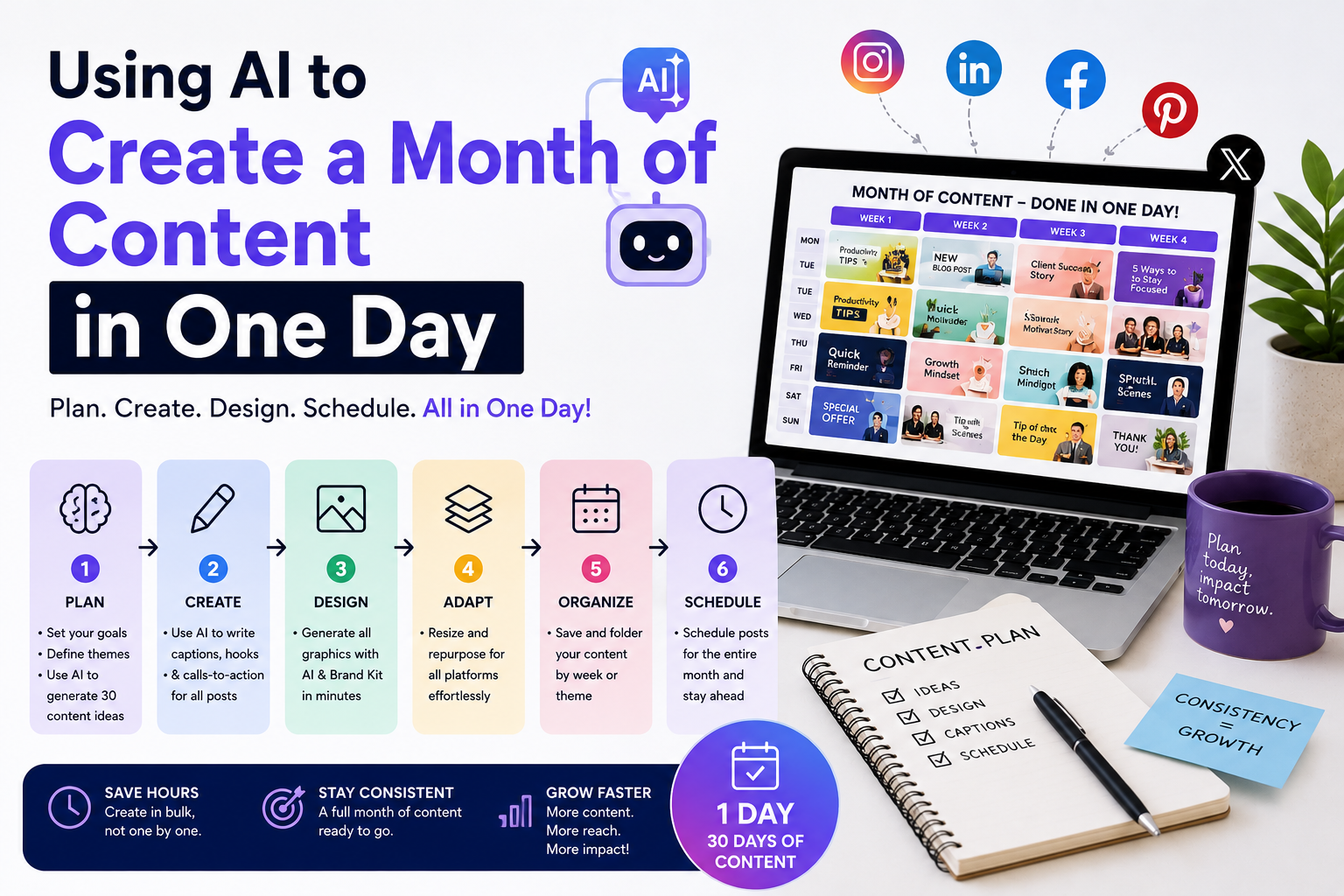
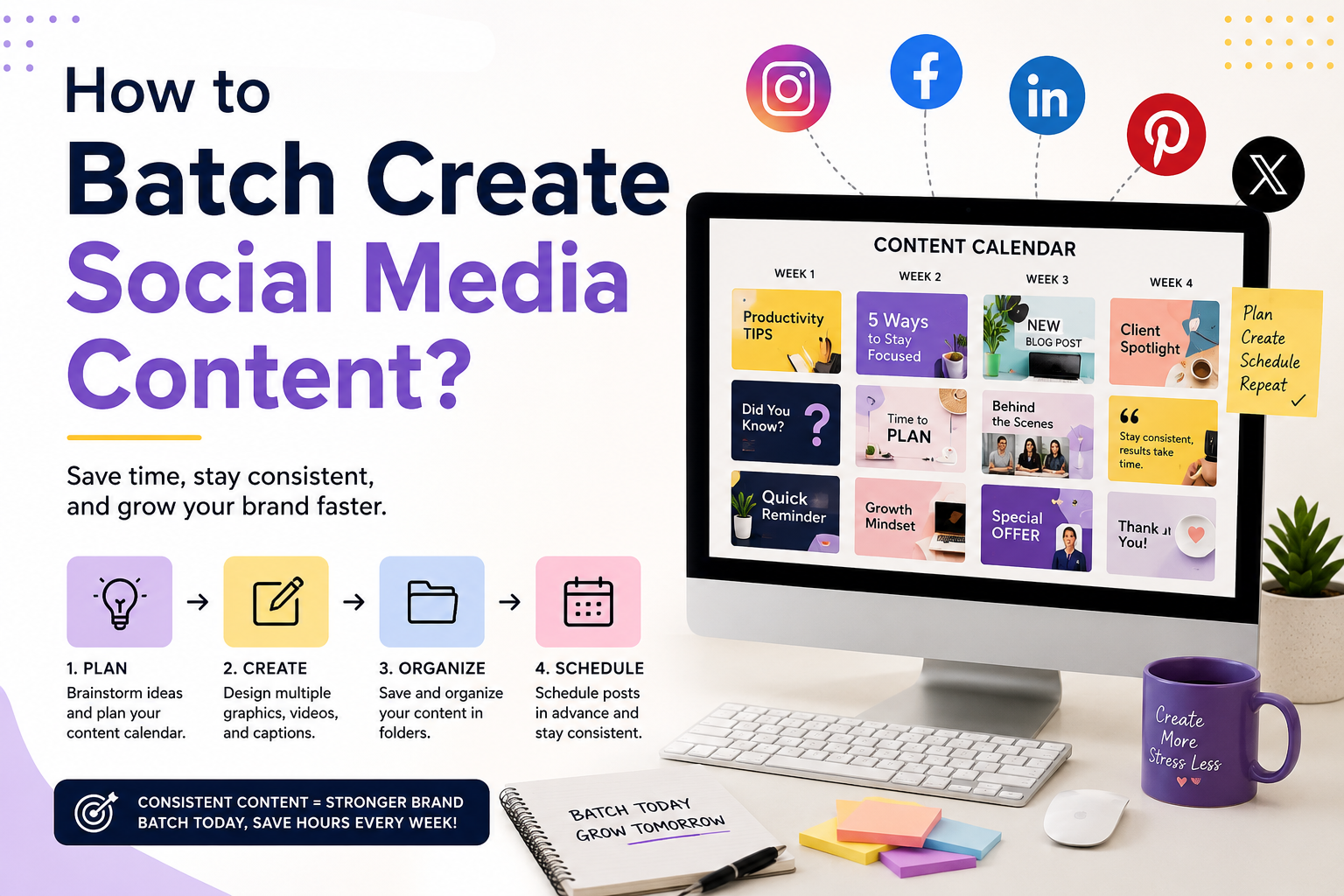
Batch Create Content
Automation works best when combined with batch production.
Instead of creating content daily, dedicate one session to producing an entire week’s or month’s assets.
A typical workflow might look like this:
- Generate content ideas.
- Create graphics.
- Write captions.
- Apply Brand Kit styling.
- Review all assets.
- Schedule publication using your preferred scheduling platform.
This approach reduces context switching and improves productivity.
Adapt Content for Multiple Platforms
Every social platform has different dimensions and audience expectations.
The Productivity Agent can help adapt content for:
- X
- YouTube
- TikTok
Instead of redesigning each post manually, you can request platform-specific versions while maintaining consistent branding.
Example Automation Workflow
Imagine you’re launching a new online course.
Your workflow might look like this:
- Ask the Productivity Agent for campaign ideas.
- Generate 20 social media post concepts.
- Create graphics for each platform.
- Write captions and calls to action.
- Review branding and messaging.
- Export the finished assets.
- Schedule posts using your preferred social media management tool.
- Monitor engagement and refine future campaigns.
The AI handles much of the repetitive creative work while you focus on strategy and audience engagement.
Best Practices
To get the most from social media automation:
- Create a monthly content calendar.
- Keep your Brand Kit up to date.
- Write detailed prompts.
- Generate multiple creative variations.
- Repurpose existing content.
- Batch similar tasks together.
- Review all AI-generated assets before publishing.
- Measure engagement and improve your prompts over time.
- Use scheduling software alongside Adobe Express for end-to-end workflow management.
- Continue adding successful prompts to your personal prompt library.
Frequently Asked Questions
Can the Productivity Agent automatically publish social media posts?
The Productivity Agent focuses on creating content rather than publishing it. After generating your graphics and captions, you can export them and use your preferred social media scheduling tool to publish them automatically.
Can it create content for multiple platforms?
Yes. It can generate graphics and marketing assets for Instagram, LinkedIn, Facebook, Pinterest, TikTok, YouTube, X, and other social media platforms.
Does it maintain brand consistency?
Yes. When used with Adobe Express Brand Kits, the Productivity Agent can apply your saved logos, fonts, colors, and templates across multiple designs.
Is it suitable for agencies?
Absolutely. Marketing agencies, freelancers, in-house teams, educators, and business owners can all benefit from AI-assisted content creation that reduces repetitive design work while maintaining professional quality.
Final Thoughts
Social media automation isn’t about removing creativity—it’s about eliminating repetitive production tasks so you can focus on strategy, storytelling, and audience engagement. The Adobe Express Productivity Agent helps automate many of the creative stages of social media marketing, including brainstorming ideas, designing branded graphics, writing captions, repurposing content, and preparing campaign assets.
When combined with Adobe Express Brand Kits, reusable templates, and a dedicated scheduling platform, the Productivity Agent becomes a powerful part of an efficient social media workflow. By using AI to handle routine creative tasks while keeping human oversight for messaging and final approval, businesses and creators can publish more consistently, maintain stronger branding, and spend more time building meaningful connections with their audience.