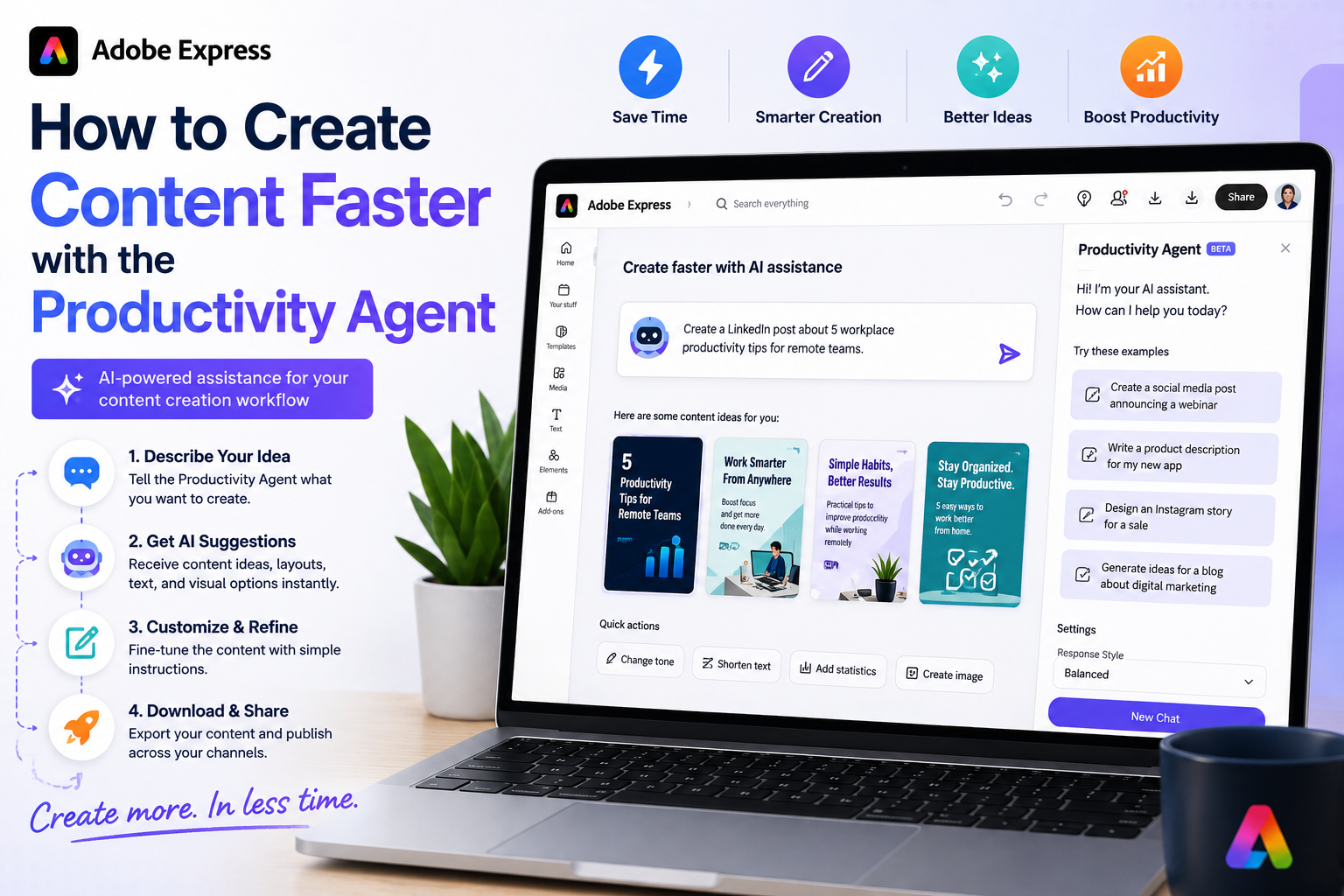
One of the most exciting developments in Adobe Express is the introduction of AI-powered productivity features that allow users to interact with the platform using natural language. Instead of manually navigating menus, selecting tools, and performing repetitive actions, users can increasingly describe what they want to accomplish and let Adobe Express help execute the task.
This conversational approach is at the heart of Adobe’s Productivity Agent vision and represents a major shift in how content creation software works.
In this guide, you’ll learn what natural language commands are, how they work in Adobe Express, and how to use them effectively.
What Are Natural Language Commands?
Natural language commands are instructions written in everyday human language.
Instead of learning software-specific terminology, you simply describe your goal.
For example:
Traditional workflow:
- Create a canvas
- Add text
- Insert images
- Adjust layout
- Resize design
Natural language workflow:
Create a promotional Instagram post for my upcoming webinar.
The software interprets your request and helps generate the content automatically.
Why Adobe Is Using Natural Language Commands
Adobe recognizes that many users:
- Are not designers
- Do not want to learn complex software
- Need content quickly
- Prefer outcome-based workflows
Natural language commands help users focus on what they want to achieve rather than how to perform each individual step.
This makes Adobe Express more accessible and more productive.
How Natural Language Commands Work
When you enter a request, Adobe Express attempts to understand:
Your Goal
What are you trying to create?
Example:
Create a product launch graphic.
The Content Type
What format do you need?
Examples:
- Social media post
- Flyer
- Presentation
- Banner
- Invitation
The Style
What visual direction should be used?
Examples:
- Modern
- Corporate
- Minimalist
- Professional
- Playful
Additional Instructions
Specific details improve results.
Examples:
- Use blue and white colors.
- Include a call-to-action.
- Make it suitable for LinkedIn.
The more context you provide, the better the AI can assist.
Examples of Natural Language Commands
Create a Social Media Graphic
Create an Instagram post promoting a summer sale.
Generate a Webinar Promotion
Create a LinkedIn graphic advertising a cybersecurity webinar.
Design an Event Flyer
Design a professional flyer for a networking event.
Create Marketing Content
Generate promotional content for a new product launch.
Build a Presentation
Create a presentation introducing our new software platform.
Using Natural Language Commands with the Productivity Agent
When available, the Productivity Agent can interpret requests and perform multiple actions automatically.
For example:
Create a webinar promotion campaign.
The system may:
- Generate headlines
- Suggest layouts
- Create graphics
- Apply branding
- Produce multiple variations
Rather than completing one action, the Productivity Agent helps coordinate an entire workflow.
Writing Better Commands
The quality of your instructions often affects the quality of the results.
Basic Command
Create a social media post.
This may produce generic results.
Improved Command
Create a professional LinkedIn graphic promoting a cybersecurity webinar for IT managers.
This provides:
- Platform
- Topic
- Audience
- Style direction
and typically leads to better output.
The Best Formula for Commands
A useful structure is:
Create [content type] for [audience] about [topic] using [style].
Example:
Create a Facebook advertisement for small business owners promoting accounting services using a professional and modern style.
This gives the AI sufficient context to generate relevant content.
Common Tasks You Can Request
Marketing Campaigns
Create a product launch campaign.
Social Media Posts
Generate Instagram content for a fitness program.
Educational Content
Create a classroom presentation about climate change.
Business Graphics
Design a recruitment banner for software engineers.
Event Promotions
Create promotional materials for a virtual conference.
Creating Multiple Versions
One powerful capability is generating variations.
You can request:
Create three versions.
Or:
Generate alternative layouts.
Or:
Show different headline options.
This allows you to compare multiple approaches without starting over.
Adapting Content for Different Platforms
Natural language commands can help repurpose content.
Example:
Turn this Instagram post into a LinkedIn graphic.
Or:
Create a Pinterest version of this design.
Or:
Resize this for YouTube.
The Productivity Agent can help adapt content to different formats and dimensions.
Using Brand Instructions
If you have a Brand Kit configured, include branding instructions.
Example:
Create a LinkedIn post using our company colors and logo.
This helps ensure consistent branding.
Common Mistakes to Avoid
Being Too Vague
Instead of:
Make a graphic.
Use:
Create a professional LinkedIn graphic promoting an AI webinar.
Forgetting the Audience
Audience information improves results.
Example:
Create a flyer for startup founders.
Ignoring Style
Adding style guidance often improves output.
Examples:
- Professional
- Minimalist
- Corporate
- Modern
- Creative
Not Reviewing Results
AI-generated content should always be reviewed before publishing.
Check:
- Accuracy
- Branding
- Spelling
- Dates
- Calls-to-action
Example Workflow
Let’s say you want to promote a webinar.
Prompt:
Create a professional LinkedIn campaign promoting a webinar called “AI Productivity for Small Businesses.” Use blue branding and include a registration call-to-action.
Potential AI actions:
- Generate graphics.
- Create headlines.
- Produce marketing copy.
- Suggest layouts.
- Create multiple variations.
This saves significant time compared to building everything manually.
Why Natural Language Commands Matter
Natural language commands represent a major shift in content creation software.
Instead of learning:
- Complex menus
- Advanced design tools
- Technical workflows
Users can focus on:
- Ideas
- Goals
- Campaigns
- Messages
The software handles much of the execution.
This is one of the key principles behind Adobe’s Productivity Agent strategy.
The Future of Adobe Express
Adobe continues to invest heavily in AI and agent-based workflows.
Future natural language capabilities may include:
- Complete campaign generation
- Automated content planning
- Cross-platform publishing
- Workflow orchestration
- Advanced content adaptation
The Productivity Agent is likely to become increasingly conversational and capable over time.
Final Thoughts
Natural language commands make Adobe Express easier, faster, and more accessible. By simply describing what you want to create, you can leverage AI-powered tools and the Productivity Agent to generate content, automate workflows, and accelerate creative projects.
Whether you’re creating social media posts, marketing campaigns, presentations, or event promotions, learning how to write effective natural language commands can significantly improve your productivity and help you get the most value from Adobe Express.