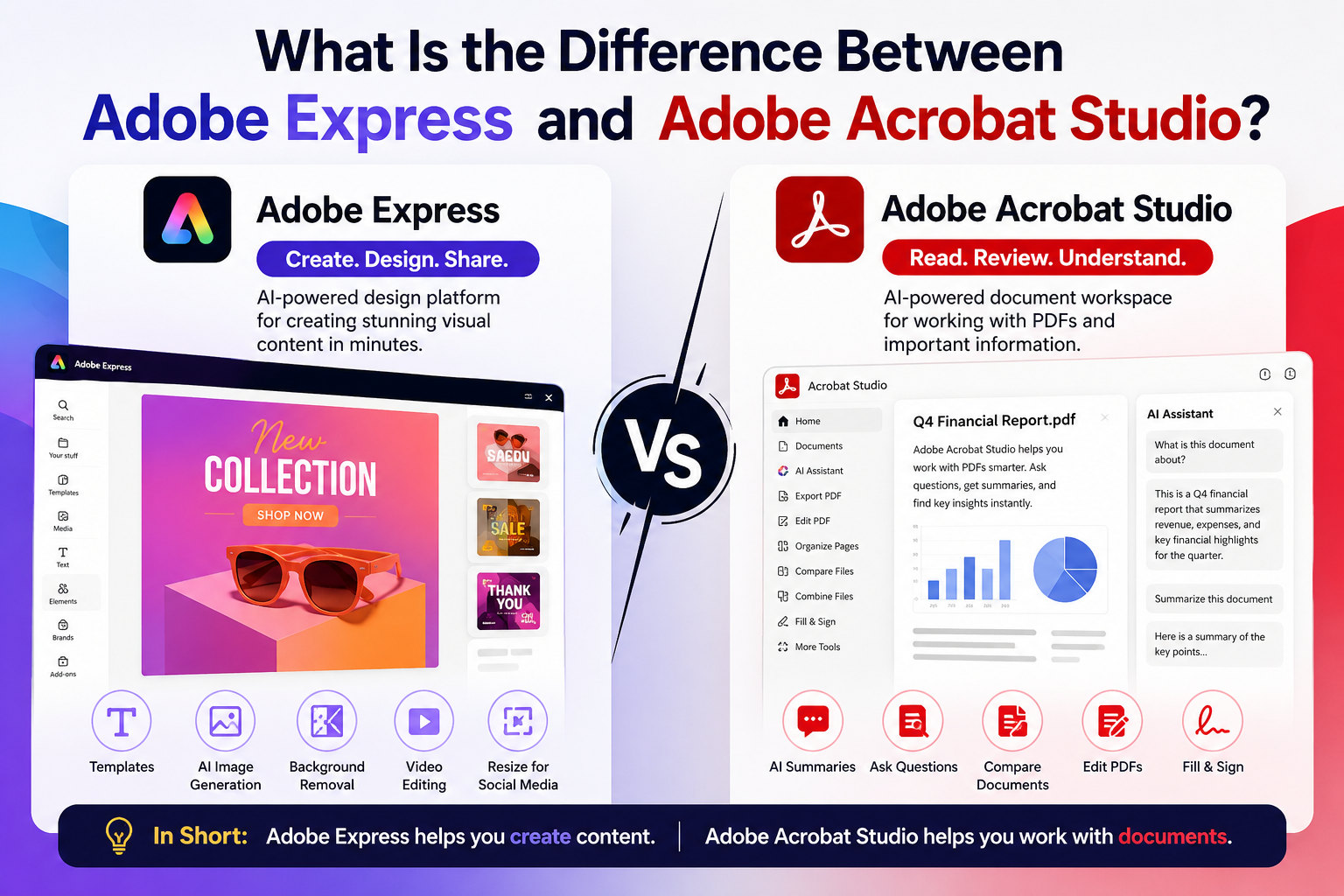
If you’re new to Adobe’s ecosystem, it’s easy to confuse Adobe Express and Adobe Acrobat Studio. Both are cloud-based Adobe products that use artificial intelligence to improve productivity, but they solve very different problems.
Adobe Express focuses on creating content, while Adobe Acrobat Studio focuses on working with documents and PDFs.
This guide explains the differences so you can decide which product is right for your workflow.
Quick Answer
Adobe Express is an AI-powered design platform for creating visual content such as social media graphics, videos, flyers, presentations, posters, and marketing materials.
Adobe Acrobat Studio is an AI-powered document workspace built around PDFs, helping users summarize, edit, compare, organize, analyze, and collaborate on documents using AI.
Simply put:
- Adobe Express = Create visual content
- Adobe Acrobat Studio = Work with documents
Adobe Express at a Glance
Adobe Express is designed for creators who need to produce professional-looking content quickly without using complex design software.
You can create:
- Instagram posts
- LinkedIn graphics
- Facebook ads
- Pinterest Pins
- Posters
- Flyers
- Logos
- Videos
- Presentations
- Invitations
- Marketing assets
Adobe Express includes:
- Thousands of templates
- AI image generation
- Text effects
- Background removal
- Brand Kits
- Resize for social media
- Video editing
- Animation tools
- Productivity Agent for AI-assisted content creation
Its primary goal is helping users create visual content faster.
Adobe Acrobat Studio at a Glance
Adobe Acrobat Studio focuses on documents instead of graphics.
It extends the traditional Acrobat experience with AI-powered document intelligence.
Typical tasks include:
- Summarizing long PDFs
- Asking questions about documents
- Comparing contracts
- Editing PDFs
- Organizing pages
- Extracting information
- Reviewing reports
- Collaborating on files
- Managing document workflows
Instead of creating designs, Acrobat Studio helps users understand and work with information inside documents.
Main Difference
The easiest way to think about it is this:
| Adobe Express | Adobe Acrobat Studio |
|---|---|
| Creates content | Works with documents |
| Design-focused | PDF-focused |
| Marketing | Productivity |
| Graphics | Documents |
| Social media | Contracts |
| Posters | Reports |
| Videos | Forms |
| Templates | PDF editing |
| Brand Kits | AI document analysis |
When Should You Use Adobe Express?
Adobe Express is ideal if you need to:
- Create marketing graphics
- Design social media posts
- Build presentations
- Make promotional videos
- Create YouTube thumbnails
- Design business flyers
- Produce branded content
- Create educational materials
Many small businesses use Adobe Express because it allows non-designers to create professional graphics in minutes.
When Should You Use Adobe Acrobat Studio?
Acrobat Studio is a better choice when you regularly work with PDFs.
Examples include:
- Legal documents
- Contracts
- Research papers
- Business reports
- HR forms
- Financial documents
- Government paperwork
- Technical manuals
The AI features can quickly summarize lengthy documents and answer questions about their contents, saving significant time.
AI Features Compared
Adobe Express AI
Adobe Express uses AI to help create content.
Examples include:
- Generate images
- Create text
- Remove backgrounds
- Rewrite marketing copy
- Resize designs
- Generate layouts
- Produce social media graphics
Its AI is focused on creativity.
Adobe Acrobat Studio AI
Acrobat Studio uses AI to understand documents.
Examples include:
- Summarize PDFs
- Explain difficult passages
- Compare versions
- Find specific information
- Answer questions
- Extract important details
Its AI is focused on productivity and document intelligence.
Which One Is Better?
Neither product is better overall—they simply solve different problems.
Choose Adobe Express if you spend your day creating content.
Choose Acrobat Studio if you spend your day reading, editing, reviewing, or managing documents.
Many professionals actually use both.
For example:
A marketing manager might:
- Create campaign graphics in Adobe Express.
- Review contracts in Acrobat Studio.
- Generate presentations in Adobe Express.
- Summarize client proposals in Acrobat Studio.
The products complement each other.
Can They Work Together?
Yes.
A common workflow looks like this:
- Design a brochure in Adobe Express.
- Export it as a PDF.
- Open it in Acrobat Studio.
- Share it for review.
- Collect comments.
- Make revisions.
- Finalize the document.
- Send it for approval.
This combines creative design with document collaboration.
Frequently Asked Questions
Is Adobe Express included with Acrobat Studio?
No. They are separate products, although some Adobe subscriptions include access to multiple Creative Cloud applications. Your available features depend on your subscription plan.
Can Adobe Express edit PDFs?
Adobe Express offers limited PDF-related capabilities, but it is not intended to replace Acrobat Studio for advanced PDF editing, document analysis, or review workflows.
Can Acrobat Studio create graphics?
No. Acrobat Studio is designed for documents rather than graphic design. For posters, social media posts, presentations, or marketing visuals, Adobe Express is the better choice.
Which product uses AI more?
Both products use AI extensively, but in different ways.
- Adobe Express applies AI to creative design and content generation.
- Adobe Acrobat Studio applies AI to document understanding and PDF productivity.
Should I use both?
If your work involves both marketing content and document management, using both products together can provide a streamlined workflow from content creation to document review and collaboration.
Final Thoughts
Although their names both begin with “Adobe,” Adobe Express and Adobe Acrobat Studio serve entirely different purposes. Adobe Express helps you create compelling visual content using templates and AI-powered design tools, while Adobe Acrobat Studio helps you work smarter with PDFs through AI-assisted document analysis, editing, and collaboration.
Choosing the right tool depends on your daily workflow. If your focus is creativity and marketing, Adobe Express is the natural choice. If your work revolves around contracts, reports, forms, and PDFs, Adobe Acrobat Studio offers the specialized features you need. For many professionals, using both products together provides the best balance of creative production and document productivity.






