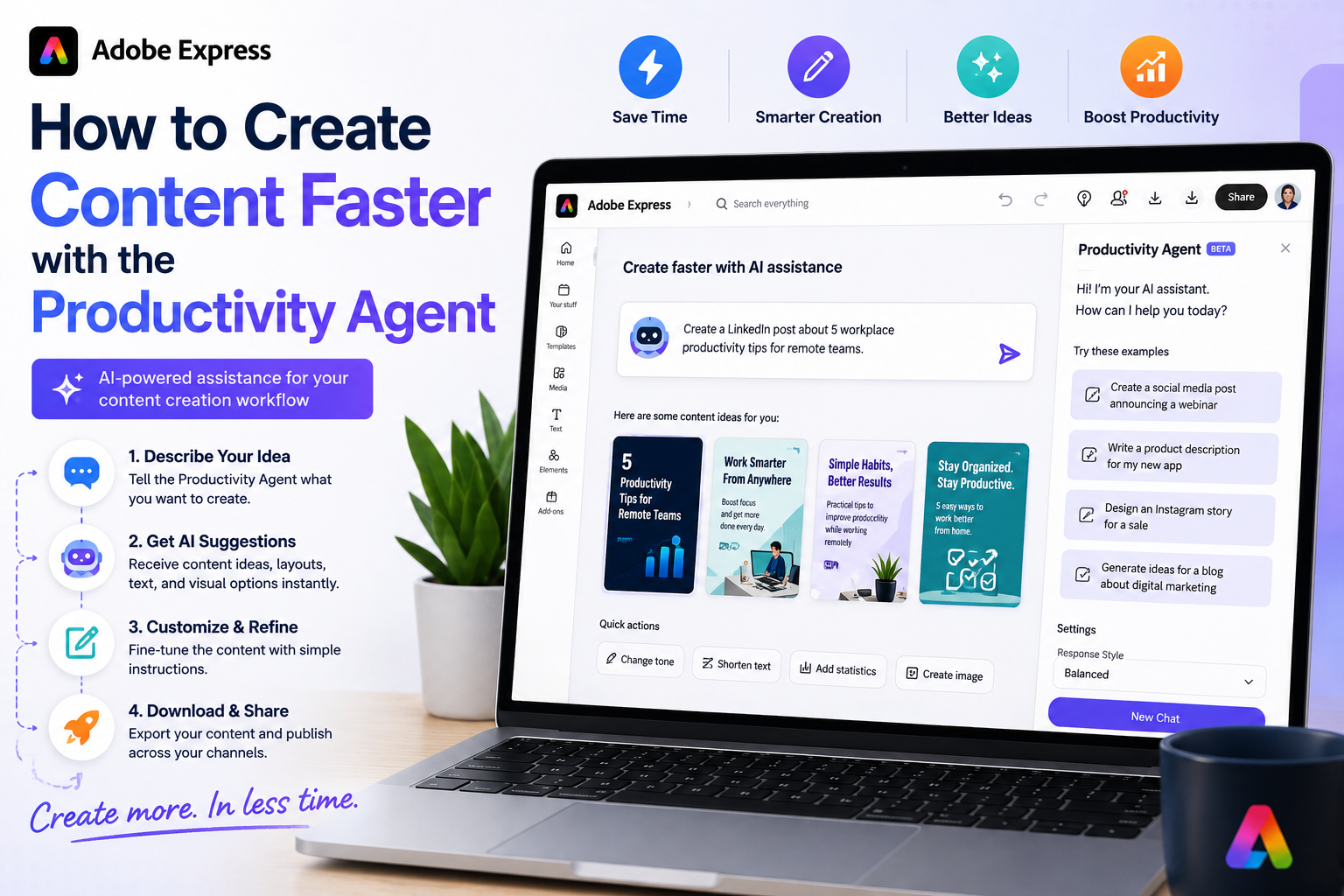
Creating content has never been more important. Whether you’re a marketer, entrepreneur, content creator, educator, or small business owner, you’re expected to publish regularly across multiple platforms. The challenge is that traditional content creation workflows can be time-consuming, repetitive, and difficult to scale.
That’s where the Adobe Express Productivity Agent comes in.
Designed to automate routine tasks and accelerate creative workflows, the Productivity Agent helps users create more content in less time while maintaining quality and consistency.
In this guide, you’ll learn practical strategies for creating content faster using the Adobe Express Productivity Agent.

Why Content Creation Takes So Long
Before looking at solutions, it’s useful to understand where most content creation time is spent.
Typical workflow:
- Brainstorm ideas
- Write copy
- Create graphics
- Select images
- Apply branding
- Resize content
- Generate variations
- Export assets
Even a simple social media post can take 30–60 minutes.
A complete campaign can take several hours or even days.
The Productivity Agent helps reduce many of these manual steps.
What Is the Adobe Express Productivity Agent?
The Productivity Agent is an AI-powered assistant built into Adobe Express.
Its purpose is to help users:
- Generate content
- Create designs
- Automate workflows
- Repurpose assets
- Apply branding
- Produce multiple versions
Instead of manually performing every action, users describe their goals and allow the AI to assist with execution.
Strategy #1: Start with a Goal, Not a Design
Traditional workflow:
Open a blank canvas and start building.
Productivity Agent workflow:
Describe the outcome you want.
Example:
Create a LinkedIn graphic promoting a cybersecurity webinar.
Instead of spending time selecting templates and layouts, the AI begins generating options immediately.
Time Saved
10–20 minutes per project.
Strategy #2: Use Natural Language Commands
One of the fastest ways to create content is by using conversational instructions.
Examples:
Create an Instagram promotion for a product launch.
Design a webinar registration graphic.
Generate a recruitment banner for software engineers.
The Productivity Agent interprets your request and begins creating content.
Why It Works
You focus on goals rather than technical design steps.
Strategy #3: Generate Multiple Versions at Once
Many users create a design and then manually build alternatives.
The Productivity Agent can help generate variations automatically.
Example:
Create three versions of this promotion.
The AI may produce:
- Different headlines
- Alternative layouts
- New color combinations
- Various calls-to-action
Time Saved
15–30 minutes per campaign.
Strategy #4: Repurpose Existing Content
One of the most powerful productivity techniques is content repurposing.
Instead of creating new assets from scratch, transform existing content.
For example:
A blog article can become:
- Instagram posts
- LinkedIn graphics
- Pinterest Pins
- Email banners
- Presentation slides
Prompt:
Turn this blog post into social media content.
The Productivity Agent helps create multiple assets from a single source.
Time Saved
Hours each week.
Strategy #5: Create Content for Multiple Platforms
Different platforms require different dimensions.
Traditionally you would:
- Duplicate the design.
- Resize manually.
- Rearrange content.
- Adjust text placement.
The Productivity Agent can assist with these tasks.
Example:
Create Instagram, LinkedIn, and Pinterest versions.
The AI helps adapt the content automatically.
Time Saved
20–40 minutes per campaign.
Strategy #6: Use Brand Kits
Branding is another area where time is often wasted.
Without Brand Kits:
- Apply logos manually
- Select colors repeatedly
- Choose fonts every time
With Brand Kits:
The Productivity Agent can use:
- Brand colors
- Fonts
- Logos
- Design standards
automatically.
Time Saved
Several minutes on every project.
Strategy #7: Generate Marketing Copy Faster
Creating graphics is only part of the content creation process.
Marketing copy also requires time.
The Productivity Agent can help generate:
- Headlines
- Captions
- Descriptions
- Calls-to-action
- Promotional text
Example:
Write a LinkedIn post promoting this webinar.
The AI provides a draft that can be refined.
Time Saved
10–30 minutes per piece of content.
Strategy #8: Build Entire Campaigns
Rather than creating individual assets, think in campaigns.
Prompt:
Create a social media campaign for my online course.
The Productivity Agent may help generate:
- Promotional graphics
- Social media posts
- Variations
- Platform-specific versions
This allows you to produce multiple assets simultaneously.
Time Saved
Several hours compared to traditional workflows.
Strategy #9: Create Templates Once
After creating a successful design:
- Save it
- Reuse it
- Adapt it with the Productivity Agent
For example:
A webinar template can be reused for every future webinar.
Simply update:
- Title
- Date
- Speaker
- Registration link
The Productivity Agent can assist with these updates.
Time Saved
Significant over time.
Strategy #10: Focus on Review Instead of Production
Perhaps the biggest productivity shift is this:
Traditional workflow:
You create everything manually.
Productivity Agent workflow:
You review and refine AI-generated content.
This changes your role from:
Producer
to
Editor and Strategist.
Reviewing content is often much faster than building it from scratch.
Example: Creating a Webinar Campaign
Let’s compare workflows.
Traditional Workflow
Create:
- LinkedIn graphic
- Instagram post
- Pinterest Pin
- Marketing copy
Estimated time:
90–120 minutes
Productivity Agent Workflow
Prompt:
Create a webinar promotion campaign for LinkedIn, Instagram, and Pinterest.
AI helps generate:
- Graphics
- Variations
- Platform-specific assets
- Marketing copy
Estimated time:
15–30 minutes
The difference can be substantial.
Best Practices for Maximum Speed
Be Specific
Detailed instructions produce better results.
Instead of:
Create a graphic.
Use:
Create a professional LinkedIn graphic promoting a cybersecurity webinar for IT managers.
Generate Multiple Options
Ask for alternatives.
The best idea is not always the first one.
Repurpose Constantly
Turn every piece of content into multiple formats.
Build Around Campaigns
Think beyond individual graphics.
Create content systems rather than isolated assets.
Review Before Publishing
Always verify:
- Accuracy
- Branding
- Dates
- Links
- Messaging
AI accelerates production but should not replace quality control.
Who Benefits Most?
The Productivity Agent is especially useful for:
Small Business Owners
Create marketing materials quickly.
Social Media Managers
Publish more content across multiple platforms.
Content Creators
Repurpose videos, blogs, and podcasts.
Educators
Develop presentations and learning materials.
Marketing Teams
Scale content production without increasing workload.
Final Thoughts
The Adobe Express Productivity Agent is designed to help users create content faster by reducing repetitive work and automating common creative tasks. By using natural language commands, generating variations, repurposing content, applying branding automatically, and creating platform-specific assets, users can dramatically reduce the time required to produce high-quality content.
The biggest productivity gain comes from shifting your focus away from manual production and toward strategy, messaging, and refinement. Instead of spending hours building every asset from scratch, the Productivity Agent helps you start with AI-generated content and move quickly toward a finished result.
For anyone creating content regularly, that time savings can add up quickly.






