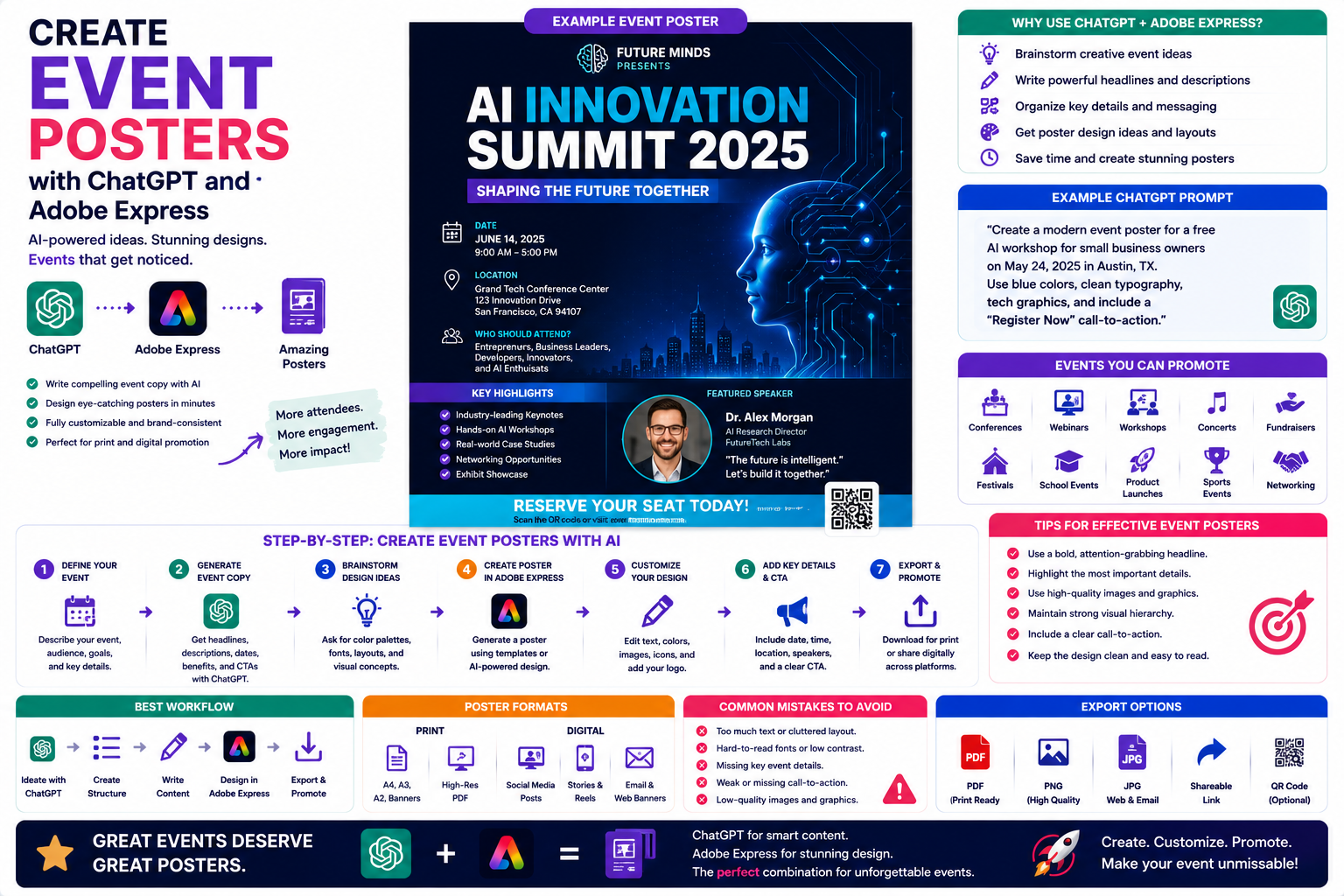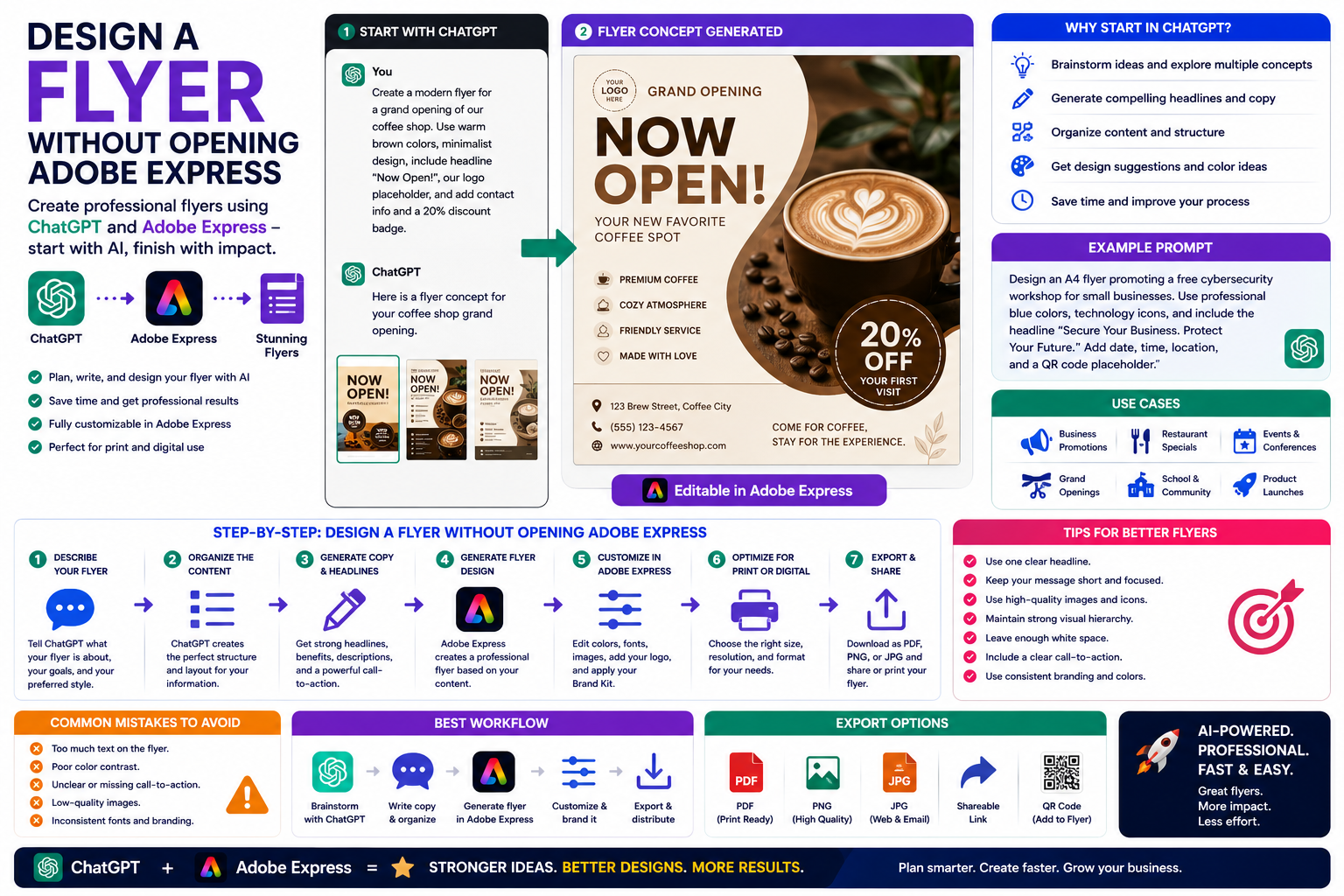
Imagine creating a professional flyer without first opening a design application. Instead of selecting templates, dragging text boxes, or searching for fonts, you simply tell an AI assistant what you want to create.
That’s exactly what the integration between ChatGPT and Adobe Express makes possible. You can begin your entire creative process through a conversation, allowing AI to generate ideas, headlines, layouts, and an editable flyer concept before you even enter the Adobe Express editor.
In this guide, you’ll learn how to design a flyer using ChatGPT and Adobe Express while spending less time on repetitive design work and more time refining your message.
Why Start in ChatGPT?
Many designers immediately open Adobe Express.
But starting in ChatGPT offers several advantages.
Instead of asking yourself:
- What template should I choose?
- Which colors work best?
- What headline should I write?
- How should I organize the layout?
you simply describe your objective.
ChatGPT helps organize your ideas before Adobe Express creates the visual design.
What Types of Flyers Can You Create?
The workflow works well for almost every type of flyer.
Examples include:
- Business promotions
- Grand openings
- Restaurant specials
- Charity events
- Conferences
- Workshops
- School activities
- Product launches
- Real estate listings
- Community events
If you can describe it, ChatGPT can help plan it.
Step 1: Describe Your Flyer
Open ChatGPT and explain what you want.
For example:
Create a modern flyer promoting our new coffee shop opening. Use warm brown colors, minimalist styling, and include the headline “Now Open!”
Or:
Design a professional flyer advertising a free cybersecurity seminar for small businesses using blue corporate branding.
The more detail you provide, the better the initial concept.
Step 2: Let ChatGPT Organize the Content
ChatGPT can generate the structure of your flyer before any design work begins.
Typical sections include:
- Headline
- Subheading
- Main benefits
- Event details
- Contact information
- Call-to-action
- Footer
This creates a logical hierarchy that makes the flyer easier to read.
Step 3: Generate Marketing Copy
Strong flyer copy is just as important as the design.
Ask ChatGPT to generate:
- Headlines
- Promotional text
- Feature lists
- Event descriptions
- Calls to action
- Contact information layout
- Taglines
Example:
Write a persuasive flyer promoting a free AI workshop for entrepreneurs.
ChatGPT can produce several versions so you can choose the one you like best.
Step 4: Generate the Flyer Design
Once your content is ready, Adobe Express generates an editable flyer.
The design may include:
- Professional layout
- Typography
- Color palette
- Background graphics
- Placeholder images
- Decorative elements
- Button or call-to-action styling
Rather than beginning with a blank page, you start with a professionally designed first draft.
Step 5: Customize in Adobe Express
Now open the generated flyer inside Adobe Express.
You can personalize it by:
- Uploading your logo
- Replacing images
- Editing colors
- Changing fonts
- Rearranging sections
- Adding icons
- Applying your Brand Kit
- Fine-tuning spacing
The AI provides the foundation, while Adobe Express gives you complete creative control.
Step 6: Prepare for Print or Digital
Depending on your goals, you can optimize the flyer for different uses.
For print:
- High-resolution PDF
- Standard paper sizes
- Bleed settings (if required)
For digital:
- PNG
- JPG
- Social media formats
- Email attachments
- Website downloads
Adobe Express makes exporting simple.
Example Prompt Library
Restaurant
Create a flyer promoting our weekend brunch menu using elegant typography, warm food photography, and the headline “Weekend Brunch Starts Here.”
Business Seminar
Design a flyer for a free cybersecurity workshop aimed at small business owners. Use modern blue colors, technology-themed icons, and include a QR code placeholder.
Fitness
Create a promotional flyer for a 30-day fitness challenge using energetic colors and bold typography.
School Event
Design a flyer advertising the annual school science fair with colorful illustrations and a family-friendly design.
Real Estate
Create a luxury property flyer featuring modern architecture, premium photography, and a “Schedule a Viewing” call-to-action.
Tips for Better Flyers
Professional flyers usually include:
- One clear headline
- Limited body text
- Strong visual hierarchy
- High-quality imagery
- Consistent branding
- Plenty of white space
- One clear call-to-action
Keeping the design focused helps readers quickly understand your message.
Common Mistakes
Avoid prompts such as:
Create a flyer.
Instead write:
Design an A4 flyer promoting our cloud backup services for small businesses. Use a clean blue and white color scheme, modern typography, cloud illustrations, and include the headline “Protect Your Business Data Today” with a “Free Consultation” call-to-action.
The additional context leads to much stronger AI-generated designs.
Best Workflow
Many businesses follow this workflow:
- Brainstorm ideas with ChatGPT.
- Generate flyer copy.
- Create the flyer in Adobe Express.
- Apply company branding.
- Replace placeholder images.
- Review the layout.
- Export for print or digital distribution.
This approach significantly reduces the time required to create marketing materials.
Who Should Use This Workflow?
This workflow is particularly useful for:
- Small businesses
- Restaurants
- Retail stores
- Marketing agencies
- Consultants
- Event organizers
- Schools
- Non-profit organizations
- Churches
- Community groups
Anyone creating promotional materials can benefit from conversational AI combined with professional design tools.
Benefits of Starting Outside the Editor
Beginning in ChatGPT offers several advantages.
You can:
- Explore multiple creative ideas before designing.
- Compare different headlines.
- Experiment with different marketing messages.
- Generate alternative layouts.
- Refine your content before opening Adobe Express.
This often results in stronger marketing materials and fewer design revisions.
Conclusion
Designing a flyer without opening Adobe Express first may sound unusual, but it’s one of the biggest advantages of combining ChatGPT with Adobe Express. By starting with a conversation instead of a blank canvas, you can quickly generate ideas, organize your content, write persuasive marketing copy, and produce a professionally designed flyer ready for final customization.
This workflow saves time, encourages creativity, and makes flyer design accessible to beginners and professionals alike.
Frequently Asked Questions
Can ChatGPT create flyer text?
Yes. ChatGPT can generate headlines, promotional copy, event descriptions, feature lists, and calls to action that are ready to use in your flyer.
Do I still need Adobe Express?
Yes. ChatGPT helps with planning and content creation, while Adobe Express provides the editing tools needed to finalize your flyer.
Can I print the flyer?
Absolutely. Adobe Express allows you to export high-resolution files suitable for both digital sharing and professional printing.
Can I use my own branding?
Yes. Adobe Express makes it easy to add your logo, custom colors, fonts, and Brand Kit so every flyer matches your visual identity.
Related Articles
- Make Presentation Slides with ChatGPT and Adobe Express
- Design Facebook Ads with ChatGPT and Adobe Express
- Build Pinterest Pins with ChatGPT and Adobe Express
- What Can Adobe Express Do Inside ChatGPT?
- Best ChatGPT Prompts for Adobe Express