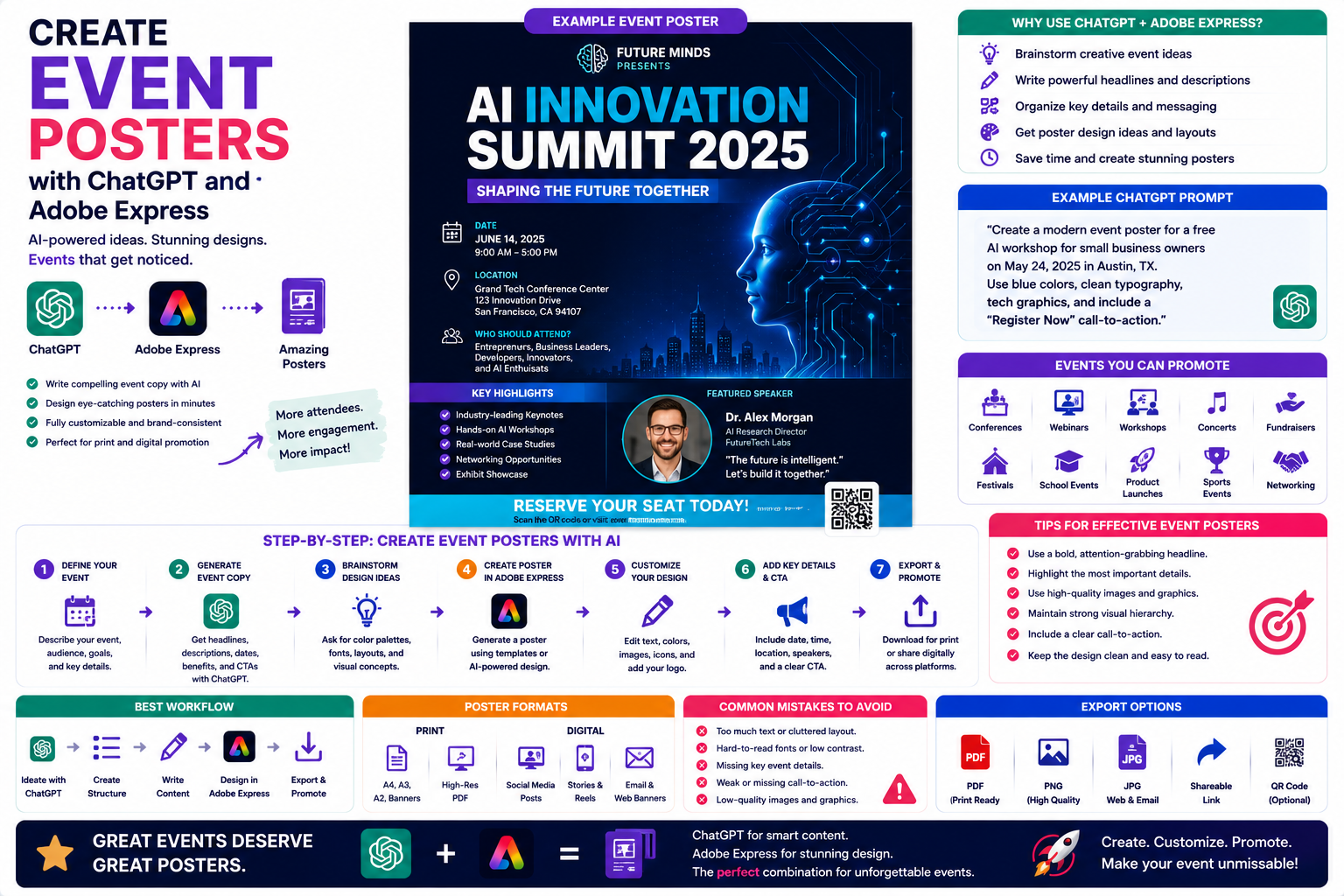
A well-designed marketing brochure remains one of the most effective ways to introduce your business, explain your products or services, and persuade potential customers to take action. Whether you’re creating printed brochures for trade shows or digital brochures for email campaigns, producing professional marketing materials traditionally requires significant time and design experience.
With ChatGPT and Adobe Express working together, that process becomes much faster. ChatGPT can generate brochure copy, organize your messaging, and suggest layouts, while Adobe Express transforms those ideas into polished, editable brochure designs.
In this guide, you’ll learn how to create attractive marketing brochures using AI, from the first idea to the finished product.
Why Use AI for Brochure Design?
Traditional brochure creation usually involves:
- Planning the brochure structure
- Writing persuasive marketing copy
- Choosing a layout
- Designing graphics
- Finding suitable images
- Selecting typography
- Maintaining consistent branding
Using ChatGPT together with Adobe Express allows much of this work to happen through a simple conversation.
Instead of starting with an empty document, you begin with a complete concept.
What Types of Brochures Can You Create?
This workflow works for many different brochure styles.
Examples include:
- Company brochures
- Product brochures
- Service brochures
- Event brochures
- Travel brochures
- Restaurant menus
- Educational brochures
- Healthcare brochures
- Real estate brochures
- Non-profit information brochures
The same AI-powered process can be adapted for virtually any industry.
Step 1: Define Your Objective
Start by deciding what your brochure should accomplish.
Examples include:
- Introduce your company
- Explain a service
- Promote a product
- Announce an event
- Recruit customers
- Educate readers
- Generate leads
A clear objective helps ChatGPT create more focused marketing content.
Step 2: Ask ChatGPT to Build the Structure
One of ChatGPT’s strengths is organizing information logically.
Try a prompt like:
Create a tri-fold brochure structure for a managed IT services company targeting small businesses.
ChatGPT may suggest sections such as:
- Cover page
- Company introduction
- Services
- Benefits
- Customer testimonials
- Contact information
- Call-to-action
This gives you a strong foundation before any design work begins.
Step 3: Generate the Marketing Copy
Now ask ChatGPT to write the brochure content.
Examples:
- Headlines
- Section introductions
- Product descriptions
- Feature lists
- Customer benefits
- Frequently asked questions
- Calls to action
Example prompt:
Write persuasive brochure copy promoting cybersecurity consulting services for small businesses.
ChatGPT can generate multiple versions so you can compare different marketing approaches.
Step 4: Create the Brochure in Adobe Express
Once the content is ready, open Adobe Express.
Choose a brochure template or create a custom layout.
Adobe Express provides tools for:
- Bi-fold brochures
- Tri-fold brochures
- Product catalogs
- Promotional brochures
- Event handouts
- Informational leaflets
Simply paste your ChatGPT-generated content into the template.
Step 5: Customize the Design
Now personalize the brochure.
Adobe Express allows you to:
- Upload your logo
- Change fonts
- Modify colors
- Replace images
- Add icons
- Insert QR codes
- Apply your Brand Kit
- Rearrange page layouts
This ensures your brochure matches your company’s visual identity.
Step 6: Add Visual Elements
Strong brochures combine text with visuals.
Adobe Express makes it easy to add:
- Product photography
- Team photos
- Infographics
- Icons
- Charts
- Maps
- Illustrations
- Background textures
Visual elements make brochures easier to read and more engaging.
Step 7: Prepare for Distribution
Think about how your brochure will be used.
Common formats include:
- Trade shows
- Conferences
- Sales meetings
- Direct mail
- Retail displays
Digital
- PDF downloads
- Email attachments
- Website resources
- LinkedIn documents
- Online brochures
Adobe Express supports multiple export options depending on your needs.
Example Prompt Library
IT Services
Create a professional tri-fold brochure introducing our managed IT services for healthcare organizations using blue corporate branding.
Restaurant
Design a restaurant brochure featuring seasonal menu items with elegant typography and warm food photography.
Real Estate
Create a luxury property brochure highlighting premium homes with modern layouts and high-end photography.
Travel Agency
Design a travel brochure promoting Mediterranean vacation packages with vibrant imagery and destination highlights.
Education
Create a brochure explaining our online AI certification program for working professionals.Tips for Better Brochures
Professional brochures usually:
- Focus on customer benefits.
- Use concise language.
- Include high-quality visuals.
- Maintain consistent branding.
- Organize information logically.
- Include one strong call-to-action.
- Leave enough white space for readability.
A clean layout helps readers quickly understand your message.
Common Mistakes
Avoid prompts such as:
Create a brochure.
Instead write:
Design a tri-fold brochure promoting cloud migration services for mid-sized businesses. Use a modern blue and white color palette, include cloud-themed graphics, customer benefits, case study highlights, and finish with a “Book a Free Consultation” call-to-action.
Detailed prompts lead to much stronger brochure concepts.
Best Workflow
Many businesses follow this AI-assisted workflow:
- Brainstorm brochure ideas with ChatGPT.
- Generate the brochure structure.
- Write each section.
- Design the brochure in Adobe Express.
- Apply company branding.
- Add images and icons.
- Export for print and digital distribution.
This process saves time while maintaining a professional appearance.
Who Should Use This Workflow?
This workflow is ideal for:
- Small businesses
- Marketing agencies
- Sales teams
- Consultants
- Real estate agents
- Healthcare providers
- Educational institutions
- Event organizers
- Non-profit organizations
- Retail businesses
Anyone creating marketing materials can benefit from combining conversational AI with Adobe Express.
Why This Workflow Works
Starting with ChatGPT allows you to focus on the message before worrying about the design.
By the time you open Adobe Express, you already have:
- A brochure structure
- Professional copy
- Clear headlines
- Calls to action
- Design direction
This dramatically reduces the time spent revising layouts and rewriting content.
Conclusion
Generating marketing brochures with ChatGPT and Adobe Express brings together AI-powered writing and professional design in a single workflow. ChatGPT helps you plan the brochure, write persuasive content, and organize information logically, while Adobe Express makes it easy to turn that content into an attractive, branded brochure ready for print or digital distribution.
Whether you’re promoting products, introducing your company, or educating potential customers, this AI-assisted approach allows you to create professional brochures faster without sacrificing quality.
Frequently Asked Questions
Can ChatGPT write brochure content?
Yes. ChatGPT can generate headlines, introductions, feature descriptions, benefit statements, FAQs, and calls to action for your brochure.
Can Adobe Express create brochures?
Yes. Adobe Express includes brochure templates and editing tools that support both print-ready and digital brochure designs.
Can I create a tri-fold brochure?
Absolutely. Adobe Express offers layouts suitable for tri-fold brochures, bi-fold brochures, and other common brochure formats.
Can I apply my company branding?
Yes. You can upload your logo, customize colors and fonts, and, with Adobe Express Premium, apply your Brand Kit across the entire brochure.
Related Articles
- Design a Flyer Without Opening Adobe Express
- Make Presentation Slides with ChatGPT and Adobe Express
- Design Facebook Ads with ChatGPT and Adobe Express
- Best ChatGPT Prompts for Adobe Express
- What Can Adobe Express Do Inside ChatGPT?