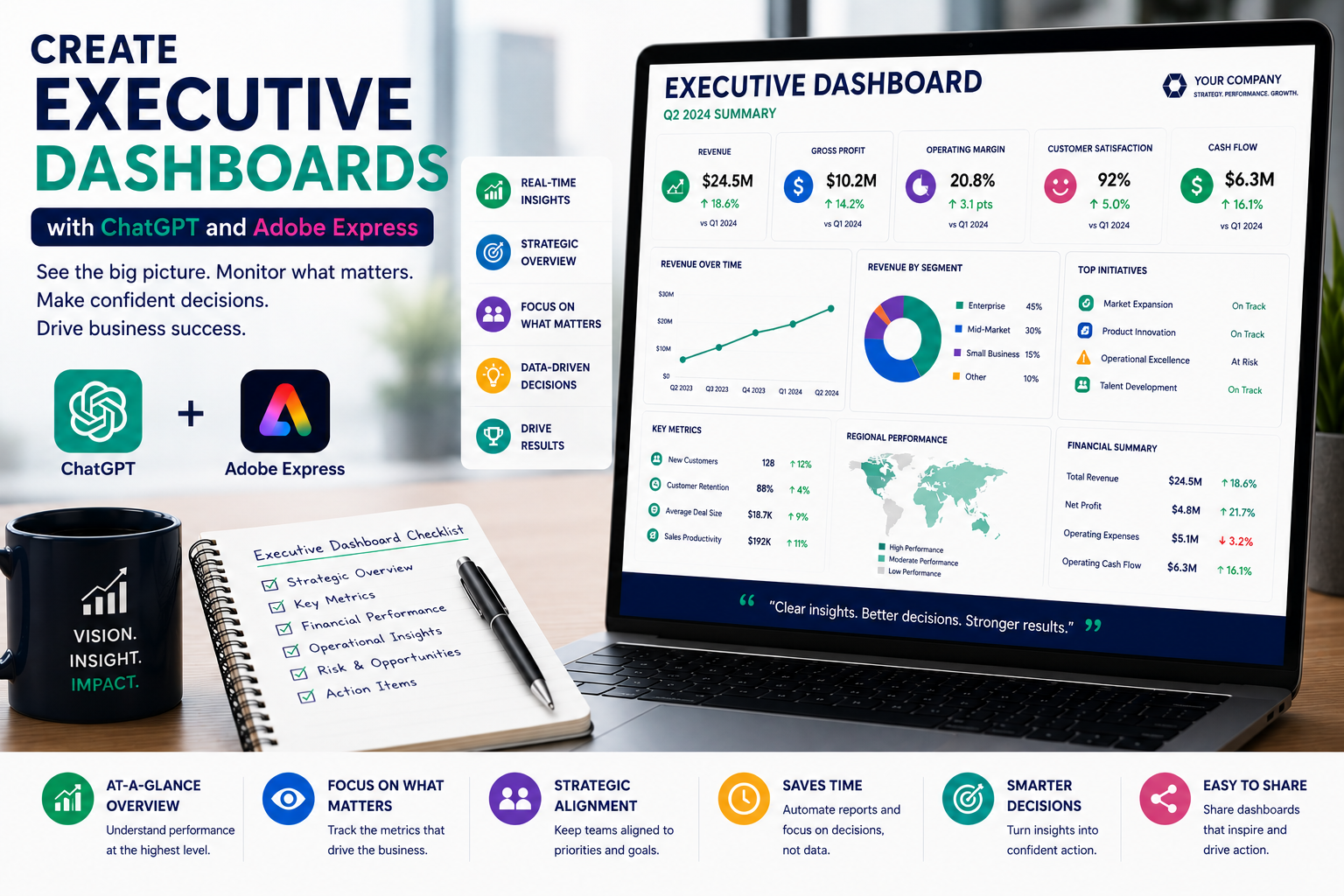
Executives make dozens of important decisions every week. They don’t have time to read lengthy reports filled with raw data—they need concise dashboards that highlight business performance at a glance.
Executive dashboards combine key performance indicators (KPIs), project updates, financial summaries, operational metrics, and strategic insights into a single, easy-to-read document. Traditionally, building these dashboards requires collecting information from multiple departments, summarizing data, designing layouts, and updating charts.
By combining ChatGPT with Adobe Express, organizations can significantly simplify this process. ChatGPT helps interpret business information, generate executive summaries, identify trends, and explain KPI changes, while Adobe Express transforms those insights into visually appealing dashboards suitable for presentations, board meetings, and executive briefings.
In this guide, you’ll learn how to create executive dashboards using AI.
Why Use ChatGPT and Adobe Express?
Creating executive dashboards usually requires:
- Gathering KPI data
- Reviewing business performance
- Summarizing departmental updates
- Highlighting trends
- Designing visual dashboards
- Applying corporate branding
- Preparing executive presentations
ChatGPT accelerates the analysis while Adobe Express enhances presentation quality.
Why Executive Dashboards Matter
Executive dashboards help organizations:
- Monitor business performance
- Track strategic goals
- Identify emerging risks
- Improve executive decision-making
- Increase transparency
- Reduce reporting time
- Focus on measurable outcomes
- Align departments around shared objectives
A well-designed dashboard enables leaders to understand the organization’s health within minutes.
What Should an Executive Dashboard Include?
Most dashboards contain:
- Executive summary
- Key Performance Indicators (KPIs)
- Financial overview
- Sales performance
- Operational metrics
- Customer satisfaction
- Project status
- Risks and issues
- Strategic initiatives
- Upcoming priorities
Keeping the layout consistent makes reports easier to compare over time.
Step 1: Gather Business Metrics
Begin by collecting information from across the organization.
Examples include:
- Revenue
- Profit margin
- Sales growth
- Customer satisfaction
- Employee turnover
- Project completion
- Budget utilization
- Operational efficiency
The more complete your data, the more valuable the dashboard becomes.
Step 2: Generate an Executive Summary
Ask ChatGPT:
Summarize this month’s business performance into an executive overview suitable for senior leadership.
The summary should highlight:
- Major achievements
- Key concerns
- Trends
- Recommendations
Executives often read this section first.
Step 3: Explain KPI Performance
Numbers alone rarely tell the full story.
Example prompt:
Explain why customer satisfaction increased by 8% this quarter using concise executive business language.
ChatGPT adds valuable context behind the metrics.
Step 4: Highlight Trends
Executives care about movement over time.
Ask ChatGPT:
Identify the three most important business trends from these monthly KPI results.
Trend analysis helps leadership focus on strategic decisions rather than isolated numbers.
Step 5: Identify Risks
Every dashboard should highlight areas requiring attention.
Examples include:
- Budget overruns
- Declining sales
- Resource shortages
- Delivery delays
- Customer churn
- Compliance concerns
ChatGPT can also recommend possible mitigation strategies.
Step 6: Design the Dashboard in Adobe Express
Once your content is ready, open Adobe Express.
Create a dashboard including:
- Executive summary
- KPI cards
- Charts
- Graphs
- Trend indicators
- Risk summary
- Action items
Adobe Express allows you to present complex business information in a clean, executive-friendly format.
Step 7: Add Visual Elements
Adobe Express supports visuals such as:
- KPI cards
- Line charts
- Bar charts
- Pie charts
- Progress indicators
- Traffic-light status icons
- Timelines
- Infographics
Visual reporting helps executives identify patterns much faster than text alone.
Step 8: Apply Company Branding
Maintain consistency using:
- Company logo
- Brand colors
- Corporate fonts
- Department colors
- Headers
- Footers
- Report version numbers
Professional branding reinforces confidence in the report.
Step 9: Share with Leadership
Executive dashboards are commonly distributed through:
- Board presentations
- Executive meetings
- PDF reports
- Microsoft Teams
- SharePoint
- Company intranet
Adobe Express exports presentation-quality PDFs suitable for both digital and printed distribution.
Example Prompt Library
CEO Dashboard
Create an executive dashboard summarizing company revenue, profitability, customer growth, employee satisfaction, operational efficiency, and strategic initiatives.
Sales Dashboard
Generate a sales executive dashboard highlighting pipeline growth, closed revenue, forecast accuracy, customer acquisition, and regional performance.
IT Dashboard
Create an executive IT dashboard covering cybersecurity incidents, system availability, infrastructure projects, service desk performance, and cloud migration progress.
HR Dashboard
Design an HR dashboard summarizing hiring progress, employee retention, absenteeism, training completion, and workforce diversity metrics.
Operations Dashboard
Create an operations dashboard covering manufacturing output, delivery performance, quality metrics, inventory levels, and operational risks.
Tips for Better Executive Dashboards
Professional dashboards usually:
- Start with an executive summary.
- Highlight only the most important KPIs.
- Explain significant changes.
- Include trend analysis.
- Use visual indicators.
- Focus on business outcomes.
- End with recommended actions.
Less information often creates a stronger dashboard.
Common Mistakes
Avoid prompts such as:
Create an executive dashboard.
Instead write:
Create a monthly executive dashboard for a SaaS company including ARR growth, customer retention, product usage metrics, customer satisfaction, operational costs, cybersecurity status, hiring progress, strategic initiatives, business risks, and executive recommendations. Use concise business language suitable for board members.
Specific prompts consistently produce more valuable executive reporting.
Best Workflow
Many executive teams follow this process:
- Collect KPI data.
- Generate summaries with ChatGPT.
- Explain major changes.
- Highlight trends.
- Identify risks.
- Design the dashboard in Adobe Express.
- Apply corporate branding.
- Export for executive review.
This workflow produces high-quality dashboards while significantly reducing reporting time.
Who Should Use This Workflow?
This workflow is ideal for:
- CEOs
- Executive teams
- PMOs
- CFOs
- Operations managers
- HR leaders
- Sales directors
- Business analysts
- Consultants
- Department managers
Any leader responsible for communicating business performance can benefit from AI-assisted dashboards.
Why This Workflow Works
ChatGPT transforms raw business data into executive insights before you begin designing.
By the time you open Adobe Express, you’ll already have:
- Executive summaries
- KPI explanations
- Trend analysis
- Risk assessments
- Recommended actions
- Structured reporting
Adobe Express then transforms those insights into polished dashboards that executives can review quickly and confidently.
Conclusion
Creating executive dashboards with ChatGPT and Adobe Express combines AI-powered business analysis with professional visual design. ChatGPT helps summarize performance, explain KPI trends, identify risks, and generate executive-level insights, while Adobe Express provides polished dashboards, charts, and branding tools that improve readability and decision-making.
Whether you’re preparing monthly leadership reports, board presentations, or strategic reviews, this AI-powered workflow helps you produce executive dashboards faster while delivering clearer business insights.
Frequently Asked Questions
Can ChatGPT generate executive dashboard content?
Yes. ChatGPT can summarize KPIs, explain trends, generate executive summaries, identify risks, and draft recommendations based on your business data. Always verify the underlying figures before sharing the dashboard.
Can Adobe Express create dashboard layouts?
Yes. Adobe Express includes templates and design tools that are well suited for executive reports, KPI dashboards, presentations, and business summaries with charts, icons, and branded layouts.
What metrics belong in an executive dashboard?
Focus on the metrics that matter most to leadership, such as revenue, profitability, customer satisfaction, operational performance, strategic initiatives, project health, and key business risks.
How often should executive dashboards be updated?
Many organizations update dashboards monthly, while fast-moving businesses may prefer weekly dashboards and quarterly strategic executive reviews.
Related Articles
- Create Project Status Reports with ChatGPT and Adobe Express
- Create Meeting Minutes with ChatGPT and Adobe Express
- Create Meeting Agendas with ChatGPT and Adobe Express
- Create Internal Company Newsletters with ChatGPT and Adobe Express
- Best ChatGPT Prompts for Adobe Express






