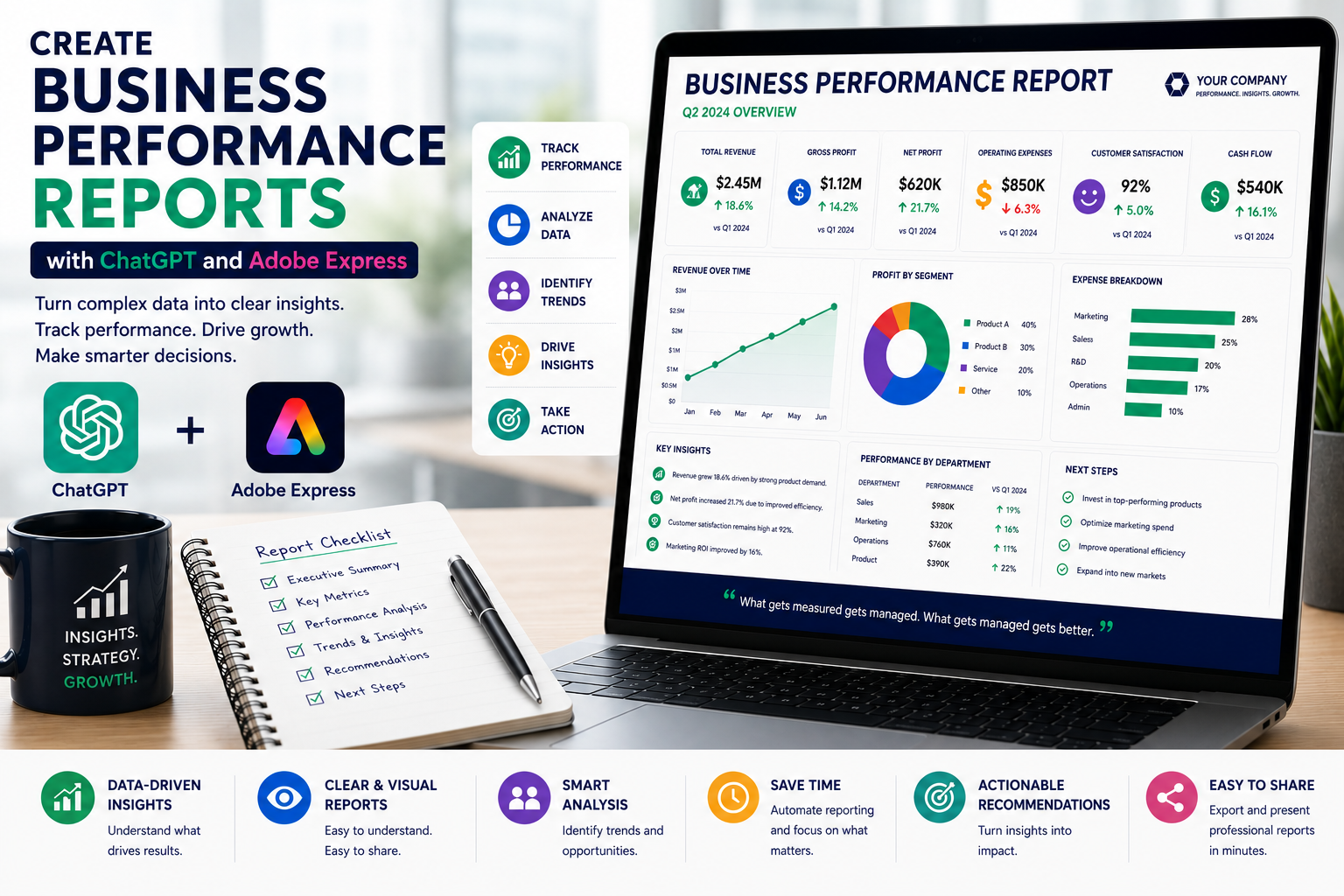
Every successful organization measures its performance. Whether you’re tracking sales, customer satisfaction, marketing campaigns, operational efficiency, or financial results, business performance reports help leaders understand where the company is succeeding and where improvements are needed.
Unfortunately, preparing these reports often requires gathering information from multiple departments, analyzing large datasets, writing summaries, and formatting documents for executives or stakeholders.
By combining ChatGPT with Adobe Express, businesses can automate much of this workflow. ChatGPT helps analyze business information, summarize key findings, explain trends, and generate actionable recommendations, while Adobe Express transforms the content into polished reports with professional layouts and branded visuals.
In this guide, you’ll learn how to create business performance reports using AI.
Why Use ChatGPT and Adobe Express?
Preparing business reports traditionally requires:
- Collecting KPI data
- Reviewing financial results
- Comparing performance over time
- Summarizing business activities
- Creating charts
- Designing reports
- Applying corporate branding
- Publishing documents
ChatGPT dramatically reduces the writing effort while Adobe Express improves presentation quality.
Why Business Performance Reports Matter
Business reports help organizations:
- Measure progress
- Evaluate strategy
- Improve decision-making
- Monitor department performance
- Identify growth opportunities
- Detect operational problems
- Improve accountability
- Support executive planning
Regular reporting keeps everyone aligned around measurable goals.
What Should a Business Performance Report Include?
Most reports contain:
- Executive Summary
- Business Overview
- Key Performance Indicators (KPIs)
- Financial Performance
- Sales Results
- Customer Metrics
- Operational Performance
- Risks and Challenges
- Opportunities
- Recommendations
- Next Steps
Using a consistent format makes reports easier to review over time.
Step 1: Gather Business Data
Collect information from across the business.
Examples include:
- Revenue
- Profit
- Sales growth
- Marketing performance
- Customer satisfaction
- Employee productivity
- Operational efficiency
- Budget utilization
The more complete your information, the more valuable the report becomes.
Step 2: Generate an Executive Summary
Ask ChatGPT:
Create an executive summary explaining this month’s business performance for senior leadership.
Include:
- Major achievements
- Key challenges
- Strategic observations
- Business outlook
Executives often rely on this summary before reviewing detailed metrics.
Step 3: Analyze KPI Performance
Numbers become more meaningful when they include context.
Example prompt:
Explain why customer acquisition increased while profit margins declined.
ChatGPT helps connect business events with measurable outcomes.
Step 4: Identify Trends
Executives want to understand long-term movement.
Ask ChatGPT:
Identify the five most important business trends from these quarterly reports.
Examples include:
- Revenue growth
- Customer retention
- Product adoption
- Employee turnover
- Cost reduction
Trend analysis supports better planning.
Step 5: Generate Recommendations
One of ChatGPT’s greatest strengths is producing practical recommendations.
Example prompt:
Based on this performance report, suggest five executive recommendations for improving operational efficiency.
Recommendations transform reports into decision-support tools.
Step 6: Design the Report in Adobe Express
Once your content is complete, open Adobe Express.
Create a report including:
- Cover page
- Executive summary
- KPI dashboard
- Department performance
- Financial overview
- Charts
- Recommendations
- Closing summary
Adobe Express provides modern templates that improve readability.
Step 7: Add Visual Elements
Adobe Express supports:
- KPI cards
- Line graphs
- Bar charts
- Pie charts
- Trend indicators
- Icons
- Infographics
- Progress bars
Visual reporting allows executives to understand business health quickly.
Step 8: Apply Company Branding
Customize your report with:
- Company logo
- Corporate colors
- Brand fonts
- Headers
- Footers
- Report date
- Version information
Consistent branding strengthens professionalism.
Step 9: Export and Share
Business performance reports are commonly distributed through:
- Executive meetings
- Board meetings
- SharePoint
- Microsoft Teams
- PDF reports
- Company intranet
Adobe Express exports presentation-ready PDFs suitable for digital and printed distribution.
Example Prompt Library
Monthly Business Review
Create a monthly business performance report summarizing sales, marketing, finance, customer service, operations, and strategic initiatives.
Sales Performance
Generate a report explaining quarterly sales growth, regional performance, customer acquisition, and forecast accuracy.
Marketing Performance
Create a marketing performance report summarizing campaign ROI, website traffic, lead generation, conversion rates, and advertising spend.
Customer Success
Write a customer success report covering customer satisfaction, support performance, retention, onboarding, and renewal metrics.
Operations
Generate an operations report summarizing production, inventory, logistics, supplier performance, and operational efficiency.
Tips for Better Business Reports
Professional reports usually:
- Begin with an executive summary.
- Focus on measurable KPIs.
- Explain significant changes.
- Include visual dashboards.
- Highlight risks.
- Provide recommendations.
- End with action items.
Good reports help executives make faster decisions.
Common Mistakes
Avoid prompts such as:
Write a business report.
Instead write:
Create a professional monthly business performance report for a SaaS company. Include executive summary, ARR growth, customer acquisition, churn, product usage, marketing ROI, employee productivity, operational performance, business risks, strategic recommendations, and next month’s priorities. Use concise executive business language.
Detailed prompts consistently produce stronger reports.
Best Workflow
Many leadership teams follow this process:
- Gather KPI data.
- Generate summaries with ChatGPT.
- Analyze trends.
- Generate recommendations.
- Design the report in Adobe Express.
- Apply company branding.
- Export as PDF.
- Share with stakeholders.
This workflow significantly reduces reporting time while improving consistency.
Who Should Use This Workflow?
This workflow is ideal for:
- CEOs
- CFOs
- COOs
- Department managers
- Business analysts
- Consultants
- PMOs
- Operations teams
- Marketing leaders
- Executive assistants
Any organization tracking business performance can benefit from AI-assisted reporting.
Why This Workflow Works
ChatGPT transforms raw business metrics into executive-level insights before you begin designing.
By the time you open Adobe Express, you’ll already have:
- Executive summaries
- KPI analysis
- Trend explanations
- Strategic recommendations
- Action items
- Structured reporting
Adobe Express then converts those insights into visually engaging reports that executives can quickly review and act upon.
Conclusion
Creating business performance reports with ChatGPT and Adobe Express combines AI-powered business analysis with professional report design. ChatGPT helps summarize KPIs, explain trends, identify opportunities, and generate strategic recommendations, while Adobe Express provides polished layouts, dashboards, charts, and branding tools that improve communication and decision-making.
Whether you’re reporting monthly business results, departmental performance, or strategic initiatives, this AI-powered workflow helps you create professional reports faster while delivering greater value to leadership.
Frequently Asked Questions
Can ChatGPT write business performance reports?
Yes. ChatGPT can summarize KPIs, explain trends, draft executive summaries, identify risks, and generate recommendations. Always verify your business data before publishing the report.
Can Adobe Express design business reports?
Yes. Adobe Express includes professional templates for business reports, dashboards, presentations, and executive summaries that can be customized with your company’s branding.
What KPIs should be included in a business performance report?
Include the metrics that matter most to your organization, such as revenue, profitability, customer satisfaction, employee productivity, operational efficiency, sales performance, and strategic progress.
How often should business performance reports be created?
Many organizations prepare monthly reports for leadership, quarterly reports for boards, and annual reports for shareholders and long-term strategic planning.
Related Articles
- Create Executive Dashboards with ChatGPT and Adobe Express
- Create Project Status Reports with ChatGPT and Adobe Express
- Create Meeting Minutes with ChatGPT and Adobe Express
- Create Meeting Agendas with ChatGPT and Adobe Express
- Best ChatGPT Prompts for Adobe Express






