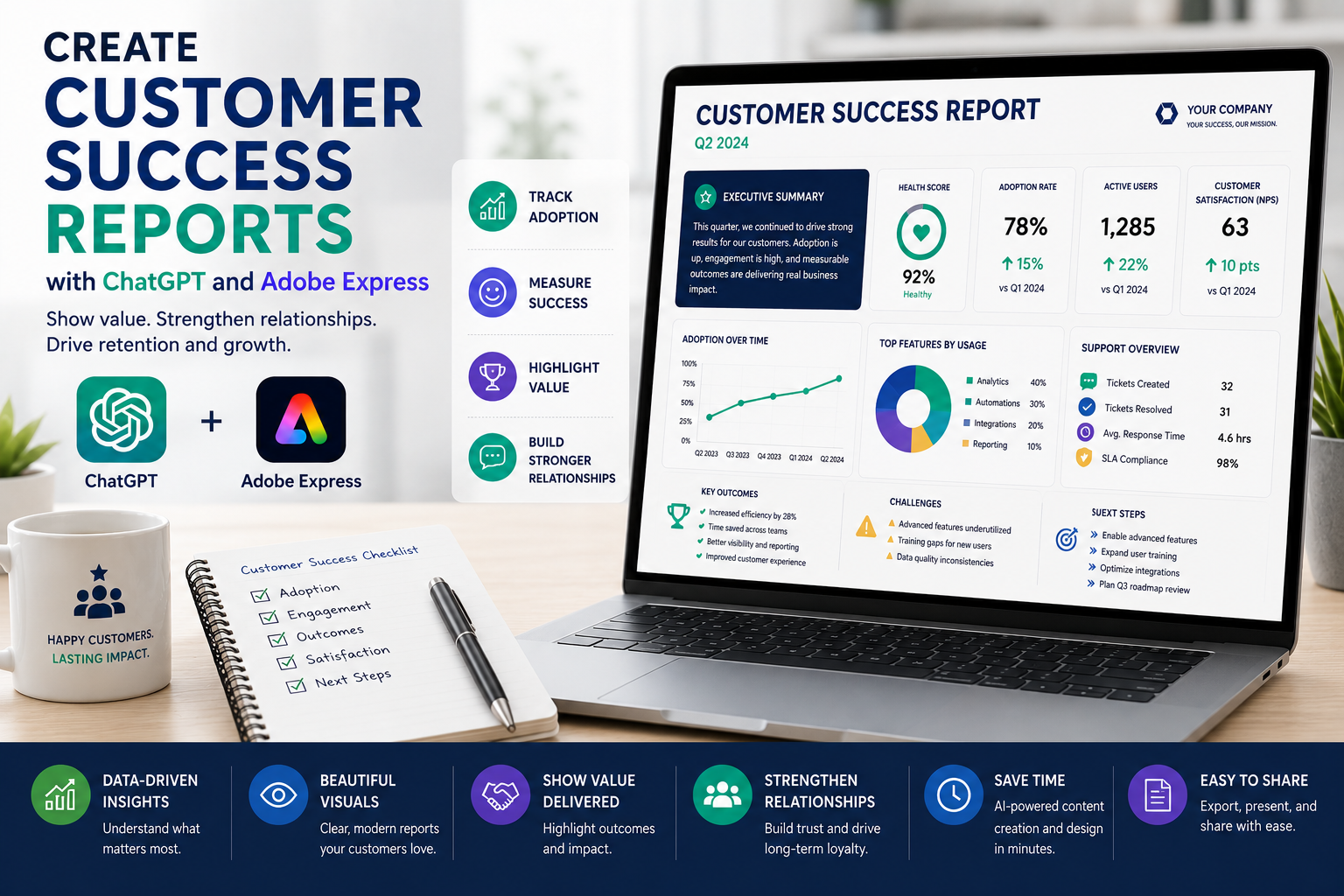
Customer success teams play a critical role in helping clients achieve measurable value from products and services. Whether you’re managing enterprise software implementations, consulting engagements, or ongoing support contracts, customers want to see clear evidence of progress and business outcomes.
Customer success reports communicate that value. They summarize achievements, highlight product adoption, measure key performance indicators, identify challenges, and outline next steps. However, creating these reports manually every month can take considerable time.
By combining ChatGPT with Adobe Express, you can automate much of the reporting process. ChatGPT helps organize customer updates, summarize achievements, explain usage trends, and generate recommendations, while Adobe Express transforms those insights into polished, branded reports that impress customers and internal stakeholders alike.
In this guide, you’ll learn how to create professional customer success reports using AI.
Why Use ChatGPT and Adobe Express?
Preparing customer success reports traditionally requires:
- Gathering customer data
- Reviewing product usage
- Measuring adoption
- Tracking support cases
- Writing summaries
- Designing reports
- Applying company branding
- Sharing reports with customers
ChatGPT simplifies the writing process while Adobe Express creates attractive, client-ready documents.
Why Customer Success Reports Matter
Regular customer reports help organizations:
- Demonstrate value delivered
- Improve customer relationships
- Increase retention
- Support renewals
- Identify expansion opportunities
- Monitor customer health
- Improve communication
- Strengthen executive relationships
Well-written reports reinforce confidence in your products and services.
What Should a Customer Success Report Include?
Most reports contain:
- Executive Summary
- Customer Objectives
- Success Highlights
- Product Adoption
- Usage Statistics
- Support Activity
- Completed Milestones
- Business Outcomes
- Challenges
- Recommendations
- Next Steps
Using a consistent structure makes every customer review easier to understand.
Step 1: Gather Customer Information
Collect information from your customer success platform, CRM, or support tools.
Examples include:
- Product usage
- Active users
- Feature adoption
- Support tickets
- Customer satisfaction
- NPS score
- Business goals
- Renewal date
Accurate information creates more valuable reports.
Step 2: Generate an Executive Summary
Ask ChatGPT:
Create an executive summary explaining this customer’s progress during the past month.
Include:
- Major accomplishments
- Product adoption
- Business outcomes
- Customer engagement
- Overall health
Executives appreciate concise summaries.
Step 3: Summarize Customer Achievements
Example prompt:
Summarize the customer’s major accomplishments during the last quarter.
Examples include:
- Increased platform usage
- Completed onboarding
- Improved productivity
- Reduced support requests
- Expanded product adoption
Highlighting success reinforces customer confidence.
Step 4: Analyze Customer Health
Ask ChatGPT:
Explain the current customer health based on adoption metrics, support history, and engagement.
Possible indicators include:
- Healthy
- Stable
- Needs Attention
- At Risk
Including a health summary helps prioritize customer management activities.
Step 5: Generate Recommendations
Example prompt:
Suggest five recommendations that would help this customer achieve greater success with our platform.
Recommendations might include:
- Increase user training
- Enable advanced features
- Schedule quarterly business reviews
- Expand integrations
- Review usage goals
Actionable advice helps strengthen customer relationships.
Step 6: Design the Report in Adobe Express
Once your content is complete, open Adobe Express.
Create a report featuring:
- Cover page
- Executive summary
- Customer health score
- Adoption dashboard
- Success milestones
- Usage charts
- Recommendations
- Next steps
Adobe Express makes customer reports visually engaging and easy to understand.
Step 7: Add Visual Elements
Adobe Express supports:
- KPI cards
- Adoption charts
- Usage graphs
- Progress bars
- Milestone timelines
- Customer journey graphics
- Icons
- Infographics
Visual reporting helps customers quickly understand the value they are receiving.
Step 8: Apply Company Branding
Customize your report with:
- Company logo
- Customer logo
- Brand colors
- Corporate fonts
- Headers
- Footers
- Reporting period
Branded reports demonstrate professionalism.
Step 9: Share with the Customer
Customer success reports are commonly shared during:
- Quarterly Business Reviews (QBRs)
- Executive meetings
- Renewal discussions
- Customer success meetings
- Account reviews
- Email updates
- PDF reports
Adobe Express exports presentation-quality PDFs suitable for customer-facing meetings.
Example Prompt Library
SaaS Customer Report
Create a monthly customer success report summarizing platform adoption, active users, support performance, feature usage, business outcomes, and recommendations.
Enterprise Account Review
Generate a quarterly executive customer report covering adoption metrics, completed milestones, ROI, customer satisfaction, roadmap updates, and next priorities.
Managed Services
Create a customer report summarizing completed projects, service performance, SLA compliance, security improvements, and future recommendations.
Customer Health Review
Write a customer health report explaining engagement, product usage, renewal readiness, support history, and customer success initiatives.
Consulting Engagement
Generate a consulting engagement report highlighting completed deliverables, achieved business outcomes, client feedback, and recommended next steps.
Tips for Better Customer Success Reports
Professional reports usually:
- Focus on customer outcomes.
- Highlight measurable success.
- Explain business impact.
- Include adoption metrics.
- Recommend future improvements.
- Use visual dashboards.
- End with clear next steps.
Customers value reports that demonstrate measurable progress.
Common Mistakes
Avoid prompts such as:
Create a customer report.
Instead write:
Create a quarterly customer success report for an enterprise software customer. Include executive summary, product adoption metrics, active users, customer satisfaction, completed milestones, support statistics, ROI achieved, business outcomes, customer health score, strategic recommendations, and next-quarter objectives. Use executive business language suitable for C-level stakeholders.
Specific prompts consistently produce more valuable customer reports.
Best Workflow
Many customer success teams follow this process:
- Export customer metrics.
- Generate summaries with ChatGPT.
- Highlight customer achievements.
- Assess customer health.
- Generate recommendations.
- Design the report in Adobe Express.
- Apply branding.
- Export as PDF.
- Review with the customer.
This workflow significantly reduces reporting time while improving customer communication.
Who Should Use This Workflow?
This workflow is ideal for:
- Customer Success Managers
- Account Managers
- SaaS companies
- Managed Service Providers
- Consultants
- Customer Experience teams
- Professional Services
- Enterprise Sales teams
- Executive leadership
- Business owners
Any organization focused on customer retention can benefit from AI-assisted reporting.
Why This Workflow Works
ChatGPT transforms customer metrics into meaningful business conversations before you begin designing.
By the time you open Adobe Express, you’ll already have:
- Executive summaries
- Customer achievements
- Adoption analysis
- Health assessments
- Strategic recommendations
- Structured reporting
Adobe Express then converts those insights into polished reports that demonstrate value and strengthen long-term customer relationships.
Conclusion
Creating customer success reports with ChatGPT and Adobe Express combines AI-powered business analysis with professional visual design. ChatGPT helps summarize customer achievements, explain adoption trends, identify opportunities, and generate strategic recommendations, while Adobe Express provides polished dashboards, charts, branding, and layouts that improve communication with customers and executives.
Whether you’re conducting quarterly business reviews, preparing renewal meetings, or demonstrating customer value, this AI-powered workflow helps you produce professional customer success reports faster while strengthening customer relationships.
Frequently Asked Questions
Can ChatGPT generate customer success reports?
Yes. ChatGPT can summarize customer achievements, explain adoption trends, assess customer health, and recommend next steps based on your customer data. Always verify customer-specific metrics before sharing the report.
Can Adobe Express design customer reports?
Yes. Adobe Express provides professional templates for customer reports, executive presentations, QBRs, and business reviews with charts, icons, and branded layouts.
What metrics belong in a customer success report?
Common metrics include product adoption, active users, customer satisfaction (CSAT), Net Promoter Score (NPS), support activity, feature usage, renewal readiness, business outcomes, and customer health scores.
How often should customer success reports be created?
Most organizations create monthly reports for internal reviews and quarterly reports for customer-facing business reviews, although enterprise accounts may receive more frequent updates.
Related Articles
- Create Sales Performance Reports with ChatGPT and Adobe Express
- Create Marketing Performance Dashboards with ChatGPT and Adobe Express
- Create KPI Scorecards with ChatGPT and Adobe Express
- Create Business Performance Reports with ChatGPT and Adobe Express
- Best ChatGPT Prompts for Adobe Express






