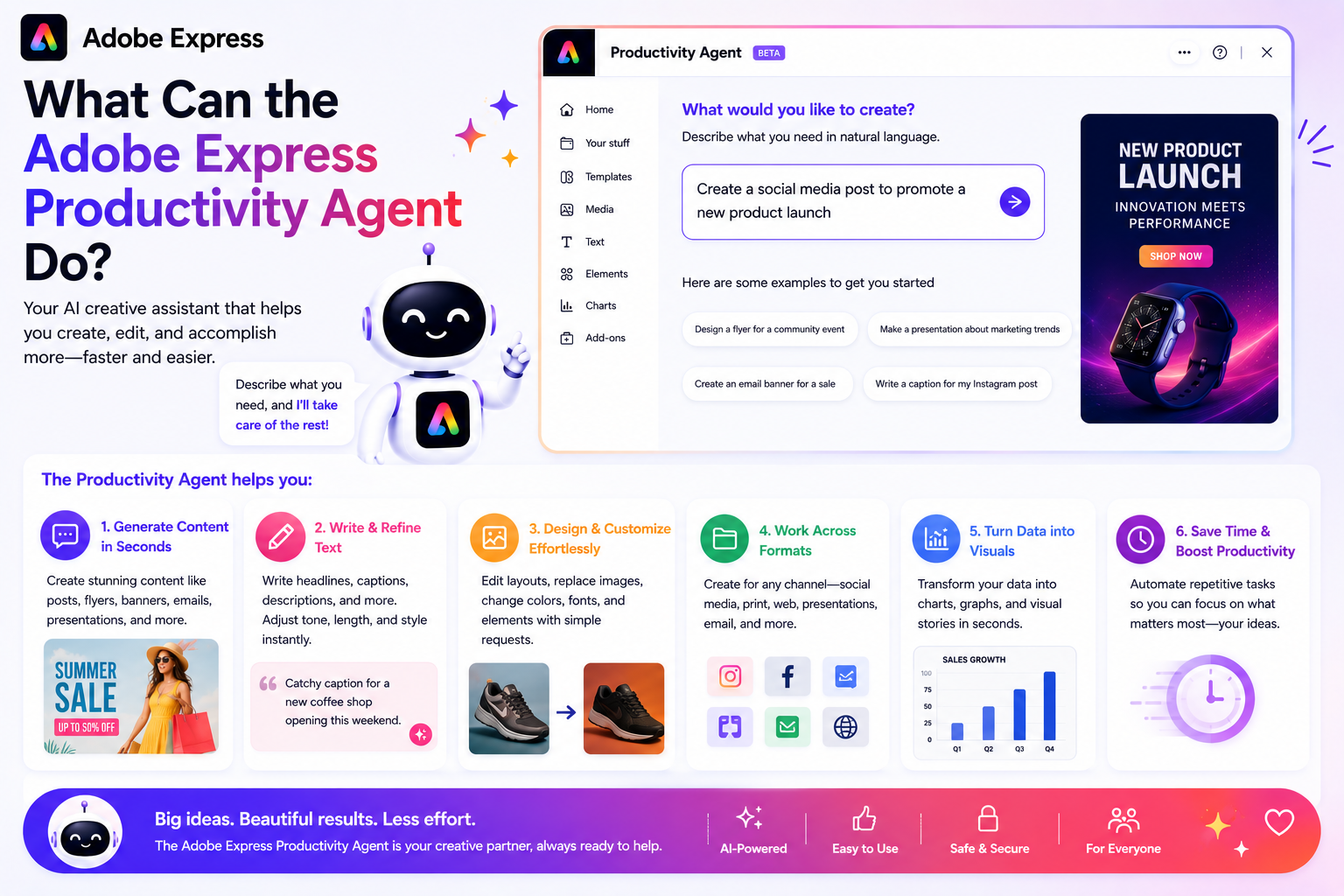
Adobe’s Productivity Agent is one of the newest AI-powered additions to Adobe Express, designed to help users create content faster, automate repetitive tasks, and simplify creative workflows. Instead of manually performing every step of a project, users can increasingly rely on AI assistance to accelerate content production.
But what exactly can the Adobe Express Productivity Agent do?
In this guide, we’ll explore its capabilities, practical use cases, and how it can help individuals, businesses, and content creators become more productive.
What Is the Adobe Express Productivity Agent?
The Productivity Agent is an AI-powered assistant built into Adobe Express.
Its purpose is to help users:
- Create content faster
- Generate ideas
- Automate repetitive tasks
- Maintain brand consistency
- Repurpose content
- Simplify creative workflows
Rather than focusing solely on design tools, the Productivity Agent focuses on helping users achieve specific goals.
For example, instead of manually designing a social media campaign, you might simply ask:
“Create promotional content for my webinar.”
The Productivity Agent then helps perform many of the required tasks.
Generate Marketing Content
One of the Productivity Agent’s most useful capabilities is content generation.
It can assist with creating:
- Social media posts
- Marketing graphics
- Promotional materials
- Event announcements
- Product launch assets
- Business presentations
This allows users to move from idea to first draft much more quickly.
Example
Instead of creating an Instagram post from scratch, you can provide a topic and allow the Productivity Agent to generate a starting design.
Create Multiple Content Variations
Content creators often need several versions of the same message.
The Productivity Agent can help generate:
- Alternative headlines
- Multiple graphic versions
- Different layouts
- Platform-specific variations
- Multiple visual concepts
This is particularly useful for testing different approaches.
Example
A single product promotion can be transformed into multiple ad variations for different audiences.
Repurpose Existing Content
One of the most valuable productivity features is content repurposing.
The Productivity Agent can help turn one asset into many.
For example:
A blog post may become:
- Instagram graphics
- LinkedIn posts
- Pinterest Pins
- Quote cards
- Presentation slides
- Email banners
This reduces the amount of content that must be created from scratch.
Resize Content for Different Platforms
Every social media platform uses different dimensions.
Manually resizing content can be tedious.
The Productivity Agent can help adapt content for:
- TikTok
- YouTube
This makes multi-platform publishing much more efficient.
Example
A square Instagram graphic can be converted into:
- Story format
- Pinterest format
- YouTube thumbnail format
with minimal manual work.
Apply Brand Elements
Brand consistency is important for businesses.
The Productivity Agent can work alongside Adobe Express Brand Kits to help apply:
- Brand colors
- Fonts
- Logos
- Visual styles
This helps ensure that generated content aligns with organizational branding.
Example
A marketing team can generate multiple assets that automatically use approved brand colors and typography.
Assist with Campaign Creation
Rather than creating isolated graphics, the Productivity Agent can support broader marketing workflows.
Examples include:
- Product launches
- Webinar promotions
- Seasonal campaigns
- Event marketing
- Educational content series
The AI helps generate related assets that work together as part of a campaign.
Generate Design Suggestions
Not everyone is a designer.
The Productivity Agent can provide assistance with:
- Layout choices
- Visual hierarchy
- Content structure
- Design organization
This helps beginners create more professional-looking content.
Example
A user creating a presentation may receive suggestions for better slide organization and design.
Automate Repetitive Tasks
Many creative tasks are repetitive rather than creative.
Examples include:
- Updating logos
- Applying brand colors
- Changing dimensions
- Creating variations
- Reformatting content
The Productivity Agent helps automate these routine activities.
This allows users to spend more time on strategy and creativity.
Support Team Collaboration
Organizations often create large amounts of content across departments.
The Productivity Agent can help teams:
- Maintain consistency
- Produce content faster
- Reduce repetitive work
- Scale creative output
This makes it easier for marketing, sales, HR, and communications teams to collaborate effectively.
Help Non-Designers Create Professional Content
One of Adobe’s primary goals is accessibility.
The Productivity Agent helps users who may have little or no design experience.
Instead of learning advanced design techniques, users can focus on describing what they want.
Examples include:
- “Create a hiring announcement.”
- “Generate an event flyer.”
- “Make a social media campaign.”
The AI assists with much of the execution.
Speed Up Content Production
Perhaps the most important capability is speed.
The Productivity Agent can significantly reduce the time required to create content.
Tasks that once required:
- Multiple applications
- Manual resizing
- Repeated edits
can often be completed in a fraction of the time.
For organizations producing large amounts of content, this can be a major advantage.
Potential Future Capabilities
Adobe continues to expand AI-powered features across its products.
Future Productivity Agent enhancements may include:
- More advanced workflow automation
- Smarter campaign planning
- Deeper brand intelligence
- Expanded content generation
- Improved team collaboration
- Additional AI-powered recommendations
The Productivity Agent is likely to become increasingly capable over time.
What the Productivity Agent Cannot Do
Despite its capabilities, the Productivity Agent is not a replacement for human judgment.
Users should still:
- Review generated content
- Verify facts
- Check branding
- Approve designs
- Make strategic decisions
The best results come from combining AI assistance with human oversight.
Real-World Use Cases
Small Business Owner
Generate promotional content without hiring a designer.
Social Media Manager
Create assets for multiple platforms from a single campaign.
Educator
Develop presentations and classroom materials faster.
Content Creator
Repurpose videos, blogs, and podcasts into multiple content formats.
Marketing Team
Scale content production while maintaining brand consistency.
Final Thoughts
The Adobe Express Productivity Agent is designed to help users create more content with less effort. It can generate marketing assets, create design variations, repurpose existing content, apply branding, automate repetitive tasks, and support larger creative workflows.
For beginners, it makes content creation more accessible. For businesses and marketing teams, it helps improve efficiency and scale production. While it doesn’t replace human creativity, it serves as a powerful assistant that can dramatically reduce the time spent on routine creative work.
As Adobe continues to invest in AI and automation, the Productivity Agent is likely to become one of the most important productivity features available in Adobe Express.






