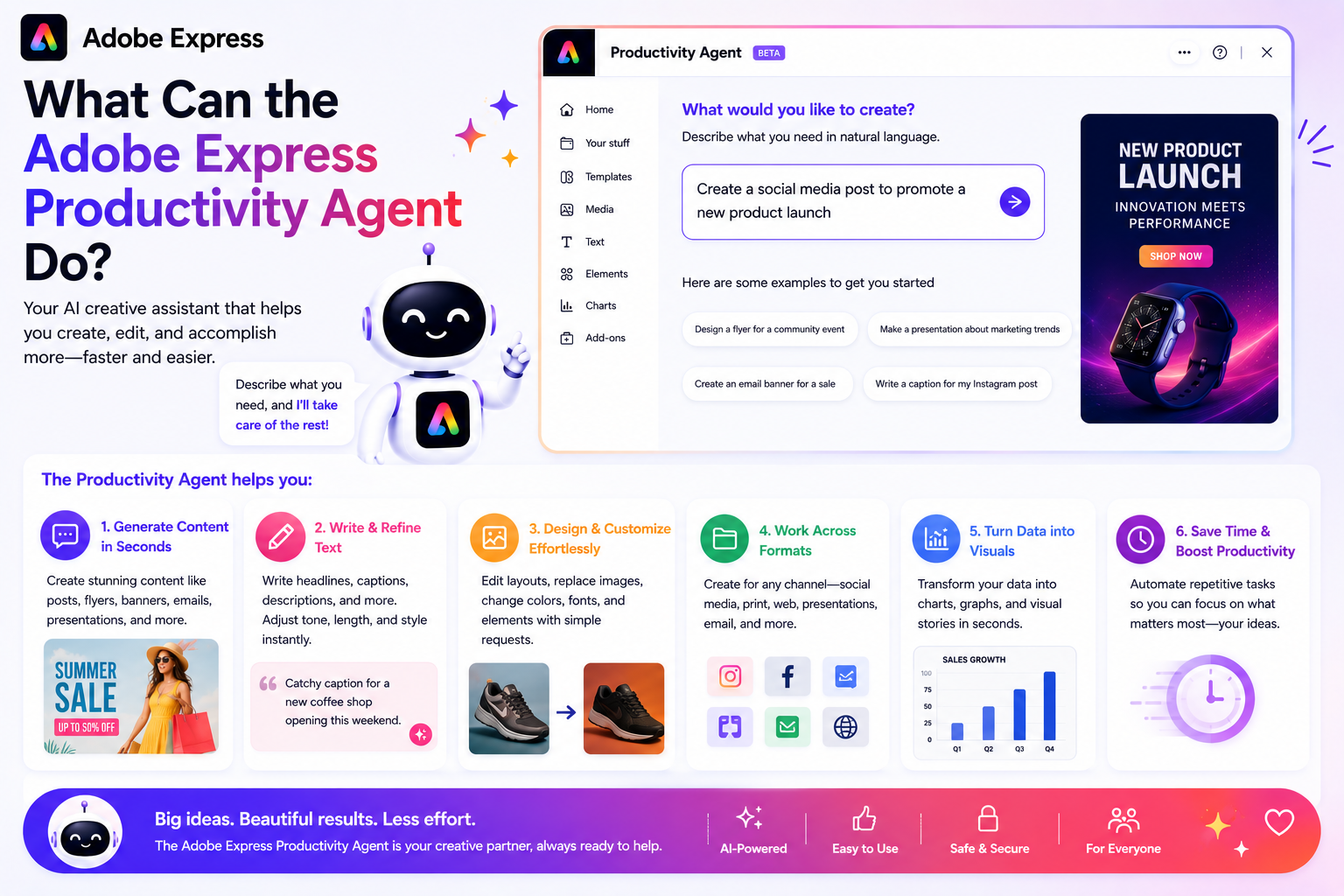
Adobe Express has evolved far beyond a simple graphic design tool. With the introduction of the Adobe Express Productivity Agent, Adobe is moving toward a future where artificial intelligence helps users create, adapt, and manage content more efficiently than ever before.
The Productivity Agent is designed to reduce repetitive work, accelerate content production, and help users focus on creativity rather than manual tasks.
In this article, we’ll explore the major features of the Adobe Express Productivity Agent and how they can improve your workflow.
What Is the Adobe Express Productivity Agent?
The Productivity Agent is an AI-powered assistant integrated into Adobe Express.
Instead of manually performing every step of a project, users can describe their goals and allow the AI to assist with execution.
For example, you might ask:
- Create a social media campaign.
- Generate a product announcement.
- Turn this flyer into a LinkedIn post.
- Create Pinterest versions of this graphic.
The Productivity Agent helps automate many of the steps required to achieve these goals.
Feature #1: Natural Language Commands
One of the most important features is the ability to interact with Adobe Express using everyday language.
Instead of navigating multiple menus, users can describe what they want.
Examples:
- “Create an Instagram promotion.”
- “Generate a webinar flyer.”
- “Resize this for Pinterest.”
- “Make three variations.”
The Productivity Agent interprets the request and begins assembling the content.
Benefits
- Easier learning curve
- Faster workflows
- More accessible for beginners
- Reduced complexity
Feature #2: AI-Powered Content Generation
The Productivity Agent can help generate content directly inside Adobe Express.
This includes:
- Marketing copy
- Headlines
- Captions
- Promotional text
- Design concepts
Rather than starting with a blank canvas, users receive a starting point that can be refined and customized.
Benefits
- Faster content creation
- Reduced writer’s block
- More creative options
- Quicker project launches
Feature #3: Automated Design Creation
The Productivity Agent can assist in creating visual layouts automatically.
It can help organize:
- Images
- Text
- Design elements
- Branding assets
The AI suggests structures and layouts that fit the intended purpose.
Benefits
- Professional-looking designs
- Less manual arrangement
- Faster project setup
- Improved visual consistency
Feature #4: Content Repurposing
One of the most valuable features is content repurposing.
The Productivity Agent can transform a single piece of content into multiple assets.
Examples include:
- Blog article → Social posts
- Webinar → Promotional graphics
- Product launch → Multi-platform campaign
- Presentation → Marketing visuals
Benefits
- More content from existing assets
- Increased reach
- Less duplication of effort
- Improved productivity
Feature #5: Smart Resizing
Different platforms require different dimensions.
The Productivity Agent helps adapt content for:
- TikTok
- YouTube
Instead of manually rebuilding designs, users can generate optimized versions quickly.
Benefits
- Faster publishing
- Platform optimization
- Reduced manual work
- Consistent branding
Feature #6: Brand-Aware Design
When using Adobe Express Brand Kits, the Productivity Agent can incorporate:
- Brand colors
- Logos
- Fonts
- Design guidelines
This helps generated content remain aligned with company standards.
Benefits
- Stronger brand consistency
- Fewer branding mistakes
- Faster approvals
- Professional appearance
Feature #7: Multi-Step Workflow Automation
Traditional workflows often require users to complete tasks individually.
The Productivity Agent can combine multiple actions into a single workflow.
For example:
A request may automatically trigger:
- Content generation
- Layout creation
- Brand application
- Resizing
- Asset variation generation
Benefits
- Significant time savings
- Fewer repetitive tasks
- Simplified workflows
- Increased efficiency
Feature #8: Multiple Design Variations
The Productivity Agent can create alternative versions of content.
Examples include:
- Different headlines
- Multiple layouts
- Various visual styles
- Alternative calls to action
This is useful for testing and optimization.
Benefits
- More creative options
- Better A/B testing opportunities
- Faster experimentation
- Improved campaign performance
Feature #9: Design Recommendations
Not every Adobe Express user is a designer.
The Productivity Agent can provide suggestions regarding:
- Layout improvements
- Visual hierarchy
- Color choices
- Content structure
Benefits
- Better design quality
- Improved readability
- Professional results
- Easier content creation
Feature #10: Team Productivity Support
The Productivity Agent helps teams work more efficiently.
Marketing, sales, HR, and communications teams can use it to:
- Create content faster
- Maintain consistency
- Scale production
- Reduce repetitive work
Benefits
- Better collaboration
- Increased output
- Faster campaign delivery
- Reduced production bottlenecks
Feature #11: Campaign Creation Assistance
Instead of focusing on individual graphics, the Productivity Agent can support broader marketing initiatives.
Examples include:
- Product launches
- Event promotions
- Seasonal campaigns
- Educational content series
- Recruitment campaigns
Benefits
- Consistent campaign assets
- Faster execution
- Better content coordination
- Improved marketing efficiency
Feature #12: Time-Saving Automation
Perhaps the most important feature is simple:
Time savings.
The Productivity Agent helps automate routine activities such as:
- Updating designs
- Reformatting content
- Applying branding
- Generating variations
- Adapting assets
Benefits
- More time for strategy
- Less manual production work
- Improved productivity
- Faster content delivery
Who Benefits Most from These Features?
The Productivity Agent is particularly valuable for:
Small Business Owners
Create professional content without hiring a designer.
Social Media Managers
Produce content across multiple platforms efficiently.
Marketing Teams
Scale campaigns without increasing workload.
Content Creators
Repurpose content quickly.
Educators
Develop learning materials faster.
Freelancers
Deliver projects more efficiently.
Feature Summary Table
| Feature | Purpose |
|---|---|
| Natural Language Commands | Describe goals using plain language |
| AI Content Generation | Create copy and content |
| Automated Design Creation | Generate layouts and visuals |
| Content Repurposing | Turn one asset into many |
| Smart Resizing | Adapt content for platforms |
| Brand-Aware Design | Apply brand assets automatically |
| Workflow Automation | Combine multiple tasks |
| Design Variations | Generate alternatives |
| Design Recommendations | Improve visual quality |
| Team Productivity Support | Scale collaborative work |
| Campaign Assistance | Create coordinated content |
| Time-Saving Automation | Reduce repetitive tasks |
Final Thoughts
The Adobe Express Productivity Agent represents a major step forward in AI-assisted content creation. By combining automation, content generation, branding intelligence, design assistance, and workflow optimization, it transforms Adobe Express into more than just a design tool—it becomes a productivity platform.
Whether you’re a small business owner, marketer, educator, freelancer, or content creator, the Productivity Agent can help you produce more content, maintain consistency, and spend less time on repetitive tasks. As Adobe continues to expand its AI capabilities, the Productivity Agent is likely to become one of the most valuable features within Adobe Express.