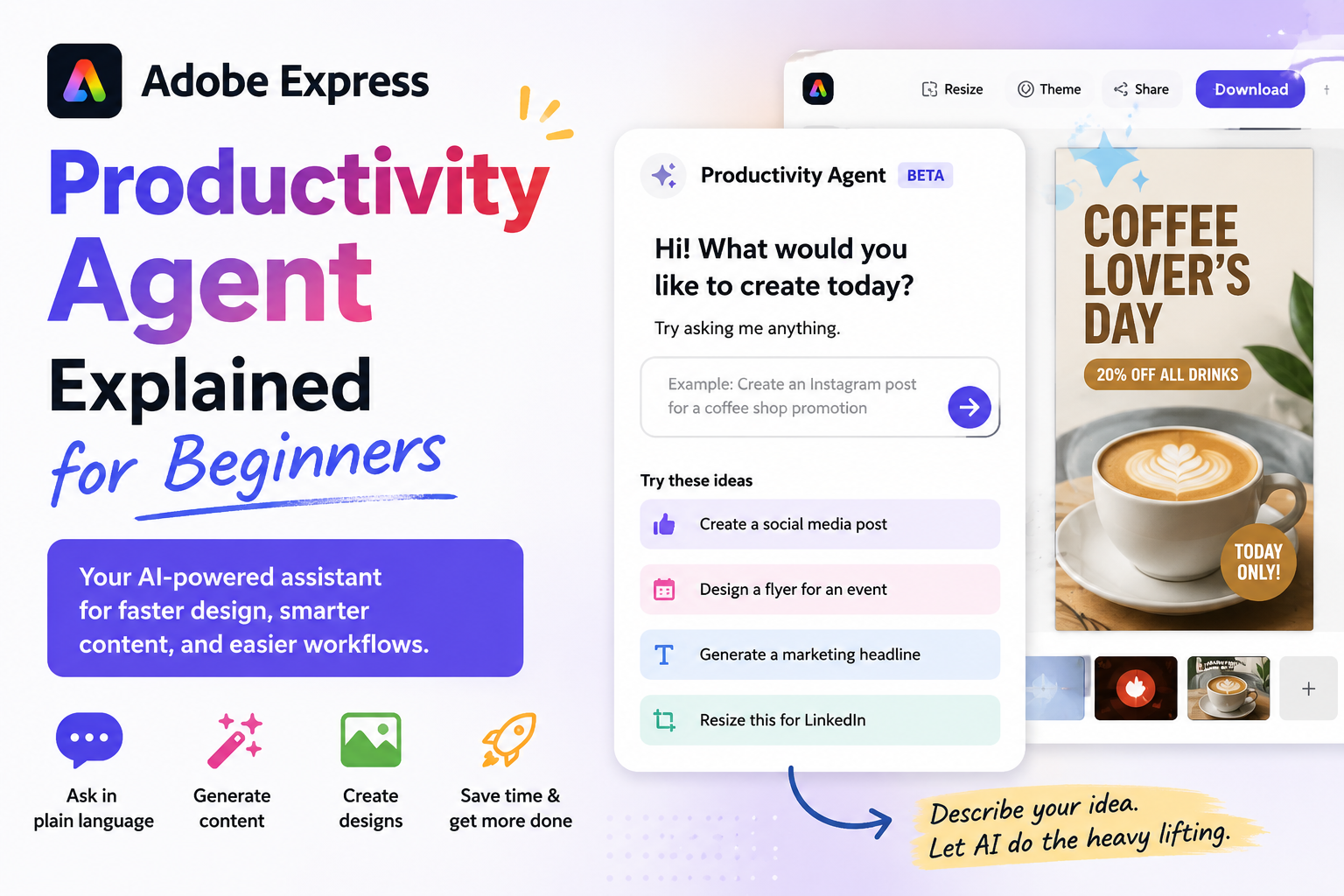
Adobe has been steadily adding more AI-powered capabilities to Adobe Express, and one of the most interesting additions is the Productivity Agent. Designed to help users complete tasks faster and automate repetitive work, the Productivity Agent aims to transform Adobe Express from a simple design tool into a more intelligent creative assistant.
If you’re new to Adobe Express or AI-powered productivity tools, this guide explains what the Productivity Agent is, how it works, and how beginners can start using it.

What Is the Adobe Express Productivity Agent?
The Adobe Express Productivity Agent is an AI-powered assistant built into Adobe Express that helps users create, edit, organize, and manage content more efficiently.
Instead of manually performing every design task, users can describe what they want, and the Productivity Agent can help automate parts of the process.
Think of it as a virtual assistant that understands creative tasks and helps you accomplish them faster.
Examples include:
- Creating social media content
- Resizing designs
- Generating marketing materials
- Editing images
- Organizing content assets
- Building branded content
- Automating repetitive design tasks
The goal is simple: spend less time clicking and more time creating.
Why Did Adobe Create the Productivity Agent?
Many Adobe Express users are:
- Small business owners
- Marketing teams
- Social media managers
- Educators
- Students
- Content creators
These users often need to create large amounts of content quickly.
Adobe developed the Productivity Agent to:
- Reduce manual work
- Speed up content creation
- Improve consistency
- Help non-designers create professional content
- Increase productivity across teams
Rather than learning complex design software, users can focus on their goals while AI handles part of the execution.
How Does the Productivity Agent Work?
The Productivity Agent uses generative AI and automation technologies to understand user requests.
You provide instructions such as:
- “Create three Instagram posts promoting a webinar.”
- “Turn this flyer into a LinkedIn post.”
- “Resize this design for Pinterest.”
- “Create matching graphics using my brand colors.”
The agent then performs multiple steps automatically.
Behind the scenes it may:
- Analyze your content
- Generate design suggestions
- Apply branding
- Create layouts
- Adjust text
- Recommend assets
- Produce multiple variations
This significantly reduces the amount of manual editing required.
What Can the Productivity Agent Help With?
Content Creation
Users can generate marketing materials more quickly.
Examples:
- Social media posts
- Event promotions
- Product announcements
- Educational graphics
- Presentation slides
The agent can help create initial drafts that users can refine.
Design Resizing
One common challenge is adapting content for multiple platforms.
The Productivity Agent can assist with:
- Instagram posts
- Facebook posts
- LinkedIn graphics
- Pinterest Pins
- YouTube thumbnails
- Story formats
Instead of rebuilding designs manually, users can generate multiple versions more efficiently.
Brand Consistency
Many businesses struggle to keep designs aligned with their brand identity.
The Productivity Agent can work with:
- Brand colors
- Logos
- Fonts
- Visual styles
This helps maintain consistency across content.
Content Repurposing
A single piece of content can often be transformed into multiple formats.
For example:
A blog article can become:
- Social media posts
- Infographics
- Quote graphics
- Presentation slides
- Promotional banners
The Productivity Agent helps streamline this process.
Workflow Automation
The Productivity Agent is designed to reduce repetitive actions.
Examples include:
- Applying templates
- Generating variations
- Updating branding
- Formatting content
- Creating multiple asset sizes
This can save significant time for frequent Adobe Express users.
How Beginners Can Use the Productivity Agent
Step 1: Open Adobe Express
Launch Adobe Express and log into your account.
Step 2: Start a New Project
Create a new design or open an existing project.
Step 3: Look for AI-Powered Features
Adobe continues to expand AI functionality within Express.
Depending on your account and region, Productivity Agent features may appear in:
- AI panels
- Quick Actions
- Content generation tools
- Workflow automation features
Step 4: Describe Your Goal
Use natural language whenever possible.
Examples:
- “Create a social media campaign.”
- “Generate a flyer for my event.”
- “Turn this into a Pinterest Pin.”
- “Create multiple branded versions.”
The clearer your instructions, the better the results.
Step 5: Review and Customize
AI-generated content is a starting point.
Always review:
- Text accuracy
- Branding
- Layout choices
- Images
- Colors
Small edits often produce the best final results.
Benefits of the Productivity Agent
Faster Content Creation
Tasks that once took hours may take minutes.
Easier for Non-Designers
Users without graphic design experience can create professional-looking content.
Consistent Branding
The agent can help maintain visual consistency.
Improved Team Productivity
Marketing and content teams can produce more content with fewer manual steps.
Reduced Repetitive Work
Automation allows users to focus on strategy and creativity rather than routine tasks.
Limitations to Understand
While powerful, the Productivity Agent is not perfect.
Users should remember:
AI Still Requires Human Review
Always check generated content before publishing.
Creative Judgment Matters
AI can generate options, but human creativity remains important.
Complex Projects May Need Additional Editing
Advanced branding, print production, and highly customized layouts may still require manual adjustments.
Productivity Agent vs Traditional Design Work
| Traditional Workflow | Productivity Agent Workflow |
|---|---|
| Create from scratch | Start with AI-generated drafts |
| Manual resizing | Automated adaptation |
| Repetitive editing | Automated workflows |
| Individual asset creation | Multiple versions generated quickly |
| More technical knowledge required | Beginner-friendly approach |
Who Should Use the Productivity Agent?
The Productivity Agent is especially useful for:
- Small business owners
- Content creators
- Social media managers
- Marketing teams
- Freelancers
- Educators
- Non-designers
- Entrepreneurs
Anyone who regularly creates content can benefit from the time savings.
Final Thoughts
The Adobe Express Productivity Agent represents Adobe’s vision of AI-assisted content creation. Rather than replacing creativity, it helps automate repetitive tasks, generate starting points, and streamline workflows.
For beginners, the Productivity Agent can make Adobe Express easier to use and significantly faster for creating social media graphics, marketing materials, presentations, and branded content. As Adobe continues to expand AI features within Express, the Productivity Agent is likely to become an increasingly valuable tool for individuals and teams looking to create more content in less time.






