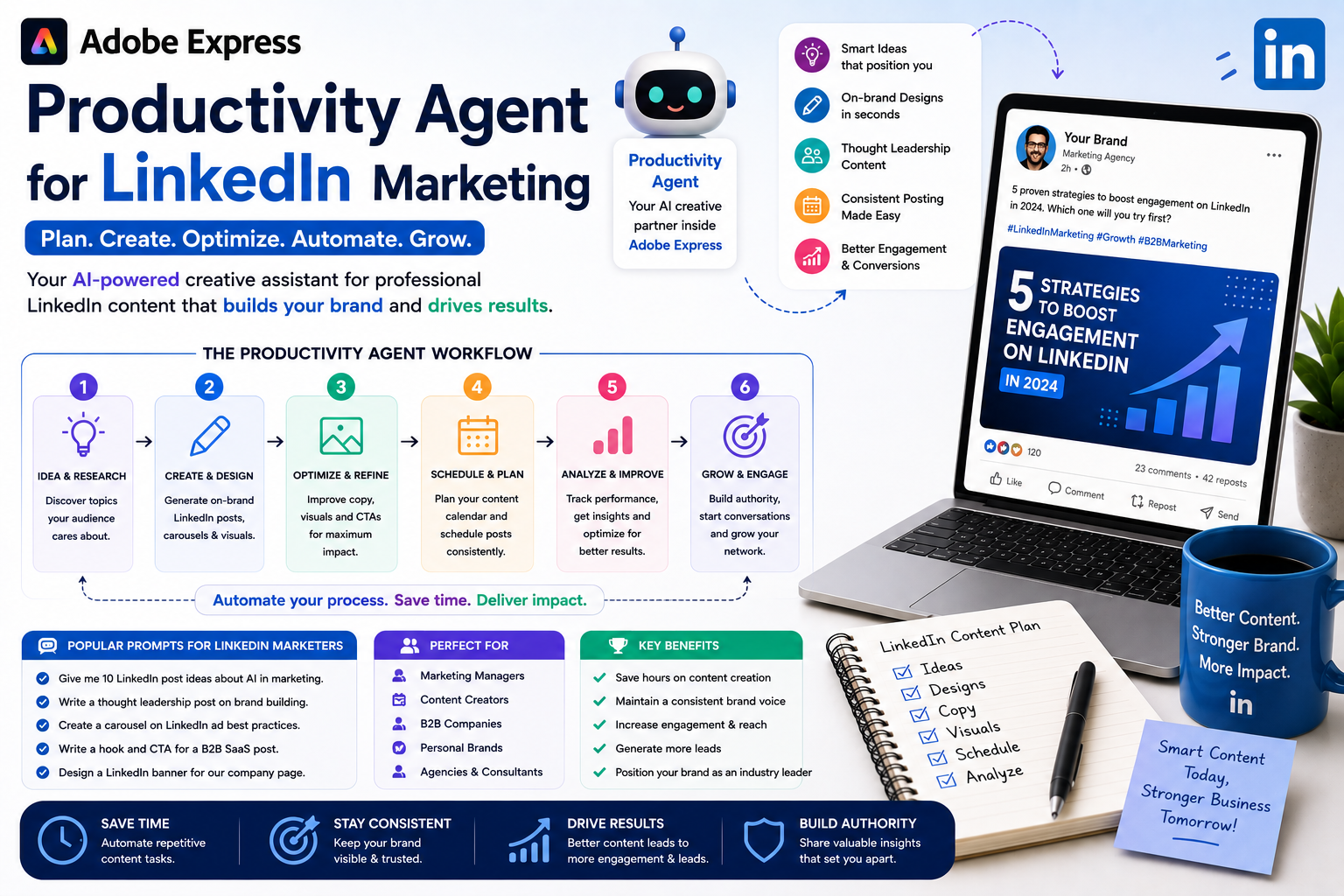
LinkedIn has become one of the most powerful platforms for building professional credibility, generating leads, recruiting talent, and growing a business. However, maintaining a consistent presence requires a steady stream of high-quality content, including posts, banners, carousels, event graphics, presentations, and company updates.
The Adobe Express Productivity Agent helps simplify LinkedIn content creation by acting as an AI-powered creative assistant. Using natural language prompts, you can quickly generate professional marketing assets while keeping your branding consistent across every post and campaign.
In this guide, you’ll learn how the Adobe Express Productivity Agent can help improve your LinkedIn marketing workflow.
What Is the Adobe Express Productivity Agent?
The Productivity Agent is an AI-powered assistant built into Adobe Express that helps users create designs and marketing content using simple conversational prompts.
Instead of manually building every graphic from scratch, you can simply describe your goal.
For example:
Create a professional LinkedIn post announcing our new cybersecurity consulting service.
The Productivity Agent can generate layouts, headlines, visuals, and design ideas that you can further customize before publishing.
Why LinkedIn Marketing Matters
Unlike many social platforms, LinkedIn focuses on professional networking and business relationships.
Companies use LinkedIn to:
- Build brand awareness
- Generate leads
- Recruit employees
- Share company news
- Promote services
- Publish thought leadership
- Announce product launches
- Drive website traffic
- Build trust with customers
Professional, visually appealing content often attracts more engagement than plain text updates.
Create Professional LinkedIn Posts
One of the Productivity Agent’s biggest strengths is quickly generating polished LinkedIn graphics.
You can create:
- Product announcements
- Service promotions
- Company milestones
- Customer success stories
- Industry insights
- Educational tips
- Webinar promotions
- Event announcements
- Recruitment posts
- Company updates
Example prompt:
Create a modern LinkedIn graphic announcing our free cybersecurity assessment for small businesses using navy blue and white with a clean corporate design.
Design Thought Leadership Graphics
Thought leadership helps establish credibility.
Ask the Productivity Agent to design graphics supporting:
- Industry trends
- Expert opinions
- Research summaries
- Business advice
- Leadership insights
- Professional tips
Example prompt:
Design a LinkedIn graphic highlighting five cybersecurity trends every CIO should know in 2026.
Professional visuals make educational content easier to read and more likely to be shared.
Build LinkedIn Carousel Posts
Carousel documents remain one of the most engaging LinkedIn content formats.
The Productivity Agent can help create:
- Step-by-step guides
- Checklists
- Industry reports
- Business frameworks
- Case studies
- Educational tutorials
- Best practices
- Product walkthroughs
Example prompt:
Create an eight-page LinkedIn carousel explaining ISO 27001 implementation for small businesses.
Promote Webinars and Events
LinkedIn is widely used to promote professional events.
Create graphics for:
- Conferences
- Webinars
- Workshops
- Live demonstrations
- Product launches
- Networking events
- Company presentations
Example prompt:
Design a LinkedIn event banner promoting our AI productivity webinar with a modern corporate style.
Generate Company Page Graphics
The Productivity Agent can help create consistent content for your company page.
Examples include:
- Weekly updates
- New employee announcements
- Partnership news
- Product releases
- Awards
- Customer testimonials
- Behind-the-scenes posts
- Office culture
Maintaining a consistent visual identity strengthens your company’s professional image.
Support Recruitment Campaigns
LinkedIn is one of the world’s largest recruitment platforms.
Create hiring graphics such as:
- We’re Hiring announcements
- Job openings
- Company culture posts
- Employee spotlights
- Recruitment campaigns
- Graduate opportunities
Example prompt:
Create a LinkedIn hiring graphic for a Senior Software Engineer using our company branding.
Keep Branding Consistent
A professional brand builds trust.
Using Adobe Express Brand Kits, the Productivity Agent can consistently apply:
- Company colors
- Fonts
- Logos
- Visual style
- Brand voice
Every LinkedIn asset becomes part of a cohesive marketing strategy.
Write Better LinkedIn Copy
The Productivity Agent also assists with content writing.
Generate:
- Headlines
- Post introductions
- Calls to action
- Promotional text
- Professional announcements
- Event invitations
- Product descriptions
Example prompt:
Write a professional LinkedIn announcement introducing our new managed IT services.
Review and personalize AI-generated copy to ensure it reflects your company’s voice and expertise.
Repurpose Existing Content
Instead of creating everything from scratch, repurpose existing materials.
Transform:
- Blog posts into LinkedIn graphics
- Whitepapers into carousel posts
- Presentations into quote cards
- Case studies into visual summaries
- Customer testimonials into branded graphics
- Research reports into educational posts
The Productivity Agent helps adapt content for LinkedIn while preserving your messaging.
Example Workflow
A B2B company launching a new service might follow this process:
- Define campaign objectives.
- Generate campaign messaging.
- Create LinkedIn announcement graphics.
- Design a carousel presentation.
- Build webinar promotional visuals.
- Produce employee advocacy graphics.
- Generate event banners.
- Write post copy.
- Review branding.
- Publish and monitor engagement.
The Productivity Agent helps reduce production time throughout the campaign.
Best Practices
For the best results:
- Define a clear marketing objective.
- Specify your audience.
- Use your Adobe Express Brand Kit.
- Keep layouts clean and professional.
- Use concise messaging.
- Include strong calls to action.
- Generate multiple creative variations.
- Review AI-generated content before publishing.
- Measure engagement and refine future campaigns.
These practices help maximize the impact of your LinkedIn marketing.
Frequently Asked Questions
Can the Productivity Agent create LinkedIn graphics?
Yes. It can generate layouts, marketing visuals, banners, carousel slides, promotional graphics, and other LinkedIn-ready content based on your prompts.
Can it help write LinkedIn posts?
Yes. The Productivity Agent can assist with headlines, promotional copy, announcements, and calls to action. Always review the content before publishing.
Is it useful for B2B marketing?
Absolutely. The Productivity Agent is particularly valuable for B2B companies, consultants, agencies, recruiters, and professional service providers looking to create consistent, branded LinkedIn content.
Can it maintain my company’s branding?
Yes. By using Adobe Express Brand Kits, the Productivity Agent can apply your saved logos, fonts, colors, and visual identity across multiple marketing assets.
Final Thoughts
The Adobe Express Productivity Agent helps transform LinkedIn marketing from a time-consuming design process into a streamlined AI-assisted workflow. Whether you’re publishing thought leadership content, promoting services, recruiting talent, announcing company news, or launching a marketing campaign, the Productivity Agent enables you to create polished, professional visuals more efficiently.
Combined with Adobe Express Brand Kits, templates, and AI-powered design tools, it allows businesses and professionals to maintain a consistent brand identity while producing engaging LinkedIn content at scale. The result is a more productive marketing workflow and a stronger professional presence on one of the world’s most important business networking platforms.






