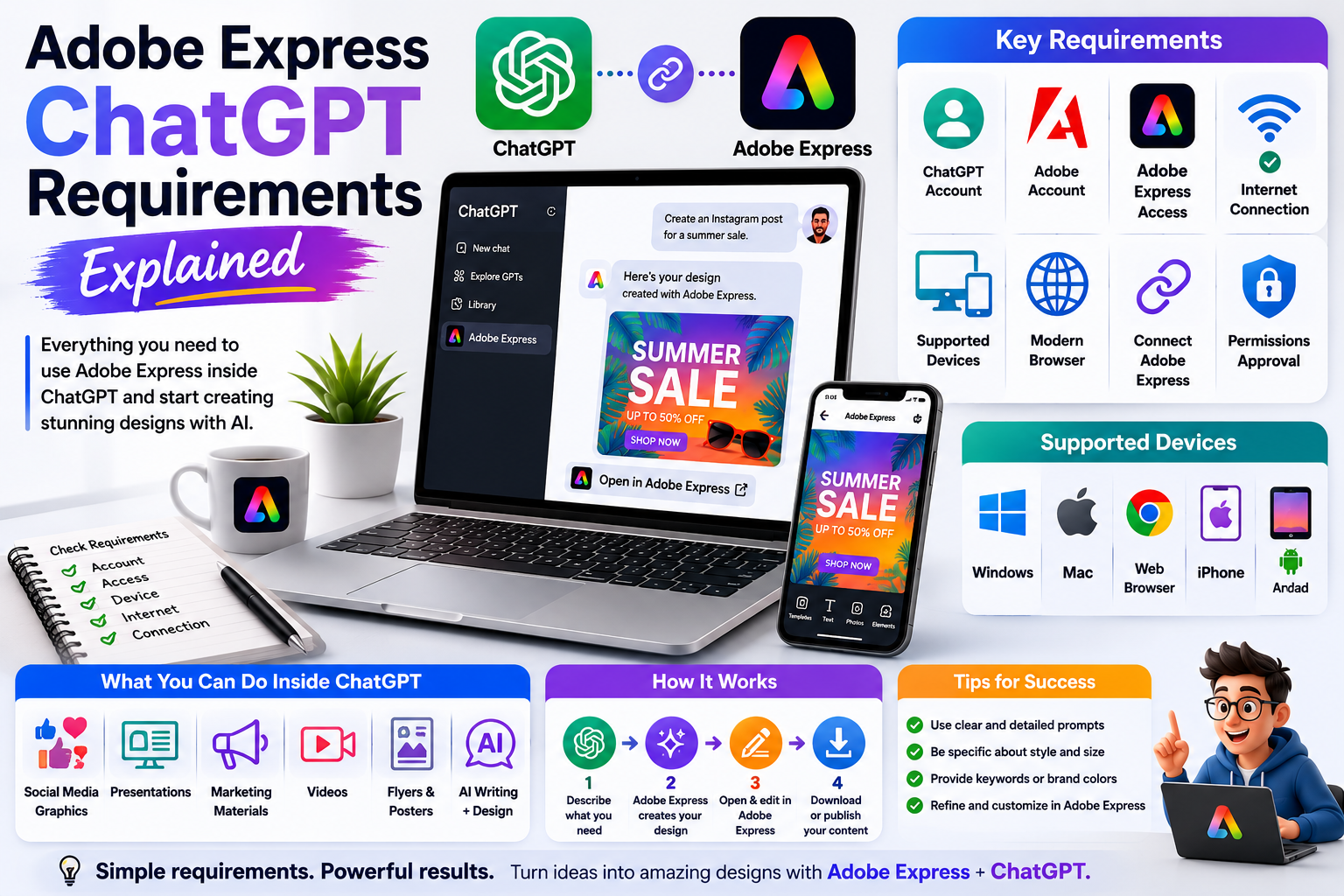
Adobe Express now works directly inside ChatGPT, allowing you to create flyers, social media graphics, presentations, invitations, and other visual content using simple natural language prompts. Instead of switching between multiple applications, you can start your design inside ChatGPT and continue refining it in Adobe Express.
Before you begin, however, it’s important to make sure you meet the basic requirements. This guide explains everything you need to use Adobe Express successfully inside ChatGPT.
What Do You Need?
Most users only need a few things to get started.
The basic requirements are:
- A ChatGPT account
- An Adobe account
- Access to Adobe Express
- A supported device
- An internet connection
Once these requirements are met, you can connect Adobe Express and begin creating designs directly from your conversations.
Requirement 1: A ChatGPT Account
You’ll need an active ChatGPT account.
Depending on how OpenAI makes Adobe Express available, some capabilities may be available to all users while others may require specific plans or feature rollouts. Availability can change over time.
Requirement 2: An Adobe Account
You’ll also need an Adobe account.
A free Adobe account is enough to get started with Adobe Express.
If you already use:
- Adobe Photoshop
- Adobe Illustrator
- Adobe Acrobat
- Adobe Creative Cloud
you can typically use the same Adobe ID.
Requirement 3: Adobe Express Access
Your Adobe account must have access to Adobe Express.
You can use:
- Adobe Express Free
- Adobe Express Premium
The Premium plan unlocks additional templates, Brand Kits, premium assets, and advanced creative features, but many core capabilities are also available on the free plan.
Requirement 4: Supported Devices
Adobe Express for ChatGPT supports several platforms.
These include:
- Windows PCs
- Mac computers
- Web browsers
- iPhone
- iPad
- Android devices (Adobe Express support is available on Android)
As Adobe expands the integration, additional platforms may receive support.
Requirement 5: Internet Connection
Because both ChatGPT and Adobe Express are cloud-based services, you’ll need a reliable internet connection.
A faster connection helps when:
- Loading templates
- Uploading images
- Saving projects
- Exporting designs
- Synchronizing files
Requirement 6: Connect Adobe Express
Before using Adobe Express in ChatGPT, you’ll need to connect your Adobe account.
The general process is:
- Open ChatGPT.
- Open Apps.
- Search for Adobe Express.
- Select Connect.
- Sign in with your Adobe account.
- Approve the requested permissions.
Once connected, Adobe Express becomes available inside your conversations.
Do You Need Adobe Express Premium?
No.
You can begin with the free version of Adobe Express.
However, Premium offers additional capabilities such as:
- Brand Kits
- Premium templates
- Adobe Stock assets
- Advanced AI features
- Team collaboration
- Additional export options
Whether Premium is worthwhile depends on how often you create content.
Do You Need ChatGPT Plus?
Not necessarily.
Adobe Express is available through the ChatGPT apps experience, but the exact access you receive depends on your ChatGPT account and the features currently available to it. Adobe and OpenAI may expand or change availability over time.
Browser Requirements
For the best experience, use an up-to-date browser.
Supported browsers typically include:
- Google Chrome
- Microsoft Edge
- Mozilla Firefox
- Apple Safari
Keeping your browser updated helps avoid compatibility issues with authentication and new features.
Recommended Hardware
Adobe Express isn’t particularly demanding, but a modern device provides a smoother experience.
Recommended specifications include:
- At least 8 GB of RAM
- A modern multi-core processor
- A current operating system
- Updated graphics drivers
- Stable broadband internet
Mobile users should also keep the Adobe Express and ChatGPT apps updated.
Permissions Required
When connecting Adobe Express, you’ll be asked to approve permissions.
These typically allow Adobe Express to:
- Create projects
- Open templates
- Save designs
- Access your Adobe workspace
You can revoke these permissions later if needed.
Common Problems
Adobe Express Doesn’t Appear
Possible reasons include:
- The feature hasn’t reached your account yet.
- Your ChatGPT interface hasn’t updated.
- You’re not signed in correctly.
Cannot Connect Adobe Account
Try:
- Signing into Adobe first.
- Refreshing ChatGPT.
- Clearing browser cookies.
- Trying another browser.
Templates Don’t Load
Adobe recommends:
- Refreshing the conversation.
- Rephrasing your request.
- Opening the project in Adobe Express to continue editing.
Permission Errors
Disconnect Adobe Express, reconnect it, and approve all requested permissions again.
Best Practices
To get the best experience:
- Keep both ChatGPT and Adobe Express updated.
- Use detailed prompts.
- Save projects frequently.
- Use a single Adobe account consistently.
- Update your browser regularly.
- Keep your operating system current.
These simple practices reduce technical problems and improve AI-generated results.
Quick Requirements Checklist
| Requirement | Needed? |
|---|---|
| ChatGPT account | ✅ |
| Adobe account | ✅ |
| Adobe Express access | ✅ |
| Internet connection | ✅ |
| Supported browser or mobile app | ✅ |
| Adobe Express connection | ✅ |
| Adobe Express Premium | Optional |
| ChatGPT Plus | Depends on available features |
Conclusion
Getting started with Adobe Express inside ChatGPT requires very little setup. As long as you have a ChatGPT account, an Adobe account, Adobe Express access, and a supported device, you can connect the two services and begin creating visual content through natural language.
As Adobe continues expanding its AI ecosystem, these requirements may evolve, but the overall setup remains straightforward. Once connected, you’ll be able to move from a simple idea to an editable Adobe Express project in just a few prompts.
Frequently Asked Questions
Do I need an Adobe account?
Yes. An Adobe account is required to connect Adobe Express with ChatGPT.
Can I use the free version of Adobe Express?
Yes. Many Adobe Express features are available with a free account, while Premium unlocks additional capabilities.
Does ChatGPT Plus automatically include Adobe Express Premium?
No. Adobe Express and ChatGPT are separate services with separate subscription plans.
Can I use Adobe Express on my phone?
Yes. Adobe Express works on supported mobile devices, and the ChatGPT integration is also available on supported mobile platforms.
Related Articles
- What Is Adobe Express for ChatGPT?
- How to Connect Adobe Express to ChatGPT
- Can You Use Adobe Express Inside ChatGPT for Free?
- Adobe Express App vs Adobe Express Website: Which Should You Use?
- Adobe Express ChatGPT Supported Devices


